Introducing Neo4j Fleet Manager: One control plane for all your Neo4j deployments

Director of Product Management, Neo4j
3 min read
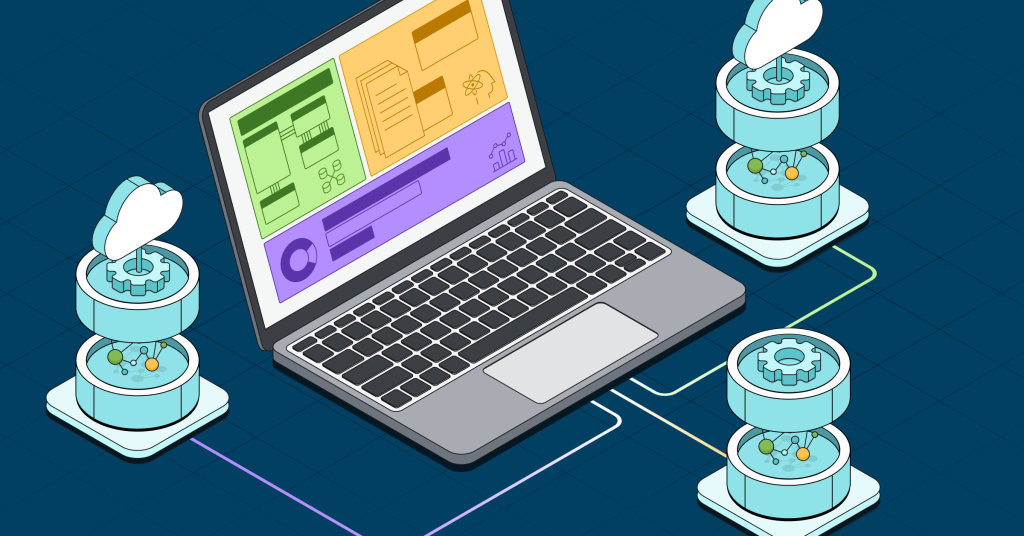
Our customers tend to operate Neo4j instances across multiple clouds and private data centers, often deployed by different teams. This complexity creates a host of challenges, including fragmented visibility, manual operations, and siloed teams.
Neo4j Fleet Manager helps organizations solve these infrastructure challenges.
Fleet Manager provides a unified control plane for managing and monitoring Neo4j databases across any environment: cloud, hybrid, and on-premises. It delivers fleet-wide visibility, unified policy enforcement, and automated workflows for provisioning, upgrades, and migrations. Built-in observability allows administrators to monitor performance, compliance, and cost across every deployment—eliminating silos and manual intervention.
Console activity logging provides auditability of deployment changes in the console, all data sent from the deployment is encrypted, and any tool access is secured by Neo4j RBAC to ensure enterprise-grade security.
By consolidating operations under one pane of glass, Fleet Manager simplifies management at scale and empowers teams to operate graph workloads with speed, reliability, and confidence.
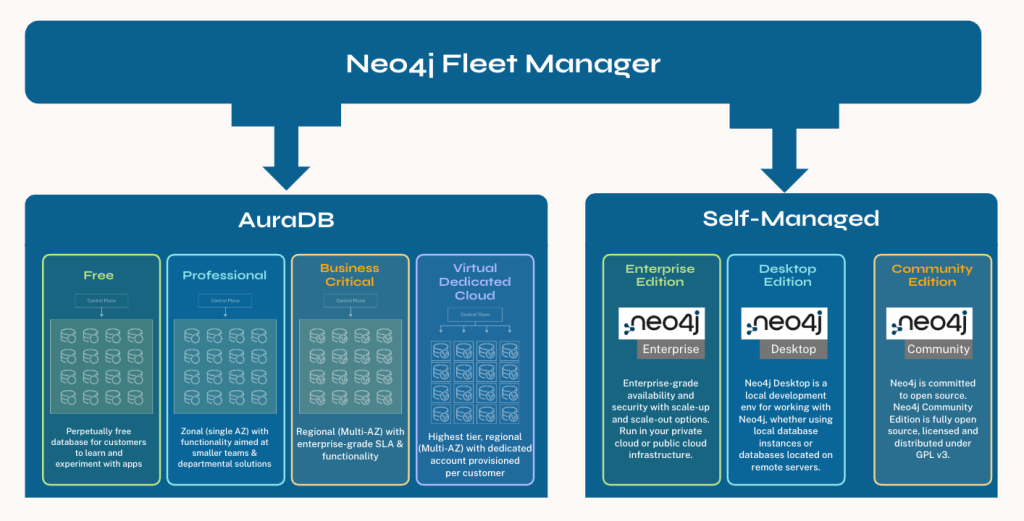
Unified fleet management across environments
Fleet Manager allows you to transform fleet management in three key ways: standardizing fleet administration, improving the health and performance of your fleet, and optimizing your workload operations.
Standardize administration across your fleet
Fleet Manager’s single control plane helps you refine and streamline fleet administration across cloud, on-prem, and hybrid environments.
- Categorize and tag deployments for ownership and lifecycle management—essential for large enterprises with mixed teams and projects.
- Manage extensions and licenses across the fleet, reducing compliance risk and simplifying audits.
- View and manage resource usage across your cloud deployments.
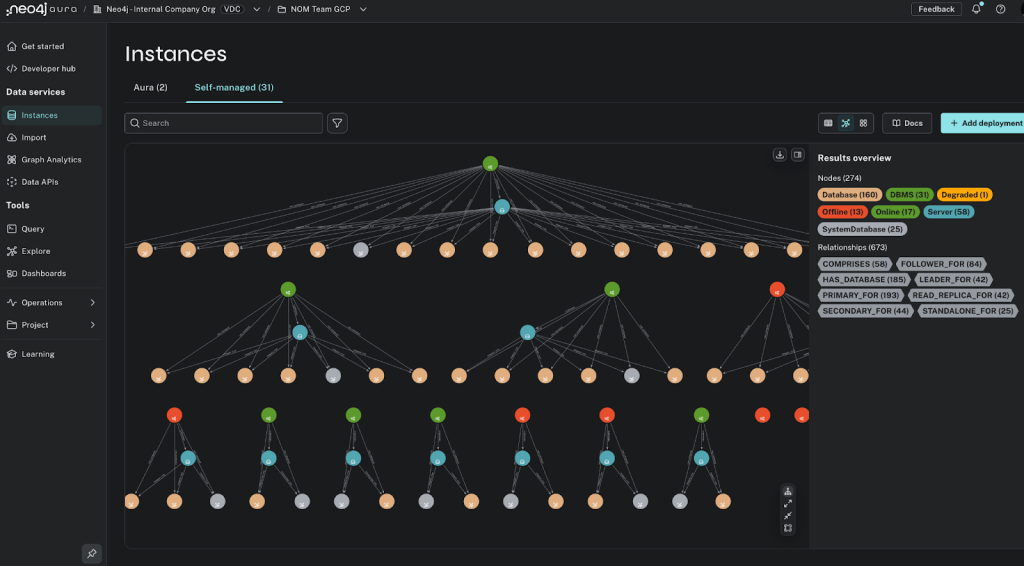
Improve fleet health and performance with real-time visibility
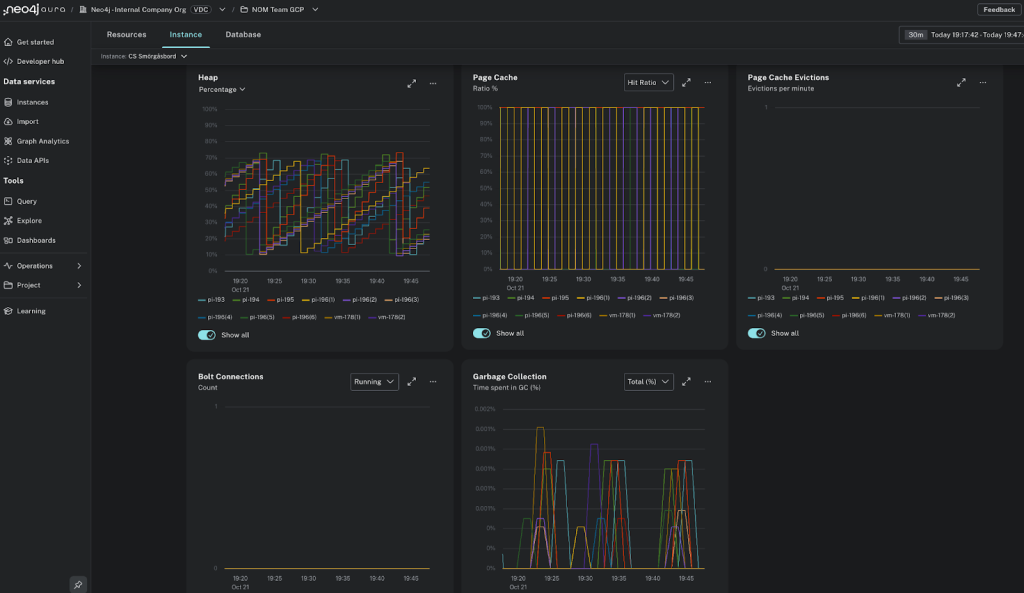
Monitor the health and performance of your databases with intuitive dashboards, topology overviews, and automated status checks. Detect and address issues before they escalate, reducing downtime and improving performance.
- Ensure end-to-end visibility with a unified view of your fleet’s health, performance, and resource usage.
- Use real-time monitoring to identify performance spikes, bottlenecks, and error patterns before they impact workloads.
- Check the status of Neo4j licenses across deployments so you can ensure consistency.
- Resolve issues faster with built-in log analysis to troubleshoot errors and reduce downtime.
Streamline workload operations for improved resilience and uptime
Coordinate and harmonize workload operations across your Neo4j databases to minimize downtime and reduce risks to your enterprise data.
- Minimize data disruption by automating backups and restores across your fleet.
- Simplify version upgrades with guided, assisted workflows, reducing human error and accelerating the upgrade process.
Get started with Neo4j Fleet Manager
The first release of Fleet Manager will focus on foundational visibility and management, including:
- Instance registration and token management, allowing you to securely register self-managed databases
- Topology and status view, so you can see your fleet’s health and configuration in one place
- Key performance metrics about your self-managed Enterprise deployments
- View of configuration, installed plugins, and license status for your self-managed deployments
Fleet Manager is now available in the Aura Console. This post explains how to set it up, and our Fleet Manager demo video also walks you through the process. Or to see a live demo, join us on January 13th for a LinkedIn Live event. If you’re not already on Aura, it’s easy to create a free account.
We want to continue to evolve Fleet Manager with our customers, and we can’t wait to hear your feedback. You can submit it right in the Aura Console using the feedback button in the title bar and choosing Fleet Manager, or directly through Neo4j Feedback. Dive in and help us shape the future of unified Neo4j management—while making your fleet operations simpler, safer, and smarter.
Share Article



Explore
Related Articles

New Ways to Scale and Apply Enterprise AI with Neo4j

The startup’s guide to getting started building on Neo4j Aura

Train once, embed forever: GraphSAGE and the model repository in Aura Graph Analytics