
A complete guide to production-grade PrivateLink setup for Neo4j Enterprise Edition

Principal Partner Architect, Neo4j
4 min read
Overview
What if you could securely expose a Neo4j Enterprise Edition cluster across VPCs with zero public exposure, full TLS (neo4j+s and https), and clean private DNS like privatelink.neo4jfield.org – all over PrivateLink?
In many production environments, this is not straightforward. It often involves trial and error across networking, DNS, TLS, and Neo4j cluster routing.
This guide presents a proven, production-grade solution that brings all of these pieces together:
- Secure cross-VPC access using AWS PrivateLink
- End-to-end TLS with proper certificate validation
- Clean private DNS integration aligned with certificates
- Neo4j cluster routing that works out of the box
This is based on a real-world implementation, so you don’t have to spend hours debugging edge cases around security groups, DNS resolution, or cluster connectivity.
Challenge and solution
Challenge
In enterprise environments:
- Databases cannot be exposed publicly
- Opening full network connectivity (VPC peering / TGW) increases attack surface
- Neo4j requires direct connectivity to cluster members for routing
Solution
Use AWS PrivateLink to expose only required services:
- HTTPS (7473)
- Bolt (7687)
while keeping:
- Cluster ports (6000, 7000, 7688) strictly internal
and using private DNS (for example: privatelink.neo4jfield.org) with full TLS for secure, clean access.
High-level architecture
Imagine a Neo4j Enterprise cluster hosted in an AWS VPC in the us-east-1 (East) region. The customer needing to connect is located in a separate VPC in the us-central-1 (Central) region.
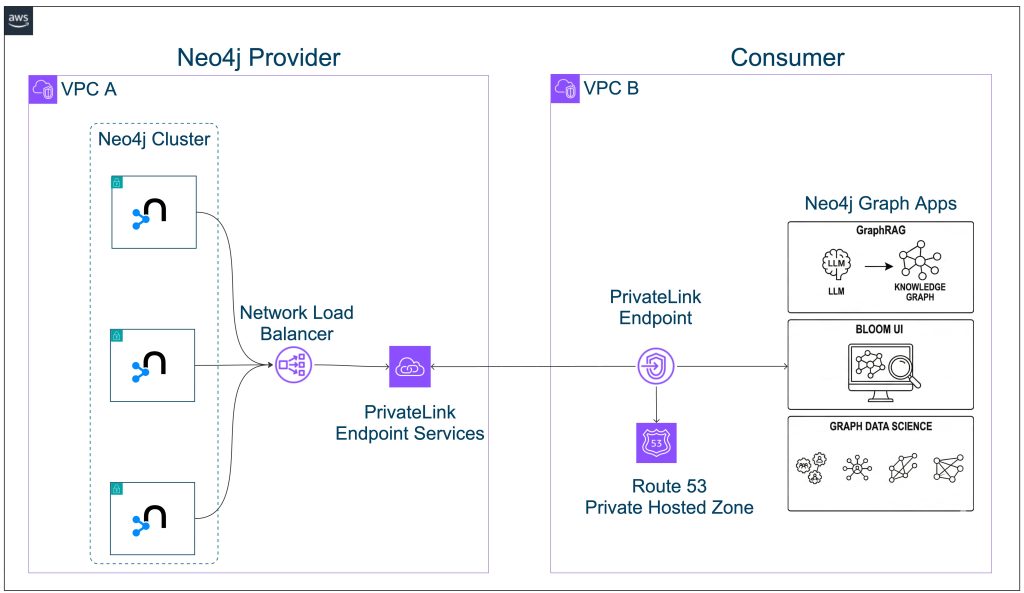
To provide a production-grade, highly secure, and scalable cross-region, cross-VPC connectivity solution, we will extend the existing architecture using the following AWS services:
- Neo4j Enterprise Edition
- 3-node cluster across:
- us-east-1a
- us-east-1b
- us-east-1c
- Cluster communication restricted within East VPC only
- External access via:
- Bolt (7687)
- HTTPS (7473)
- AWS PrivateLink used for cross-VPC connectivity
- No public exposure
Neo4j cluster configuration
This section ensures Neo4j is configured correctly for PrivateLink access.
What we do
- Configure each node with its own advertised Bolt address
- Use a shared HTTPS endpoint
- Enable full TLS for Bolt and HTTPS
Why
- Neo4j drivers require direct routing to cluster members
- TLS ensures secure client connections
Example (Node A):
server.default_advertised_address=east-a.neo4jfield.org
server.bolt.advertised_address=east-a.neo4jfield.org:7687
server.https.advertised_address=privatelink.neo4jfield.org:7473
Network Load Balancer design
This section defines how traffic enters the Neo4j cluster.
What we do
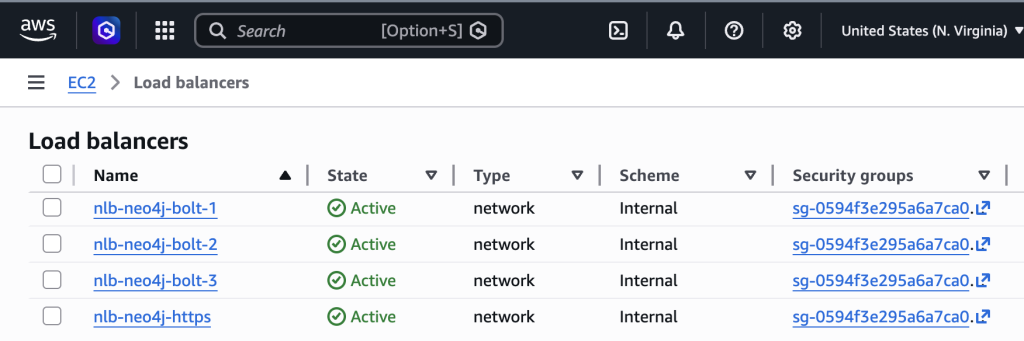
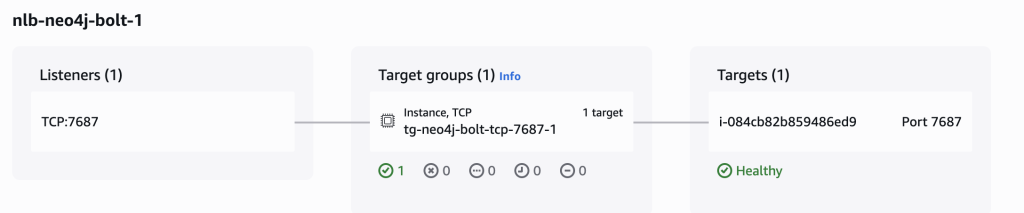
- 1 NLB for HTTPS (7473)
- 3 NLBs for Bolt (7687), one per node
- Use TCP pass-through
- Enable cross-zone load balancing
Why
- Supports cluster-aware routing
- Preserves end-to-end TLS
- Ensures high availability
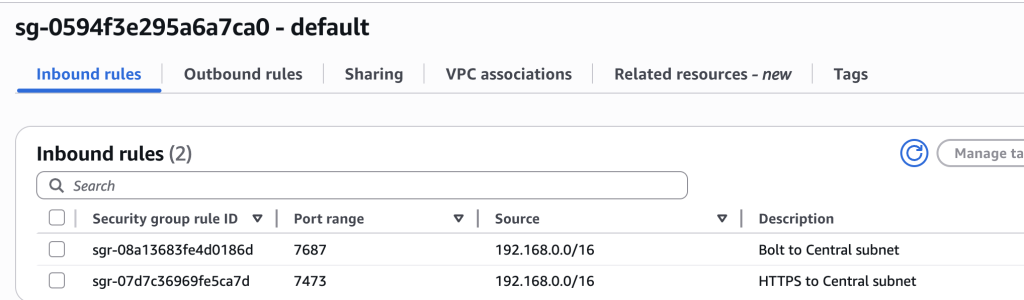
Security best practices
This section enforces least privilege access.
What we do
- Allow only required ports (7473, 7687)
- Keep cluster ports internal
- Use separate security groups for endpoints
Why
- Reduces attack surface
- Maintains strict network boundaries
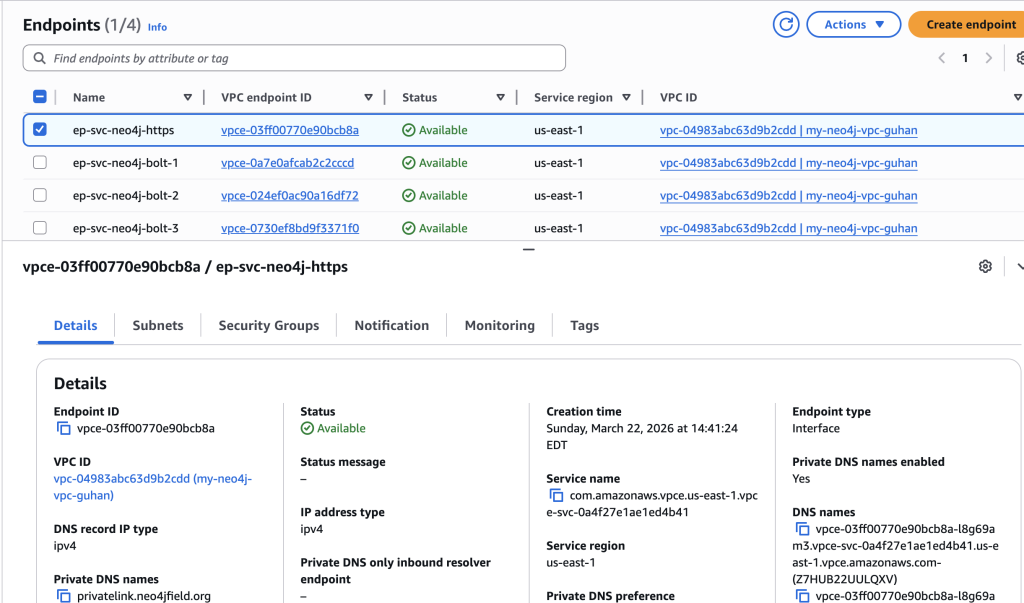
PrivateLink endpoint services
This section exposes Neo4j securely to the consumer VPC.
What we do
- Create 4 endpoint services (1 HTTPS, 3 Bolt)
- Enable private DNS
- Require acceptance
- Verify domain via TXT
Why
- Provides controlled, service-level access
- Prevents unauthorized connections
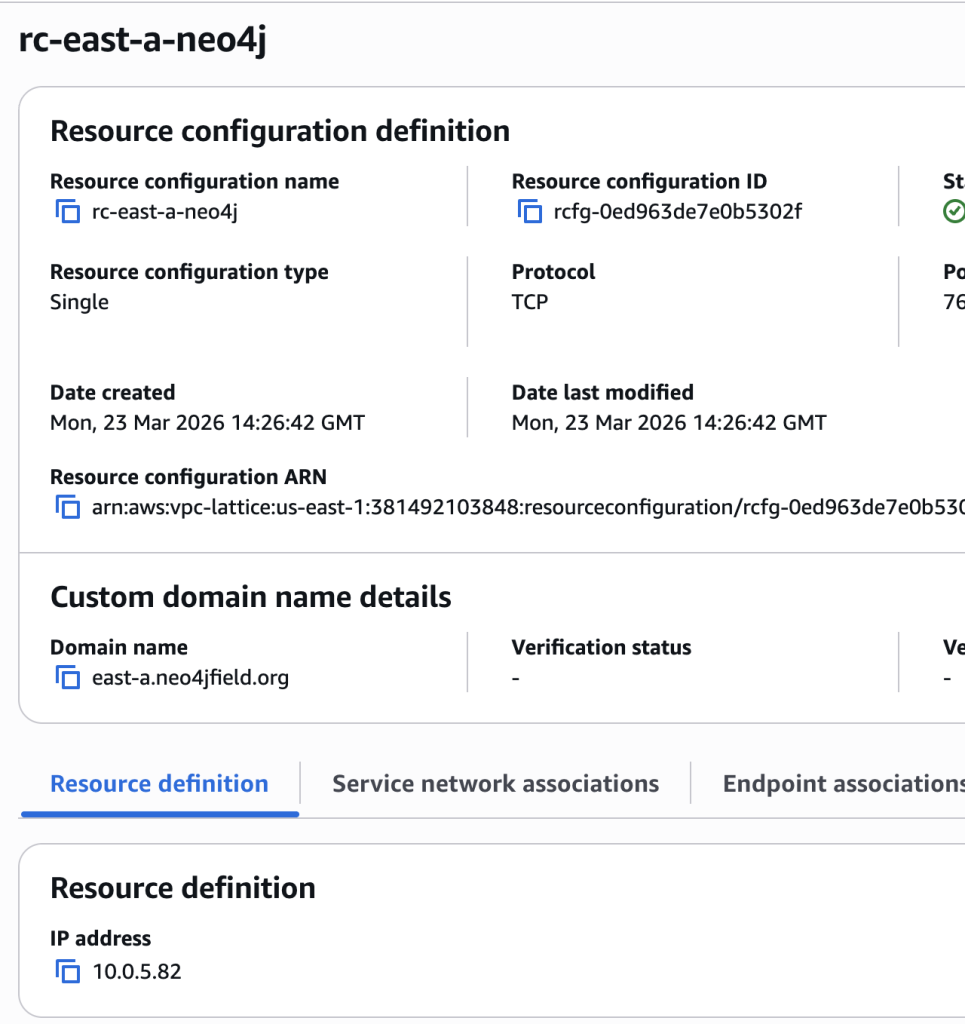
DNS architecture
This section defines how services are accessed using clean hostnames.
What we do
- Use public DNS only for TXT verification
- Use PrivateLink-managed private DNS for runtime
- Use domains like:
privatelink.neo4jfield.orgeast-a.neo4jfield.org
Why
- Ensures TLS certificate alignment
- Avoids manual DNS management
- Keeps everything private
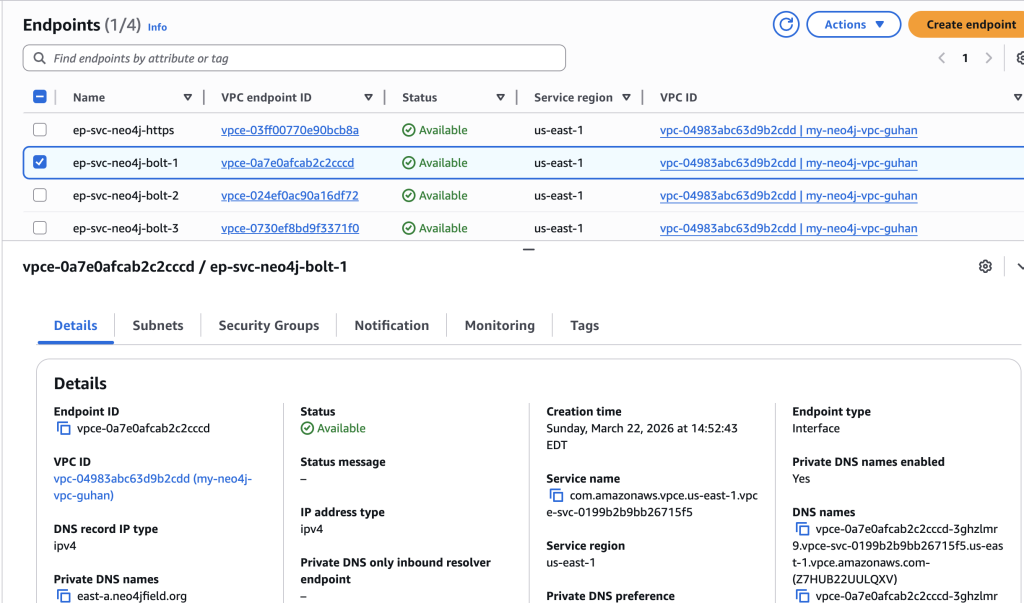
Interface endpoints (central VPC)
This section enables connectivity from the consumer VPC.
What we do
- Create interface endpoints for each service
- Deploy across multiple AZs
- Attach dedicated security group
- Enable private DNS
Why
- Provides high availability
- Ensures private connectivity
Validation checklist
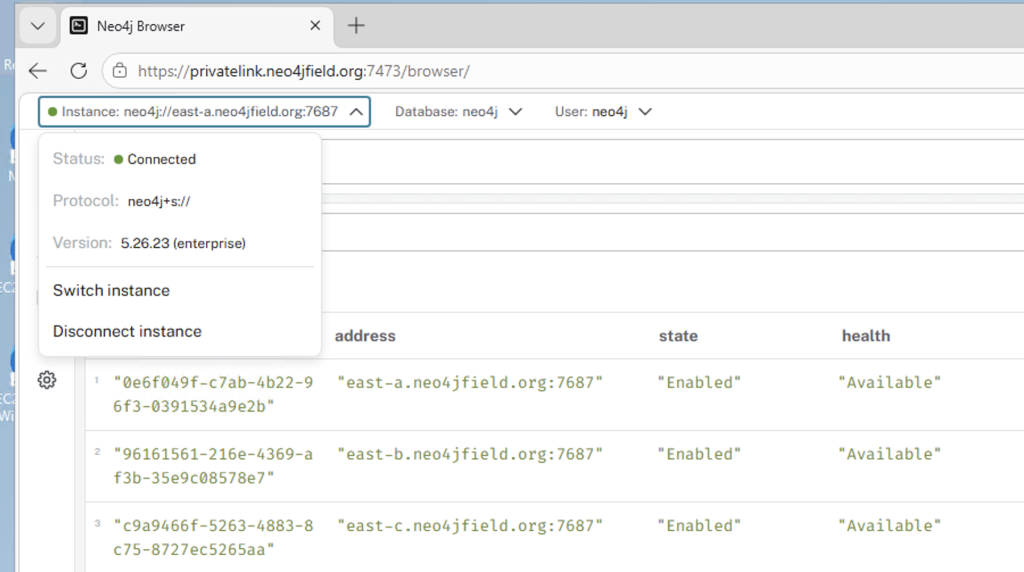
- Endpoints are available and accepted
- DNS resolves to private IPs
- HTTPS works via privatelink.neo4jfield.org
- Bolt works via neo4j+s
- No TLS warnings
Production considerations
- Enterprise Edition allows full control of security and routing
- Only expose required ports via PrivateLink
- Keep cluster communication internal
- Monitor health and connectivity
Summary
This design provides:
- Secure cross-VPC Neo4j access
- Full TLS (https and neo4j+s)
- Least privilege exposure
- Clean private DNS
- High availability
Closing
If you’ve been trying to securely expose Neo4j across VPCs and ran into challenges around DNS, TLS, or cluster routing, this approach is a proven pattern that works in real-world production environments.
There are many small details in this setup that are easy to miss, and getting them right can save significant time and effort.
If you’ve implemented something similar, have questions, or see opportunities to improve this design, I’d be genuinely interested to hear your thoughts and learn from your experience.
Share Article



Explore
Related Articles

AWS PrivateLink and VPC Lattice improve cross-account resource sharing for Neo4j
