What Is Context Engineering in AI Agents? A Practical Guide

Head of Product Innovation & Developer Strategy, Neo4j
18 min read
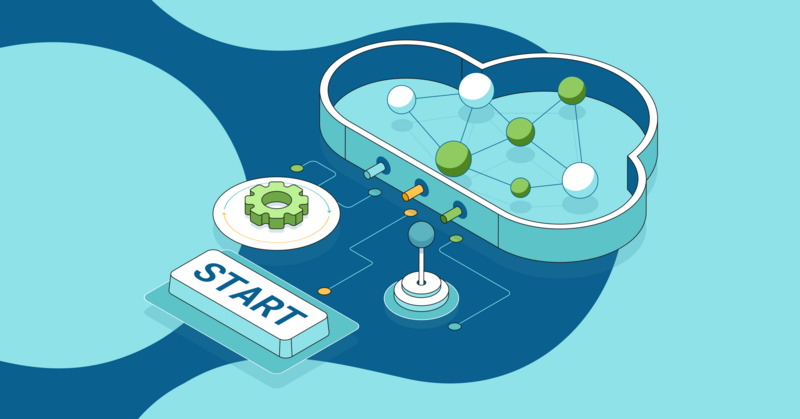
Context engineering gives an LLM the right instructions, tools, and evidence at the right time so it can complete tasks reliably. Many teams start with prompt tweaks, which shape the “ask,” but prompts alone won’t keep track of IDs, filters, and earlier decisions, assemble trusted facts, or coordinate tool use. Agentic applications need that full context to behave reliably.
You might already be skilled at prompt engineering and get strong results in simple use cases. But advanced applications — especially agents — need more than well-phrased instructions. They depend on structured context: clear task definitions, the right information at each step, access to tools, and a reliable way to remember and pass forward IDs, constraints, and intermediate results. Without that scaffolding, the system can’t reliably coordinate multi-step tasks or maintain coherence across decisions. The issue isn’t the model — it’s that prompts alone can’t provide the architecture that complex applications require.
Prompts on their own are no longer enough for complex applications. AI engineers now need to design the context around the model more deliberately.
Context engineering is how you do that. In this article, we explain what context engineering is and how it works with prompt engineering. We offer practical techniques for designing, storing, and retrieving context with Neo4j so your agents stay grounded, explainable, and auditable.
More in this guide:
Prompt Engineering vs. Context Engineering: Why Context Is Important
While prompt engineering shapes how you ask a question, it doesn’t supply the missing information, so you end up with clever phrasing instead of actual facts. With only a prompt, a support bot guesses, and in production, many model failures turn out to be context failures: the agent never saw the right facts, rules, or tools at the right time. Context becomes critical as we move from simple Q&A to multi-step agents. With context engineering, it retrieves the customer, tickets, SLA, and policies at each step, ensuring answers remain relevant, explainable, and governed.
Think about it, even humans need context in any given situation.
Use prompts for role, objective, and output format. Use context engineering to shift from model-centric to architecture-centric engineering by fetching and shaping facts — with graph-aware retrieval and traversals over your knowledge graph.
Bigger context is not necessarily better; while large context windows tempt people to just stuff more text in, structured, relevant input beats raw size.
What Is a Context Window in an LLM?
The context window is the amount of text the model can read at once. It limits how much you can show the model, shapes what it pays attention to, and sets cost and latency because tokens in and out drive usage. Design your pipeline to include only what matters and compress or summarize the rest.
Prompt or Context Engineering? Here’s How to Decide
- Use prompt engineering for narrow, static tasks when the model already knows the facts.
- Use context engineering for multi-source or time-bound questions, when data is under access control, or any time agents must show their work.
What Are the Components of Context in AI Agents?
Context is the set of inputs an agent can see and use to reason. Think of context as the kit you pack for a task at work: clear instructions, the specific question, recent notes, trusted facts, relevant tools, and when to move to the next step. If any piece is missing or noisy, answers drift, and reviews take longer.
Use this checklist to make sure each run has what it needs.
- System instructions: Frame the role, goals, constraints, and safety rules so the model understands how to act.
- User prompts: Capture the specific question and any constraints, such as time window, region, or customer segment.
- Memory (short‑term and long‑term): Keep the recent state for continuity and store durable facts or summaries for reuse.
- Knowledge base (retrieval): Pull facts from trusted sources so answers cite evidence instead of guessing.
- Tools: Provide APIs or functions the model can call; design outputs as small, structured facts.
- Outputs: Normalize tool results and prior answers into concise facts that the next step can consume.
- Global session state: Track IDs, permissions, time zone, and other metadata that travel across steps.
Minimum Viable Context (MVC) and the Context Pyramid
It’s critical to organize context optimally and provide it at the right time. The following techniques will help you do so.
- Minimum viable context (MVC): Think of MVC as the smallest set of inputs the model needs to complete the current task. It typically includes clear instructions and goals, the specific user request, a few targeted examples, a minimal set of enabled tools, and the core facts tied to this request. Leaving out filler and oversized tool dumps keeps the signal high and prevents the model from chasing irrelevant details.
- Context pyramid: Organize what the model sees into three layers. The persistent base holds stable material, such as the system prompt, safety policies, and canonical facts; cache this so it rarely changes. Above that sits the dynamic layer (examples, recent memory, and metadata), which you rotate per task or step. At the top is the ephemeral layer (the user query and tool outputs), which you keep small and short‑lived. Caching the base while refreshing the top layers controls token cost and helps the model attend to what matters.

Context Needs at Each Phase of the Agent Loop
Before an agent runs a loop, each phase needs a different slice of context. Follow these steps to make sure you’re providing the right context at the right time while eliminating noise.
- Reason: Provide the goal, constraints, relevant facts, and available tools. Keep it brief so the plan stays focused.
- Act: Provide selected tool specs, validated parameters, and the minimum supporting facts. Cap outputs and log sources.
- Observe: Provide the tool results, a checklist for quality, and space to extract new facts. Write verified facts and citations back to the graph.
If several agents execute at once, keep reads parallel and designate a single writer to prevent conflicts. Share only necessary state and reconcile any conflicting outputs before the next step.
Practical Handoffs and Protocols
As agents move through phases, package and pass context cleanly so state remains compact, consistent, and auditable.
- Define each agent’s role, inputs, outputs, and allowed tools: Keep a small, role‑specific memory so it stays focused.
- Coordinate multiple agents: Favor parallel reads and a single-writer pattern, decide explicitly what to share, and reconcile conflicting decisions.
- Isolate context where possible: Favor a single‑writer pattern, parallelize reads, and decide explicitly what to share vs. keep local to avoid conflicting writes.
- Share only what is necessary between agents: Pass compact state, short summaries, and graph paths rather than raw logs so downstream steps stay fast and clear.
- Separate private notes from shared facts: Write verified facts and citations back to the graph and keep scratch notes local until you confirm them.
- Budget tokens and latency: Cache stable instructions and tool specs, cap per‑step context size, and prune stale details so the loop stays responsive.
- Secure every handoff: Apply permissions and time filters when you package context for the next agent and strip sensitive fields by default.
- Trace decisions: Attach source links and path identifiers so later agents and reviewers can verify the chain of reasoning.
Use the graph to carry state and the paths behind each result across steps, and use a protocol like Model Context Protocol (MCP) to expose shared tools and resources without one‑off adapters.
Context Question Examples: A Quick Planning Checklist
Use these questions to shape the context before each run so the model sees only what matters.
- Which entities, identifiers, and time windows define the scope for this request (names, IDs, regions, dates)?
- What is the exact user question in one sentence, and what will count as a correct answer for review?
- Which sources are canonical for this decision, and which sources are out of bounds?
- What policies, permissions, and regions apply, and do any sensitive fields need redaction before retrieval?
- What prior facts or decisions must carry across turns so the answer stays consistent?
- Which tools should run, with what parameters, and what output schema should they return (for example, {
ticket_id, component, policy_id})? - What evidence must appear in the final answer so a reviewer can verify it (citations, path IDs, timestamps)?
- Is there any long-term memory (prior decisions, user preferences, or graph facts) that should be pulled in?
These checks map cleanly to the components above and keep your workflows efficient, auditable, and grounded in verifiable data.
Why Meta‑Context Is Important
Meta-context acts as a shared governance layer that travels with the task, so each phase reads the same rules rather than redefining them. It keeps the agent’s workflow within scope and compliant across steps. Use it for:
- Planning: Bound the task with policies, roles, time windows, regions, and environment details so the plan stays on scope.
- Action: Enforce permissions and parameter rules at tool call time, validate inputs, and filter outputs before they move forward.
- Observation: Apply redaction and citation rules, write verified facts and lineage to the graph, and expire stale context.

Top 5 Techniques for Effective Context Engineering
Use these approaches to assemble high‑quality context for predictable behavior.
1. Hybrid RAG
Combine vector search with filters and graph traversals for IDs, acronyms, and dates. Then re‑rank based on usefulness so you keep results on scope without losing rare strings. Here’s a quick, runnable demo you can paste into your Neo4j instance:
Demo
Create a tiny demo dataset:
/* Example data */
CREATE (:Doc {id:'doc1', text:'SSO login troubleshooting', embedding:[0.1,0.2,0.3]});
CREATE (:Doc {id:'doc2', text:'Billing policy for refunds',   embedding:[0.9,0.9,0.9]});
Create a three-dimensional vector index for Doc.embedding:
/* Vector index (adjust dimensions to your model) */
CREATE VECTOR INDEX docsEmbedding IF NOT EXISTS
FOR (d:Doc) ON (d.embedding)
OPTIONS {indexConfig: {`vector.dimensions`: 3, `vector.similarity_function`: 'cosine'}};
Create a hybrid query: vector search constrained by a keyword:
/* Hybrid query: vector + keyword constraint */
CALL db.index.vector.queryNodes('docsEmbedding', 5, [0.1,0.2,0.25])
YIELD node, score
WHERE node:Doc AND node.text CONTAINS 'SSO'
RETURN node.id AS id, node.text AS text, score;
2. Knowledge Graph–Augmented Context (GraphRAG)
Use a GraphRAG structure to surface connected facts and the paths that explain them. Then feed both the evidence and the explanation into the model.
Demo
Create a demo dataset:
/* Example data */
CREATE (c1:Customer {name: 'Novo Nordisk'}),
       (c2:Customer {name: 'Intuit'});
CREATE (p1:Product {name: 'Neo4j Aura'}),
       (p2:Product {name: 'Neo4j Enterprise'});
CREATE (t1:Ticket {id:'T1', type:'SSO'}),
       (t2:Ticket {id:'T2', type:'SSO'}),
       (t3:Ticket {id:'T3', type:'Billing'});
CREATE (r1:Contract {id:'R1', quarter:'Q3-2025'}),
       (r2:Contract {id:'R2', quarter:'Q3-2025'});
CREATE (c1)-[:FILED]->(t1)-[:ABOUT]->(p1),
       (c1)-[:FILED]->(t2)-[:ABOUT]->(p2),
       (c2)-[:FILED]->(t3)-[:ABOUT]->(p1),
       (c1)-[:RENEWED]->(r1),
       (c2)-[:RENEWED]->(r2);
Find customers who renewed in Q3‑2025 and filed SSO tickets.
MATCH (c:Customer)-[:FILED]->(t:Ticket {type:'SSO'})-[:ABOUT]->(p:Product),
      (c)-[:RENEWED]->(r:Contract)
WHERE r.quarter = 'Q3-2025'
RETURN c.name, count(t) AS ssoTickets
ORDER BY ssoTickets DESC
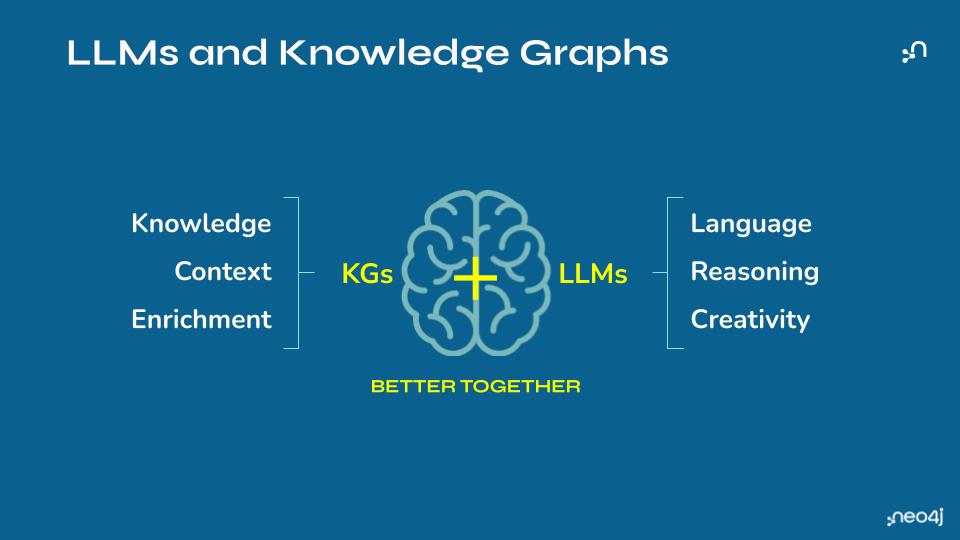
The Developer’s Guide to GraphRAG
Build a knowledge graph to feed your LLM with valuable context for your GenAI application. Learn the three main patterns and how to get started.
3. Memory Management and Summarization
A small, deliberate memory gives your agent continuity and guardrails. Without it, filters and decisions can leak between steps, leading to changes in answers.
Use short‑term scratchpads to carry constraints, IDs, and partial results across the current task, then clear them when the task ends to prevent bleed‑through. Store long‑term summaries as structured facts with citations so other runs can reuse them safely. Compress multi‑turn history into a few sentences that capture decisions, sources, and open questions. Check memory quality by asking whether the next step can act without rereading the full transcript.
4. Tool Use and Function Calls as Context Levers
Each tool call is a chance to write clean facts into your context so later steps can reason over them, and auditors can verify what happened.
Treat each tool call as a way to author context. Return small, typed records (for example, {ticket_id, component, policy_id}) instead of raw text so the model can chain steps predictably. Validate inputs at the edge and standardize units and formats. Log the source and any assumptions so that later steps and reviewers can audit what happened.
5. Context Ordering and Formatting Optimization
Models read in order and pay more attention to what appears first, so your layout and labels directly shape outcomes.
Present a consistent context that starts with instructions and constraints, then evidence, then examples. Group related items with clear headings and remove duplicates. Put the most important facts at the top and finish with a short recap that restates the goal and the decision criteria. Measure the impact by tracking groundedness and accuracy before and after formatting changes.
Benefits of Context Engineering
Context engineering pays off in many ways, especially as you move from simple Q&A to production agents:
- Higher reliability and fewer hallucinations. Most failures in production are context failures, not model failures. By selecting and delivering the right facts, rules, and tools at each step, context engineering keeps agents from guessing and makes answers grounded, consistent, and predictable.
- Multi-step reasoning. Prompts alone can’t remember IDs, constraints, or earlier decisions. Context engineering gives agents structured state and memory so they can coordinate tools, carry forward tickets and filters, and keep decisions coherent across an entire workflow.
- Explainable, auditable decisions. When context comes from a knowledge graph and GraphRAG, every answer is backed by paths, IDs, and citations. You can see which entities and relationships were used, how the agent reached its conclusion, and what evidence supports it.
- Lower cost and better performance. Bigger context windows invite people to shovel in more text. Context engineering does the opposite: it focuses on minimum viable context, caching stable instructions and retrieving only what’s needed. That cuts token usage, improves latency, and often improves quality at the same time.
- Reusable architecture instead of one-off prompts. Once you design a context pipeline — how you model your domain, retrieve with GraphRAG, and manage memory — you can reuse it across agents and use cases. Teams stop endlessly tweaking prompts and start iterating on a shared architecture.
Common Context Engineering Challenges
Even with a solid design, production systems fail for predictable reasons. Here are some common context engineering issues and the guardrails that can prevent them.
- Context rot (semantic drift): Long contexts accumulate small errors, bury key facts, and blur task focus. To prevent this, cap history length, summarize decisions into facts, and reset context between tasks.
- Context confusion: Too many tools, or similar tools, make selection harder and degrade results. To prevent it, name tools clearly, add selection rules, and include examples of when to use each tool.
- Context distraction: Oversized windows bias the model toward repeating recent actions instead of planning new steps. To prevent it, prune repeats, limit k, and require fresh evidence for each step.
- Context clash: Back‑to‑back tool outputs can contradict each other and lead to wrong answers. To prevent it, reconcile conflicts, set precedence rules, and stop the loop on inconsistent inputs.
- Context window limits: Include only what advances the next step, and compress or link to everything else. Track token use per phase to trim low‑impact sections.
- Relevance determination: Test hybrid retrieval and re‑ranking on real questions, and measure both false positives and false negatives. Tighten filters and boosts based on those errors, not guesses.
- Maintenance of knowledge sources: Version and expire content, set sync schedules, and mark authoritative sources of truth. Monitor drift to prevent stale facts from sneaking back into context.
- Inconsistency and contradiction: Prefer canonical sources, detect conflicts, and surface them for review. Add precedence rules so ties resolve consistently every time.
- Context poisoning and misleading info: Restrict write paths, sign or hash trusted content, and require citations. Quarantine untrusted inputs and log lineage for audit.
- Latency and cost: Cache stable pieces, cap k, bound hop counts, and parallelize safe reads. Set budgets per phase and trace slow steps.
- Tool complexity: Keep interfaces small, return typed outputs, and validate parameters at the edge. Map dependencies so agents chain tools without loops or dead ends.
- Security and privacy: Enforce RBAC and field‑level filters at retrieval time, redact by default, and audit access. Apply time and region constraints consistently across steps.
- Robustness and adaptability: Add fallbacks when retrieval is thin, escalate to humans on low confidence, and evaluate regularly. Simulate edge cases so the system degrades gracefully.
Knowledge Graphs for Structured Context
Knowledge graphs provide the structured memory and reasoning backbone for context engineering. Instead of leaving important facts buried in tickets, logs, and documents, you model your domain as nodes (customers, products, policies, services, incidents, changes, etc.) and relationships, which show how nodes depend on or affect one another. Your graph becomes a living representation of the environment your agents operate in.
Where a vector index tells you “These passages look similar to the query,” a knowledge graph can answer “What is this thing connected to, and along which paths?” With GraphRAG, you use the graph as a retrieval and organization layer: start from an identifier in the question (a customer ID, incident number, or service name); traverse the graph to collect related entities, events, and documents; and then pass both the content and the connecting paths into the model. The LLM sees not just isolated snippets, but the structure that links them together.
For example, in an incident-management scenario, an agent might begin with a failing service and follow its dependency links to the upstream systems involved. It can then pull in recent changes to those systems and fetch the relevant runbooks or past incidents. Instead of guessing from a single error message, the agent works from a compact, structured view of what changed, where it happened, and who is responsible — the same context a human engineer would assemble manually.
In practice, knowledge graphs give advanced agents several key forms of structured context:
- Structured memory. Interconnected entities and relationships act as long-term memory for the agent. This goes beyond a flat document or vector store by capturing rich networks of facts, experiences, and metadata that the agent can navigate precisely when needed.
- Multi-hop GraphRAG. Graph traversal lets the agent hop through intermediate nodes. For example, it can move from a customer to their accounts, to the products they use, and to the policies that apply. This supports reasoning over chains of related information that would be invisible to keyword or similarity search alone.
- Metadata graphs. Owners, tags, schemas, and data locations can all be modeled as first-class nodes. That structure helps language models translate natural language into accurate queries and keeps retrieval grounded in how the business actually organizes its data.
- Explainable decision paths. Graph relationships make it clear which entities and connections were used to assemble an answer, so you can see how the agent moved from question to evidence.
- Security and access control. Graph-level permissions and query-time filters let you control which parts of the graph an agent can traverse or read.
By combining this structured graph context with unstructured retrieval and tool calls, context engineering moves from “Find some relevant text” to “Assemble the right slice of the real world” for each task. That’s what allows agents to connect the dots reliably, handle more complex workflows, and justify the steps they take.
Context Is Everything
Context engineering has moved from clever prompts to disciplined systems that deliver facts, memory, and tools at the right moment. GraphRAG helps AI agents reduce hallucinations, perform multi-step reasoning, and provide explainability.
Neo4j makes it easier for developers to build intelligent agents by providing a platform for modeling, managing, and retrieving context in the form of knowledge graphs for GraphRAG workflows. Start by creating your first agent workspace on Neo4j AuraDB, ingesting a few documents into a knowledge graph with the LLM Knowledge Graph Builder, and connecting retrieval with Neo4j GraphRAG Python. Together, these tools give you an end-to-end path from raw content to explainable answers powered by context engineering. As organizations move toward mission-critical agents, context determines reliability. Real differentiation now lies in your context and orchestration layer, not in which LLM you choose.
To go deeper on how GraphRAG implements context engineering in production systems, check out the book Essential GraphRAG, which walks you through designing, building, and evaluating GraphRAG systems.
Context Engineering FAQs
Context engineering in AI is the practice of selecting, structuring, and delivering the exact facts an LLM needs at each step of a task. It works because you model your domain, retrieve connected context on demand, and provide only the facts that support the current decision.
Prompt engineering adjusts instructions; context engineering controls the evidence that the instructions operate on. You still write good prompts, but you rely on retrieval, memory, and policy so the model reasons over the right facts.
LLMs predict text from their inputs, so answers depend on the quality of the context you supply. Clean, connected context reduces guessing and produces explanations you can audit.
Simple prompts work for narrow, static tasks where the model already knows the facts. You need an engineered pipeline when questions span multiple sources, change over time, require access control, or must cite evidence.
It raises accuracy by retrieving the right facts, scales by reusing a graph backbone, improves governance with RBAC and traceable paths, and lowers cost by sending only what matters into the context window. Teams ship faster because they debug retrieval and state once and reuse the same patterns across agents.
Essential GraphRAG
Unlock the full potential of RAG with knowledge graphs. Get the definitive guide from Manning, free for a limited time.

Share Article



Explore
Related Articles

Why Healthcare CIOs Can’t Afford to Scale AI Without a Knowledge Graph Foundation


How Graph Intelligence Drives Breakthroughs in Science and Society