Building an Application with LangChain and Python
This tutorial explains how to build a GenAI application in Python using LangChain and Neo4j to enable graph-based Retrieval-Augmented Generation (RAG)
What is GenAI and RAG?
Generative AI (GenAI) refers to the use of large language models (LLMs) to generate content—such as text, code, images, or dialogue—based on prior knowledge and prompts. These models excel at reasoning, rewriting, summarizing, and answering questions, but often lack up-to-date or domain-specific knowledge.
Graph Retrieval-Augmented Generation (GraphRAG) addresses that limitation by combining LLMs with Graph datastores. It retrieves relevant documents or facts from an external knowledge base (like a database) and uses them as additional context in the prompt—grounding the response in factual or domain-specific data.
While many tutorials focus on simple RAG pipelines with local files or dedicated Vector Databases, this one uses Neo4j, a native graph database, paired with LangChain, one of the most popular Python frameworks for composing GenAI applications.
Why LangChain?
LangChain provides a powerful abstraction layer for building applications with LLMs. It supports a wide variety of models and tools, making it easy to plug in graph data stores, prompt templates, and chains that perform RAG, QA, summarization, and more.
Neo4j is supported through several integrations, including LangChain’s Community GraphQAChain.
Prerequisites
- Python 3.9+
- OpenAI API key (or compatible LLM provider)
- Neo4j instance (local or AuraDB Free)
Setup a virtual environment (Unix/Mac):
python3 -m venv .venv

source .venv/bin/activateCode language: Bash (bash)
Install dependencies:
pip install python-dotenv langchain langchain-openai langchain-neo4j tiktokenCode language: Bash (bash)Create a .env file:
OPENAI_API_KEY=sk-...
NEO4J_URI=neo4j+s://<your-uri>.databases.neo4j.io
NEO4J_USERNAME=neo4j
NEO4J_PASSWORD=your-password
NEO4J_DATABASE=neo4jCode language: JavaScript (javascript)
Step 1: Data Model and Neo4j Setup
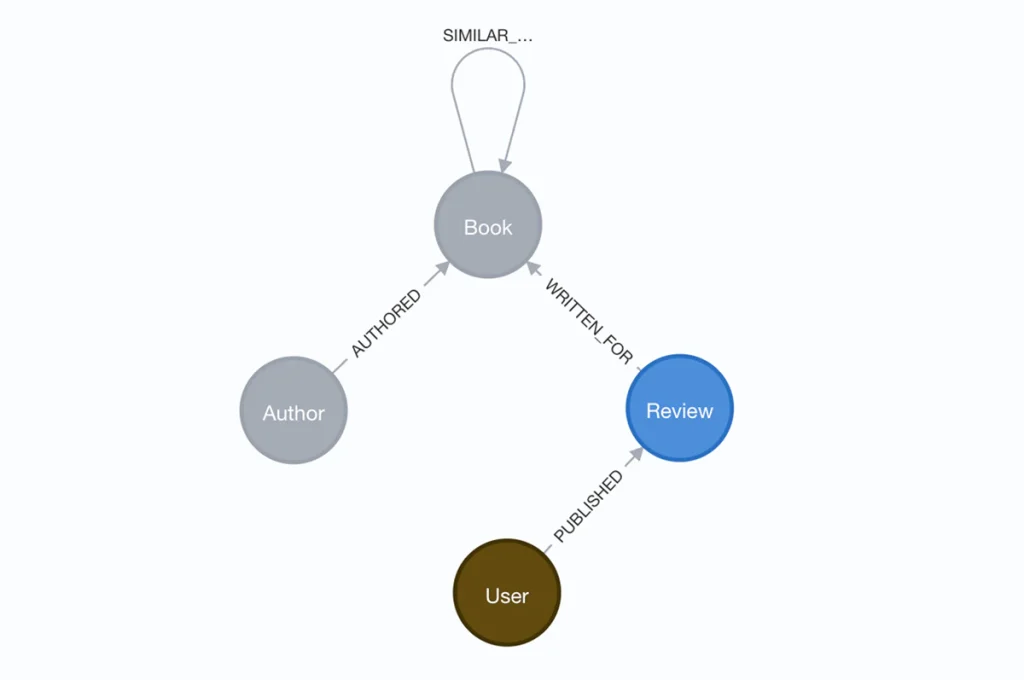
Let’s assume you have a dataset of book reviews from a Goodreads dataset, already loaded into a Neo4j graph:
- (:Book)
- (:Review)
- (:Author)
- (:Review)-[:WRITTEN_FOR]->(:Book)
- (:Author)-[:AUTHORED]->(:Book)
Here are credentials for a hosted read-only Aura (cloud-managed) instance of Neo4j:
NEO4J_URI=neo4j+s://demo.neo4jlabs.com
NEO4J_USERNAME=goodreads
NEO4J_PASSWORD=goodreads
NEO4J_DATABASE=goodreadsCode language: JavaScript (javascript)
Step 2: Connecting LangChain to Neo4j
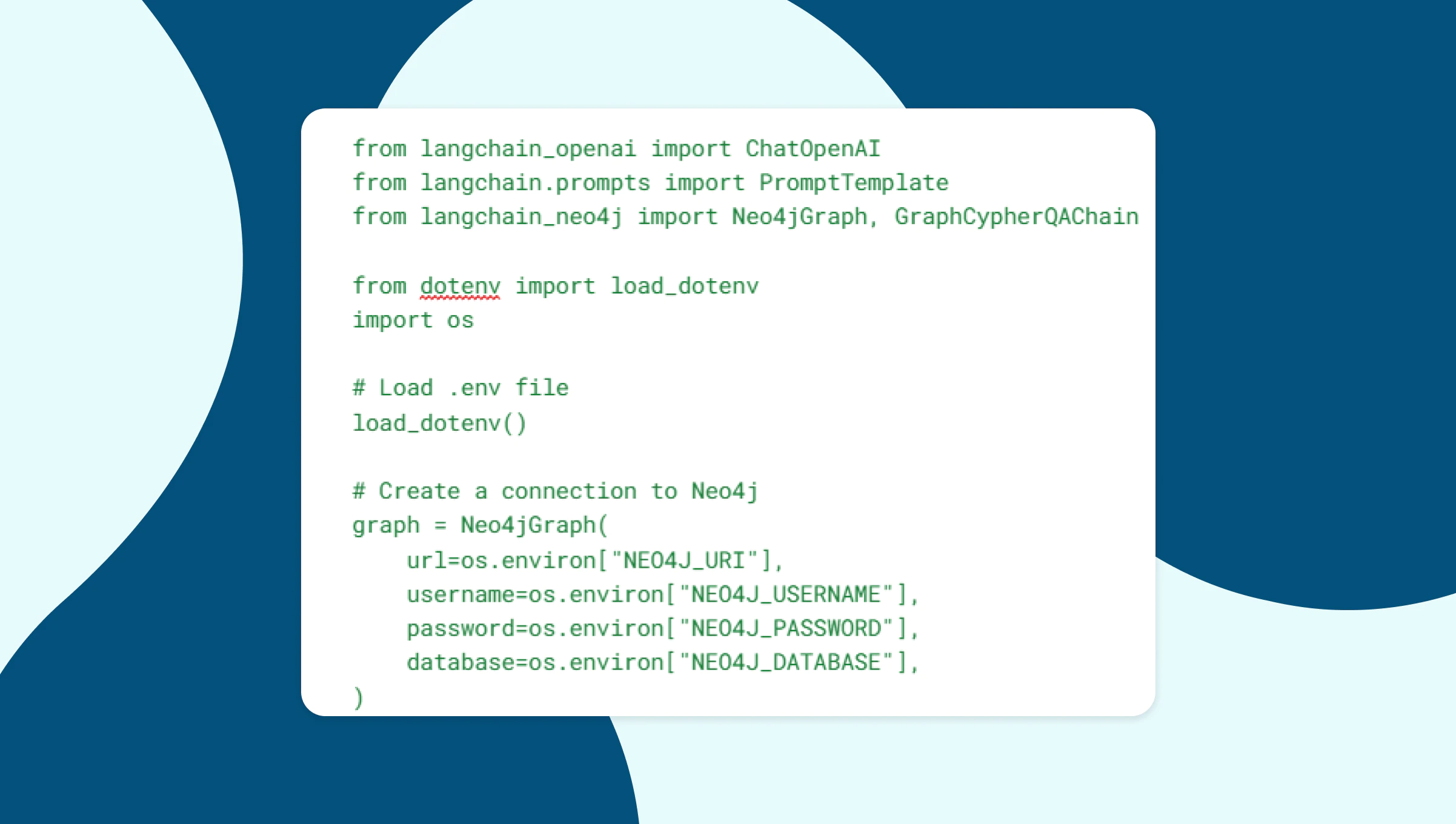
LangChain allows you to plug in any graph data store. We’ll use the langchain-neo4j package for interfacing with Neo4j.
from langchain_openai import ChatOpenAI
from langchain.prompts import PromptTemplate
from langchain_neo4j import Neo4jGraph, GraphCypherQAChain

from dotenv import load_dotenv
import os

# Load .env file
load_dotenv()


# Create a connection to Neo4j
graph = Neo4jGraph(
    url=os.environ["NEO4J_URI"],
    username=os.environ["NEO4J_USERNAME"],
    password=os.environ["NEO4J_PASSWORD"],
    database=os.environ["NEO4J_DATABASE"],
)Code language: Python (python)
Step 3: Define a GraphRAG Chain with LangChain
We’ll define a GraphCypherQAChain that uses:
- The connection to Neo4j
- An LLM to generate Cypher statements based on the user query and the database schema.
Another LLM to generate the answer from the original query and the Cypher response
# Use separate LLMs for Cypher and answer generation
cypher_llm = ChatOpenAI(openai_api_key=os.environ["OPENAI_API_KEY"], temperature=0)

qa_llm = ChatOpenAI(openai_api_key=os.environ["OPENAI_API_KEY"], temperature=0)

graph_chain = GraphCypherQAChain.from_llm(
    graph=graph,
    cypher_llm=cypher_llm,
    qa_llm=qa_llm,
    verbose=True,
    validate_cypher=True,
    allow_dangerous_requests=True,
)

question = “Books by Ronald J. Fields?”
result = graph_chain.invoke({"query": question})

# If wanting just the final answer
return result["result"] if isinstance(result, dict) and "result" in result else resultCode language: Python (python)
Run in a terminal with:
python main.pyCode language: CSS (css)Sample console output:
Generated Cypher:
MATCH (a:Author {name: "Ronald J. Fields"})-[:AUTHORED]->(b:Book)
RETURN b.title
Full Context:
[{'b.title': 'W.C. Fields: A Life on Film'}]

> Finished chain.
Answer: W.C. Fields: A Life on FilmCode language: CSS (css)
Wrapping Up
In this tutorial, you learned how to build a GenAI application using LangChain, OpenAI, and Neo4j with GraphRAG. LangChain made it easy to compose the chain and retrieve context from Neo4j through a text2cypher approach.
This setup is powerful for use cases requiring complex traversals between data relationships, and interactive assistants grounded in your data.
Resources
- Code repo: https://github.com/neo4j-examples/langchain-starter-kit
- Neo4j Vector Docs: https://neo4j.com/docs/cypher-manual/current/indexes/semantic-indexes/vector-indexes/
- LangChain Docs: https://docs.langchain.com
- LangChain Neo4j Integration: https://python.langchain.com/docs/integrations/vectorstores/neo4jvector
- Neo4j Aura: https://neo4j.com/cloud/aura/
Share Article