Debugging with Aura Agent

Director of Engineering, Neo4j
29 min read
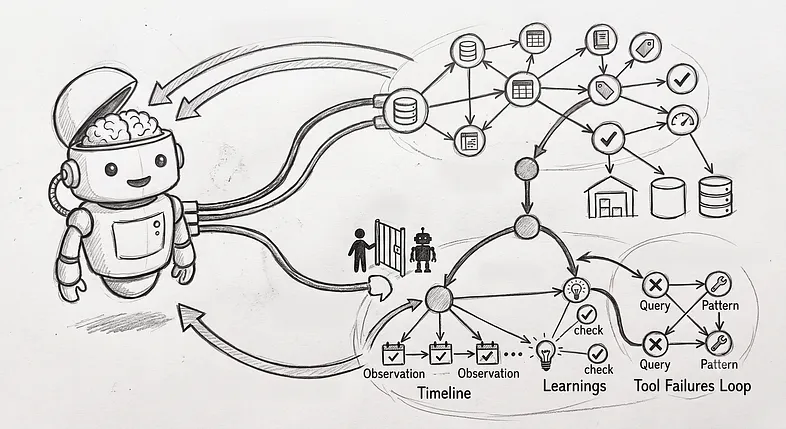
If someone had asked me five years ago if we would ever have C-3PO-like AI for real, I would probably have said no. Sure, the brain is a physical entity, and if it can do it, why wouldn’t a computer? But I still thought Google Home and Alexa was as smart as they would get (and honestly, they’re rather stupid). But then I was introduced to ChatGPT, and I was (like most of us) blown away with a real sensation of science fiction like nothing I’d seen.
And like I think many of my fellow developers, I immediately started thinking of how this new technology could be used. One of the first thoughts I had was that I could have really used this at my previous job, where I did a lot of debugging and reading long and complex log files.
The problem is that such log files are often huge, and feeding gigabytes, or even terabytes of data as context to an LLM isn’t really feasible — at least not today. But playing around with agents got me thinking that maybe I could have AI approach the problem in the same way I did when I had to consume those large files.
But first, let me set you up with the scenario we’ll use.
The company
The company I worked at when I dwelled in those log files was in the cash handling industry, developing hardware devices and software systems for cash management. This included devices for banks, retailers, and the public to deposit, dispense, and recycle cash, along with software systems to monitor those devices, the transactions, and the movement and reconciliation of the cash.

All those hardware devices — whether public-facing ATMs, a back-office cash recycler at a bank, or a simple smart safe at a retailer — ran the same Java-based operating software. This software was event-based, so any administration software monitoring the devices didn’t have to keep track of the state of the device; the state at any time could be determined by the events up to that time. The cash content at any time was the summary of all transactions up to that point, and the operational status of the device could be determined if any error had occurred, but had not been cleared at that time.
These devices produced two types of log files. One type was formal log files that listed all those events in a well-defined format that could be easily interpreted by log-analyzing software. The other type was typical trace files generated with log4j, which many Java developers would recognize. They show the path taken through the software and information the developers deemed interesting for debugging while developing (but often on an ad-hoc basis). It’s this latter type we’ll focus on.

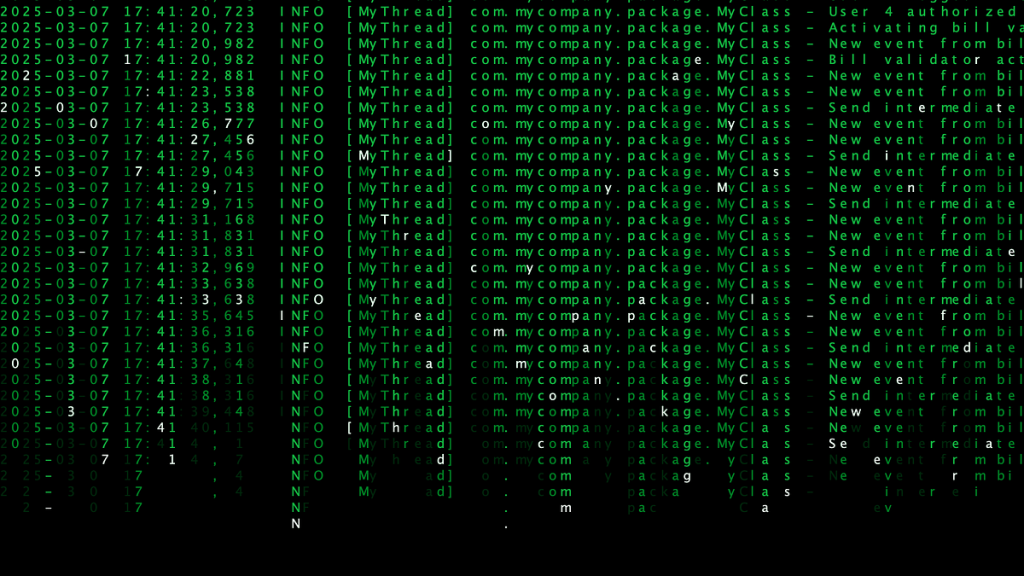
These files were essential while debugging, but they were also hard to work with. To make the best use, you had to use them together with the source code to see where things were logged, but even then it was hard. And they were huge — it wasn’t unusual to have more than a gigabyte worth of logs from a single day and a single device. I often got the request to write an analyzer for support to be able to deduce things from them, but without any defined format, that was really hard, until now.
What I often did was to analyze the events, either in the simpler logs or in the monitoring software, to find anomalies or some clues to where to start digesting the huge trace files. So let’s give the agent that same ability.
The data model
First of all, just to be clear, I don’t work for that company anymore and don’t have access to any actual data or log files, so we’ll generate fake data and log files. The actual events won’t be the same as what we really had, and I wouldn’t be able to create the log files as they actually looked, but the essence is the same.
Let’s assume we already have cloud-based monitoring software, connected to all devices deployed around the world. This monitoring software captures the events of all those devices and stores them in a Neo4j graph (in an Aura instance). The model for these events would look something like the following image.

All the Event nodes have another label as well, besides :Event, to indicate what type of event it is. In our simple model, we have four event labels.
:Boot
Indicates that the device was restarted and is booting up. The state of the device should be considered reset when the boot event is seen.
:Error
Indicates that an error occurred or was cleared on the device.
Additional properties (beyond those for :Event):
- errorid (integer): Ties the occurred and cleared events to the same error
- message (string): The error message
- type (string): Either “Occurred” or “Cleared”
:Transaction
Indicates that cash went into or out of the device.
Additional properties (beyond those for :Event):
- user (integer): The ID of the user who performed the transaction
- type (string): Either “Deposit”, “Dispense”, “Empty” or “Refill”
- amount (integer): The total amount (in dollars) inserted (if positive) or removed (if negative)
- USD 1: The number of USD 1 banknotes inserted/removed
- USD 5: The number of USD 5 banknotes inserted/removed
- USD 10: The number of USD 10 banknotes inserted/removed
- USD 20: The number of USD 20 banknotes inserted/removed
- USD 50: The number of USD 50 banknotes inserted/removed
- USD 100: The number of USD 100 banknotes inserted/removed
:BoxContent
Indicates that the content of the device has changed and indicates the new amount (always sent after a transaction).
Additional properties (beyond those for :Event):
- amount (integer): The total amount (in dollars) in the device
- USD 1: The number of USD 1 banknotes in the device
- USD 5: The number of USD 5 banknotes in the device
- USD 10: The number of USD 10 banknotes in the device
- USD 20: The number of USD 20 banknotes in the device
- USD 50: The number of USD 50 banknotes in the device
- USD 100: The number of USD 100 banknotes in the device

I’ve generated made-up events for two devices from six dates (March 7-12, 2025). These devices are so-called smart safes (i.e., simple safes with a bill validator cashiers can deposit overflow banknotes into (and that validates those notes), but that doesn’t support dispensing cash back). The business model is often that the cash-in-transit (CIT) company that manages cash for the retailer owns the smart safe and gives the retailer instant credit as soon as the banknotes are deposited.
All transactions on these smart safes are either Deposit (positive) or Empty (negative).


Log files
With that, we’ve set up the scenario of what we imagine we already had before trying to make AI help us with log file troubleshooting. All the log files we talked about earlier, all those gigabytes, are stored locally on each device. The cloud software allows the fetching of log files from the devices, and have them temporarily stored in an S3 bucket, separated from the main graph.
So to make them available for our Aura AI agent, we need to get them added to the graph. The most essential parts of the log/trace files are the parts that happen during a transaction. That’s when things happen. So I decided to break up the individual log files (normally split on a daily basis) into the parts belonging to individual transactions and store those parts as a string property (logFile) on the transaction.
There are things logged when a device is idle, although less. We could take different approaches for that. For instance, one could store it on the relationships between transactions, but for now I kept it simple and just appended it to the transaction logs from the transaction before.

The bug
If we’re going to use this to test using Aura Agent to find bugs in our logs, we need a bug to find. So let’s plant one. This is a real bug we had in one of our devices, which we found after a lot of investigation, and I find it quite interesting.
It was one of these smart safes that used an OEM bill validator from another company. When the banknote passed the sensor, the validator reported to the software that it had seen it and the denomination, or maybe that it wasn’t deemed a real note and rejected. A second or so later, the banknote was stacked in the “cash box,” was reported again, and it was here that it was considered accepted and part of the transaction.
What happened was that we started getting reports of discrepancies in the devices. When the CIT had picked up the cash from the retailers and brought it to the cash center, it was discovered to be slightly more cash than what was reported in the transactions.
After analysis, we found that this was due to a behavior in the OEM bill validator that wasn’t expected (or documented) when it was integrated. When the bill validator was told by the software to stop accepting banknotes, it replied back when it had deactivated and stopped accepting. It was assumed this was after all events were reported and all motors had stopped moving, but it wasn’t. There could still be a banknote in the path between the sensor and the cash box, which would be reported after it had confirmed that it had stopped. Thus, that banknote wouldn’t be reported in the transaction.
So let’s modify one of the transactions to show a behavior like that. I just picked a random transaction, transaction 10214, which had a deposit of 12 one-dollar notes. Let’s make one of them go missing. I modified the logs to look like this (note that the real logs were a lot larger and more complex than these made-up logs), so that the last Bank note stored and accounted row comes after the Bill validator deactivated and no longer accepting bank notes.
2025-03-08 06:34:53,981  INFO  [MyThread] com.mycompany.package.MyClass - User 7 logged in
2025-03-08 06:34:53,981  INFO  [MyThread] com.mycompany.package.MyClass - User 7 authorized as cashier
2025-03-08 06:34:53,981  INFO  [MyThread] com.mycompany.package.MyClass - Activating bill validator
2025-03-08 06:34:54,257  INFO  [MyThread] com.mycompany.package.MyClass - New event from bill validator: Status updated
2025-03-08 06:34:54,257  INFO  [MyThread] com.mycompany.package.MyClass - Bill validator activated and ready to accept bank notes
2025-03-08 06:34:56,708  INFO  [MyThread] com.mycompany.package.MyClass - New event from bill validator: Bank note detected - USD 1
2025-03-08 06:34:57,609  INFO  [MyThread] com.mycompany.package.MyClass - New event from bill validator: Bank note stored and accounted - USD 1
2025-03-08 06:34:57,609  INFO  [MyThread] com.mycompany.package.MyClass - Send intermediate update event - USD 1
2025-03-08 06:34:59,687  INFO  [MyThread] com.mycompany.package.MyClass - New event from bill validator: Bank note detected - USD 1
2025-03-08 06:35:00,365  INFO  [MyThread] com.mycompany.package.MyClass - New event from bill validator: Bank note stored and accounted - USD 1
2025-03-08 06:35:00,365  INFO  [MyThread] com.mycompany.package.MyClass - Send intermediate update event - USD 1
2025-03-08 06:35:03,581  INFO  [MyThread] com.mycompany.package.MyClass - New event from bill validator: Status updated
2025-03-08 06:35:03,581  INFO  [MyThread] com.mycompany.package.MyClass - New event from bill validator: Bank note rejected
2025-03-08 06:35:05,661  INFO  [MyThread] com.mycompany.package.MyClass - New event from bill validator: Bank note detected - USD 1
2025-03-08 06:35:06,337  INFO  [MyThread] com.mycompany.package.MyClass - New event from bill validator: Bank note stored and accounted - USD 1
2025-03-08 06:35:06,337  INFO  [MyThread] com.mycompany.package.MyClass - Send intermediate update event - USD 1
2025-03-08 06:35:07,695  INFO  [MyThread] com.mycompany.package.MyClass - New event from bill validator: Bank note detected - USD 1
2025-03-08 06:35:08,372  INFO  [MyThread] com.mycompany.package.MyClass - New event from bill validator: Bank note stored and accounted - USD 1
2025-03-08 06:35:08,372  INFO  [MyThread] com.mycompany.package.MyClass - Send intermediate update event - USD 1
2025-03-08 06:35:09,747  INFO  [MyThread] com.mycompany.package.MyClass - New event from bill validator: Bank note detected - USD 1
2025-03-08 06:35:10,422  INFO  [MyThread] com.mycompany.package.MyClass - New event from bill validator: Bank note stored and accounted - USD 1
2025-03-08 06:35:10,422  INFO  [MyThread] com.mycompany.package.MyClass - Send intermediate update event - USD 1
2025-03-08 06:35:11,113  INFO  [MyThread] com.mycompany.package.MyClass - New event from bill validator: Bank note rejected
2025-03-08 06:35:12,277  INFO  [MyThread] com.mycompany.package.MyClass - New event from bill validator: Bank note rejected
2025-03-08 06:35:14,324  INFO  [MyThread] com.mycompany.package.MyClass - New event from bill validator: Bank note detected - USD 1
2025-03-08 06:35:14,996  INFO  [MyThread] com.mycompany.package.MyClass - New event from bill validator: Bank note stored and accounted - USD 1
2025-03-08 06:35:14,996  INFO  [MyThread] com.mycompany.package.MyClass - Send intermediate update event - USD 1
2025-03-08 06:35:16,365  INFO  [MyThread] com.mycompany.package.MyClass - New event from bill validator: Bank note detected - USD 1
2025-03-08 06:35:17,034  INFO  [MyThread] com.mycompany.package.MyClass - New event from bill validator: Bank note stored and accounted - USD 1
2025-03-08 06:35:17,034  INFO  [MyThread] com.mycompany.package.MyClass - Send intermediate update event - USD 1
2025-03-08 06:35:18,155  INFO  [MyThread] com.mycompany.package.MyClass - New event from bill validator: Bank note detected - USD 1
2025-03-08 06:35:18,816  INFO  [MyThread] com.mycompany.package.MyClass - New event from bill validator: Bank note stored and accounted - USD 1
2025-03-08 06:35:18,816  INFO  [MyThread] com.mycompany.package.MyClass - Send intermediate update event - USD 1
2025-03-08 06:35:19,947  INFO  [MyThread] com.mycompany.package.MyClass - New event from bill validator: Bank note detected - USD 1
2025-03-08 06:35:20,598  INFO  [MyThread] com.mycompany.package.MyClass - New event from bill validator: Bank note stored and accounted - USD 1
2025-03-08 06:35:20,598  INFO  [MyThread] com.mycompany.package.MyClass - Send intermediate update event - USD 1
2025-03-08 06:35:21,957  INFO  [MyThread] com.mycompany.package.MyClass - New event from bill validator: Bank note detected - USD 1
2025-03-08 06:35:22,641  INFO  [MyThread] com.mycompany.package.MyClass - New event from bill validator: Bank note stored and accounted - USD 1
2025-03-08 06:35:22,641  INFO  [MyThread] com.mycompany.package.MyClass - Send intermediate update event - USD 1
2025-03-08 06:35:25,347  INFO  [MyThread] com.mycompany.package.MyClass - New event from bill validator: Bank note detected - USD 1
2025-03-08 06:35:26,013  INFO  [MyThread] com.mycompany.package.MyClass - New event from bill validator: Bank note stored and accounted - USD 1
2025-03-08 06:35:26,013  INFO  [MyThread] com.mycompany.package.MyClass - Send intermediate update event - USD 1
2025-03-08 06:35:29,208  INFO  [MyThread] com.mycompany.package.MyClass - New event from bill validator: Bank note detected - USD 1
2025-03-08 06:35:40,666  INFO  [MyThread] com.mycompany.package.MyClass - Finishing deposit and deactivating bill validator
2025-03-08 06:35:40,893  INFO  [MyThread] com.mycompany.package.MyClass - New event from bill validator: Status updated
2025-03-08 06:35:40,893  INFO  [MyThread] com.mycompany.package.MyClass - Bill validator deactivated and no longer accepting bank notes
2025-03-08 06:35:41,075  INFO  [MyThread] com.mycompany.package.MyClass - Transaction reported - USD 1: 11, USD 5: 0, USD 10: 0, USD 20: 0, USD 50: 0, USD 100: 0
2025-03-08 06:35:41,075  INFO  [MyThread] com.mycompany.package.MyClass - Box content reported - USD 1: 232, USD 5: 92, USD 10: 53, USD 20: 396, USD 50: 29, USD 100: 50
2025-03-08 06:35:41,075  INFO  [MyThread] com.mycompany.package.MyClass - User 7 logged out
2025-03-08 06:35:41,371  INFO  [MyThread] com.mycompany.package.MyClass - New event from bill validator: Bank note stored and accounted - USD 1
2025-03-08 06:35:41,371  INFO  [MyThread] com.mycompany.package.MyClass - Send intermediate update event - USD 1
2025-03-08 06:35:41,371  INFO  [MyThread] com.mycompany.package.MyClass - Box content reported - USD 1: 233, USD 5: 92, USD 10: 53, USD 20: 396, USD 50: 29, USD 100: 50
And I also modified the Transaction event in the same way.
With that in place, let’s start building our debug agents.
Aura agent
If you wonder what AI agents are, you can read more about that in Agentic AI With Java and Neo4j.
There, we did the agent implementation in Java and made the calls to Neo4j from that Java code. Here we’ll use a new feature in Aura, the cloud-based SaaS offering of Neo4j, where you can write your agent directly within Aura without the need for any language other than Cypher. And you don’t even have to have your own API key for the LLM provider.
Note that this is not available for Aura VDC.
Creating the agent
In the Aura console, you just have to select the Agents option in the toolbar to the left.

Click Create to create your new agent.

Now we need to define our agent. The first thing we need to do is to give it a name and description.

In the Target instance drop-down, select the Aura instance where you have the graph you want the agent to operate on. You also have to select if it’s Internal or External. We’ll go with Internal here.
Before we can save our new agent, we have to give it a prompt and define all the tools, but we’ll go through that soon.
Prompt
In the prompt, we tell the agent something about the domain, like I did above, what it’s expected to do, and give some hints on how to use the tools we provide.
What we want is for it to start looking at the event graph (what we had before adding the log files) to find anomalies and suspicious transactions where it may want to dig further (maybe it can actually identify the problem without even looking at the log files).
I wrote the prompt for my agent like this:
You will try to find problems (software bugs or usage/configuration errors) based on a description of a problem. To help, you have all the events reported from all the connected devices, and also log files from those devices.
The software being debugged is the operating software for cash handling devices (smart deposit safes, cash recyclers, ATMs etc.). All devices report events for what happens in the device. The events can be boot events (a device starting up), error events (an error occurred or was cleared), box content updates (reporting of the cash content of the device), and transactions (cash going into or out of the device, like a deposit, a dispense, an emptying or a replenishment). The sum of the content of the transactions should always give the content of the device. The log files from the software are stored on the transaction when they were logged (logs between transactions are stored on the transaction before).
Use the event tools to try to find the problem itself or suspicious transactions. If you find suspicious transactions, ask for the log files of those and analyze them to see if you can find the problem there.

Now it’s time to define our tools. First, we have the event tools we want the agent to use to locate where the problem may be for further analysis. I defined five such tools based on some things I remember doing myself when debugging these things. There could be many more added, and my idea is that it gets built out with more tools as you realize new things you do when you encounter new problems. But we’ll start with these five for now. And then we have one tool to retrieve the log rows for a specific transaction.

To add a tool you click the Add tool drop-down and select Cypher Template. All tools for this agent will be Cypher templates. You give the tool a name (the subchapter headings below), a description (the guides to the AI on how to use the tool), the actual Cypher query, and the parameters used in that query. The supported data types for the parameters are string, integer, Boolean, and float. The parameters also need a name and description as instructions to the LLM. In the Cypher query, the parameters are used with the name, but prefixed with $.
events_findDuplicateDevices
One issue that seems very simple when you know the cause, but where the symptoms become very confusing, is where devices communicate with the same ID. The ID is set on the device, and every message is tagged with it. But sometimes we ended up with multiple devices with the same ID — sometimes because of repaired parts that hadn’t been properly reset or because of misconfiguration. This causes the events to end up on the same queue and, in turn, causes all sorts of strange symptoms.
One way to look at this is to look at the MAC addresses of the events. Every event is tagged with the MAC address of the sending device, so for the same device, the MAC should be the same. However, it’s not as simple as just detecting that it has changed because it may if a part (the compute unit or the network card) has been replaced. But in those cases, there would be a Boot event in between, so we can look for subsequent events that aren’t Boot events and that still have different MAC address.
CYPHER 25
WITH "yyyy-MM-dd HH:mm:ss,SSS" AS dateFormat
WITH dateFormat,
     localdatetime($from, dateFormat) AS from,
     localdatetime($to, dateFormat) AS to
MATCH (e1:Event&!Boot)-[:NEXT]->(e2:Event&!Boot)
WHERE e1.datetime >= from AND e1.datetime <= to AND e1.mac <> e2.mac
MATCH (d:Device)<-[:ON_DEVICE]-(e1)
WITH DISTINCT(d) AS device
RETURN device.id AS device
I put the description like this:
One problem that can sometimes occur is that two devices communicate using the same device ID. This can happen because they have been misconfigured during setup/initialization. This tool finds devices that seem to have this problem and returns the ID of those devices (if any).
As you can see, it has from and to parameters to define the time range to search between. Aura Agent doesn’t support datetime as a parameter, so we’ll set them as strings and convert in the query. This is how we’ll define them for the agent:
from  string  The from-date/time as a string in this format: "yyyy-MM-dd HH:mm:ss,SSS"
to    string  The to-date/time as a string in this format: "yyyy-MM-dd HH:mm:ss,SSS"
This tool is a bit different from the other tools. If the agent finds a match here, it doesn’t really need to investigate any log files because we know what the problem is (at least if the device ID matches the problematic devices). The following tools will, instead, be entry points to find what transactions to investigate further by analyzing the log files.
Events_findErrors
The first thing one normally does when getting an error report is to see where in the logs it may make sense to look is to look for errors reported by the devices.
An error is a state the device is in, and as mentioned, the state of the device can be deduced from the events. So for errors, there are two events — one when the error occurs and one when it is cleared — and they’re linked together with an errorid. Errors are also considered cleared when the device is rebooted. If the error is still present, it’ll be reported again, but with a new errorid.
So we’ll give the agent the ability to find any error that occurred within a time range. We’ll also indicate, for each of them, if they also got cleared within that time range, if they got cleared later, or if they haven’t been cleared at all (yet). The Cypher query for this is:
CYPHER 25
WITH "yyyy-MM-dd HH:mm:ss,SSS" AS dateFormat
WITH dateFormat,
     localdatetime($from, dateFormat) AS from,
     localdatetime($to, dateFormat) AS to
MATCH (e:Error) WHERE e.datetime >= from AND e.datetime <= to AND e.type = "Occurred"
CALL(e, to) {
  WHEN EXISTS { (e)-[:NEXT*]->(b:Boot) WHERE b.datetime <= to } OR EXISTS { (e)-[:NEXT*]->(e2:Error) WHERE e2.datetime <= to AND e2.type = "Cleared" AND e2.errorid = e.errorid } THEN
    RETURN "Cleared" AS status
  WHEN EXISTS { (e)-[:NEXT*]->(b:Boot) } OR EXISTS { (e)-[:NEXT*]->(e2:Error) WHERE e2.type = "Cleared" AND e2.errorid = e.errorid } THEN
    RETURN "Cleared later" AS status
  ELSE
    RETURN "Not cleared" AS status
}
MATCH (d:Device)<-[:ON_DEVICE]-(e)
RETURN e.message AS error, format(e.datetime, dateFormat) AS time, status, d.id AS device
The prompt for this tool is:
Find any errors reported from any device in the date/time range provided. Each error is reported with the message of the error, the date/time it occurred (in this format: “yyyy-MM-dd HH:mm:ss,SSS”) and whether or not it has been resolved. If it was resolved within the time range, it says “Cleared.” If it was resolved after the time range, it says “Cleared later.” If it was not resolved at all, it says “Not cleared.”
The parameters:
from  string  The from-date/time as a string in this format: "yyyy-MM-dd HH:mm:ss,SSS"
to    string  The to-date/time as a string in this format: "yyyy-MM-dd HH:mm:ss,SSS"
events_findDiscrepancy
As I described earlier, the cash content of a device at any time is the summary of all transactions leading up to that point. As I also said, the state of the device isn’t reported; it’s deduced from the events. However, for the cash content, there is an exception: It’s reported once it’s updated (which would be right after transactions). The reason is that you would otherwise have to summarize all transactions from the beginning of time.
What we could do with this is validate that the content updates match the difference between the last content update and the transaction in between (a caveat here is that if there is a discrepancy in one, it might also be in the other, so we may not find all discrepancies, but we would find some).
Ideally, we’d check the discrepancy for each denomination, but for simplicity, we’ll only do it for the total amount for now. This means that if you have two USD 5 banknotes too few and one USD 10 note too many, they will balance out and not be found, but this seems unlikely, and we’re probably good only checking the total amount.
Cypher:
CYPHER 25
WITH "yyyy-MM-dd HH:mm:ss,SSS" AS dateFormat
WITH dateFormat,
     localdatetime($from, dateFormat) AS from,
     localdatetime($to, dateFormat) AS to
MATCH (b1:BoxContent)-[:NEXT]->(t:Transaction)-[:NEXT]->(b2:BoxContent)
WHERE t.datetime >= from AND t.datetime <= to AND b1.amount + t.amount <> b2.amount
MATCH (t)-[:ON_DEVICE]->(d:Device)
RETURN t.id AS transaction, format(t.datetime, dateFormat) AS time, d.id AS device, "USD " + toString(b2.amount - b1.amount - t.amount) AS discrepancy
Prompt:
The cash content of a device should always be the sum of all transactions before. So the box content event after a transaction should be the sum of the box content before plus the transaction content. This tool finds discrepancies where that is not the case within a time range. It returns the ID of the transaction (transaction), the date/time of that transaction (in this format: “yyyy-MM-dd HH:mm:ss,SSS”) (time), and the discrepancy amount (with currency).
Parameters:
from  string  The from-date/time as a string in this format: "yyyy-MM-dd HH:mm:ss,SSS"
to    string  The to-date/time as a string in this format: "yyyy-MM-dd HH:mm:ss,SSS"
Events_findTransactionBefore
If the investigation leads to a certain transaction or a certain point in time, it may be interesting to investigate transactions before and after that as well, and this tool gives the agent the possibility to find those.
CYPHER 25
WITH "yyyy-MM-dd HH:mm:ss,SSS" AS dateFormat
WITH dateFormat,
     localdatetime($date, dateFormat) AS date
MATCH (t:Transaction)-[:ON_DEVICE]->(:Device {id: $device})
WHERE t.datetime < date
WITH dateFormat, t ORDER BY duration.between(t.datetime, date) LIMIT 1
RETURN t.id AS transaction, format(t.datetime, dateFormat) AS time
Prompt:
Finds the latest transaction (if any) before a certain date/time and for a specific device.
Parameters:
date    string  The date/time as a string in this format: "yyyy-MM-dd HH:mm:ss,SSS"
device  integer The device id
events_findTransactionAfter
Same as events_findTransactionBefore, but for finding dates after the supplied date instead of before, so with WHERE t.datetime > date instead.
GetLogsForTransaction
This is the last tool, the one that gives the agent access to those logs (traces) that belongs to a certain transaction.
CYPHER 25
MATCH (t:Transaction {id: $transaction}) RETURN t.logFile AS log
Prompt:
Fetches the logs for a certain transaction. This includes both what was logged during this transaction and everything that was logged after until the next one was started. The logs are in the standard format produced by log4j.
Parameters:
transaction integer The transaction idNow we’ve defined the tools we’ll use for this experiment. It would be good to add some more by thinking through the experience of doing such troubleshootings and keep adding new tools as you gain more experience and find new ways of approaching the log files. But for this experiment, let’s keep it like this.
And with this, our full Aura Agent configuration looks like this now:

Taking our agent for a spin
Now we have our graph of events (that in our pretend scenario we already had since before), we’ve extended it with the log data, and we’ve created an Aura Agent on top of it. Let’s take it for a spin now.
By just clicking the agent we just created, we get a chat interface similar to that we recognize from ChatGPT, Gemini, and the others.

And let’s present the problem as I remember it from when we had the similar scenario for real:
A customer reported that they had emptied some of their devices on March 9, 2025, but when counting the cash at the cash center there was 1 dollar more found than what had been reported by the devices since last time the cash was picked up (on March 1). Can you find what went wrong, if there is a bug, and if so what it could be?
You see the response from the agent below:

So it found what had happened and when. It didn’t realize that it was due to a problem with how the bill validator handled the session, but that would be hard without the integration manual of that component. Still it gives us enough for us to take the last steps ourselves.
With this information, it’s rather straightforward to fix it. Ideally, you’d want an update to the firmware of the OEM component, but even without that, we can work around it on our side.
Future ideas
If I were still working there, or somewhere similar, I would definitely attempt to build something like this. But to take it to the next level, there would be some more things we could do:
- As stated, extend with even more graph traversal tools to find indications of where the error may be.
- Put the logs for things that happen between transactions on the relationships between the transactions instead.
- Make use of the
:Datenodes to make the traversals in bigger data sets more efficient and add indexes to speed up the queries. - Connect it to the code base so it can compare the log traces to where it’s logged in the source code.
Summary

To summarize what we did:
- We had an existing graph of all events from all devices connected.
- We split the log files into sections matching to those events and stored it on the most relevant event.
- We built an AI agent on top of that and instructed it to start by finding the most probable error point using some graph traversal tools, and then trying to find the actual problem by analyzing the logs of that event.
We showed this using connected cash-handling devices, but the same setup would probably work for any domain with event-based connected devices that produce logs in a similar way. Actually, it probably works for any software that has some form of events that the log files can be tied to.
Debugging With Aura Agent was originally published in Neo4j Developer Blog on Medium, where people are continuing the conversation by highlighting and responding to this story.
Essential GraphRAG
Unlock the full potential of RAG with knowledge graphs. Get the definitive guide from Manning, free for a limited time.

Share Article



Explore
Related Articles

Train once, embed forever: GraphSAGE and the model repository in Aura Graph Analytics
Secure GraphRAG: Wiring Microsoft Copilot Studio to Neo4j with per-user Okta SSO
From first graph algorithm experiment to production with Aura Graph Analytics
SumoDB in Neo4j: Microsoft Fabric bridging Decades of Rikishi — Part 4