Agent tools: What they are, how they work, and how AI agents use them


13 min read
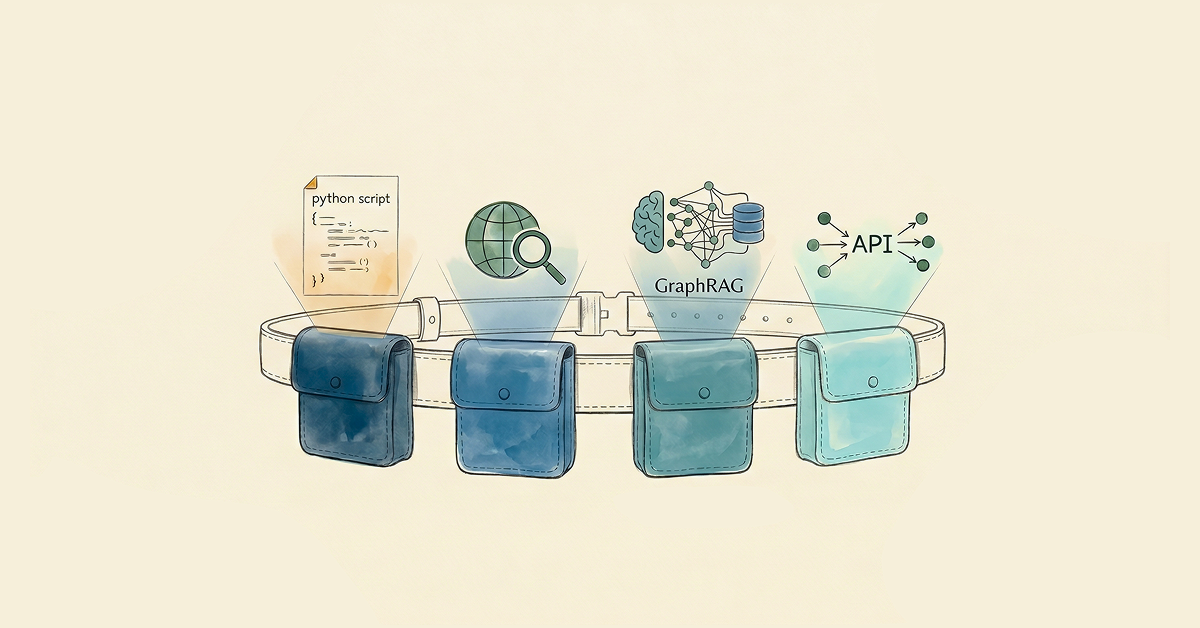
Agent tools are functions and services that help an AI agent act on the world: call APIs, query databases, send messages, and run workflows. They turn a language model from a text generator into an agent that interacts with live systems.
What makes an AI agent useful is the tools it can use to complete tasks. A database query that returns fresh data. An email is sent that closes the loop. A file write that produces an artifact. Without tools, an agent is a fluent writer with no hands.
This post covers the main types of agent tools, how agents select and use them, how MCP standardizes tool integration, and how to implement them.
More in this guide:
What are the different types of agent tools?
Agents use different tools for different kinds of work. Knowing what each category is for makes it easier to pick the right one for the job.
Most agent tools fall into six categories:
| Tool category | Best for | Example | Security risk |
| Web search | Recent facts, live documentation | Search API integrations | Low (read-only) |
| Retrieval | Domain-specific internal knowledge | Vector search or knowledge graph queries | Low to medium (read-only or write access) |
| Computation | Deterministic workflows and calculations | Code interpreters, math libraries | Medium (execution) |
| File | Reading and writing files | Filesystem operations, object storage | Medium to high (writes) |
| Computer-use | Browser or desktop UI automation | Screen agents, browser drivers | High (broad system access) |
| Business and productivity | Real workflow execution | Email, calendar, CRM, ticketing APIs | High (external effects) |
These six categories are a useful mental model, not a universal taxonomy. Different frameworks carve the space differently — OpenAI groups tools by execution location (hosted, function, and MCP), Anthropic by client-side vs. server-side, and LangChain by functional domain. What matters is that you have a mental map of what each tool does, not that your map matches anyone else’s.
Use the categories to scope the agent to only what the job needs. A support triage agent leans on retrieval, CRM updates, and ticket creation. A research agent reaches for web search, file access, and code execution. A finance copilot stays narrower: structured database access and policy retrieval, with approval workflows gating any write.
The more precise the toolset, the more reliable and predictable the agent becomes.
How are agent tools different from agent skills?
People use the terms “tools” and “skills” interchangeably, but the two sit at different levels of the stack.
A tool is a discrete, callable function, like a web search or a database query. The agent decides when to call it; the tool does one thing, returns a result, and the loop continues.
A skill is a higher-order capability that shapes how the agent reasons through a class of problems. Anthropic released Agent Skills as an open standard in 2025; the format bundles instructions, scripts, and resources into folders that Claude loads dynamically when relevant. Microsoft Semantic Kernel uses “skills” similarly. Many LangChain and LlamaIndex setups don’t formalize skills at all and compose behavior with prompts and tools alone.
Tools answer “what can the agent do?” Skills answer “how does the agent approach this kind of work?” Most production agents need both. Tools give the agent its hands; skills (or the framework’s equivalent) tell it when and how to use them.
In practice, the distinction is clearer than it sounds. Consider a GraphRAG agent with two tools (cypher-read and web-search) and a folder of skill files loaded on demand — cypher-templates, multi-hop-patterns, citations, and a few more. Tools execute the actions. Skills shape how the planner and executors reason about a question before picking a tool. Collapsing the two would mean either bigger tool descriptions or a longer system prompt. Keeping them separate lets you hold the tool count low and load the reasoning context only when it’s needed.
How do agents select and use tools?
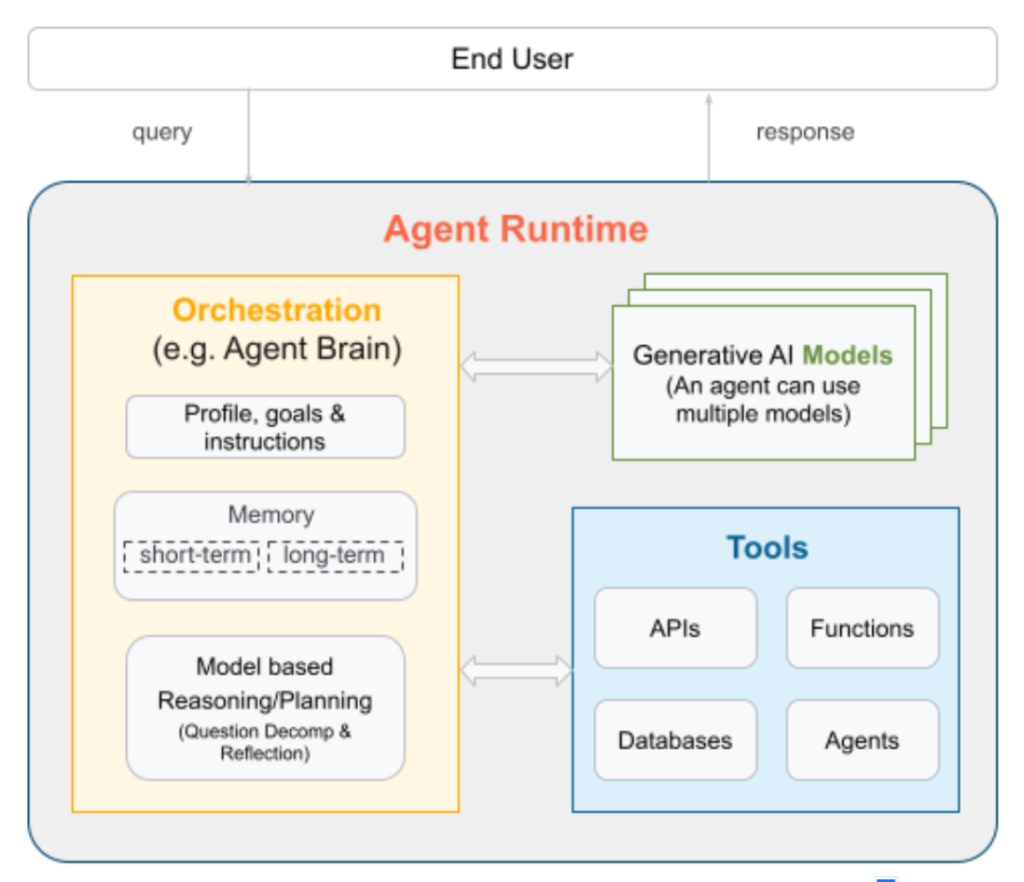
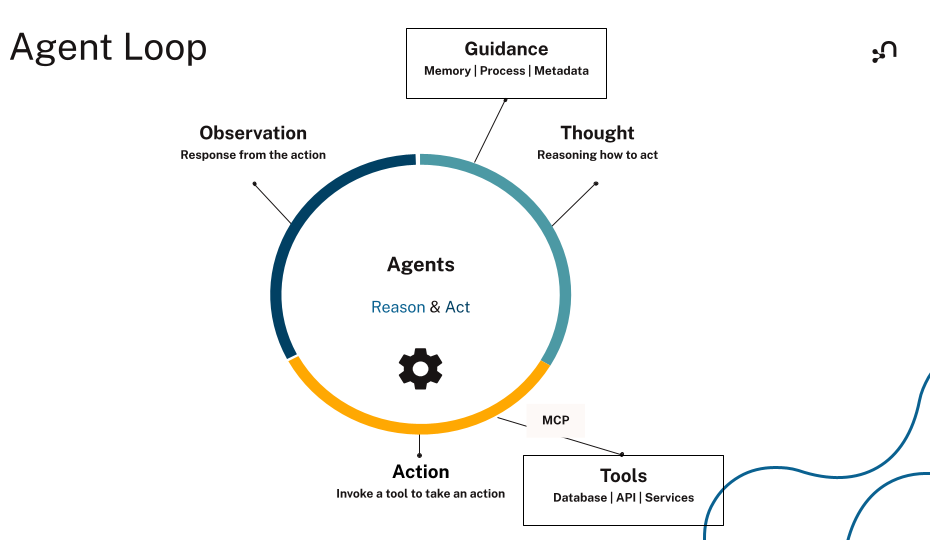
Tool-using agents follow a loop. The model reasons about the task, picks a tool, runs it, reads the result, and decides what to do next. The loop runs until the task is complete or a stop condition fires.
The ReAct pattern, short for Reasoning + Acting, names this loop. In an agent runtime, that loop looks like this: the model emits a structured tool call (sometimes called function calling), reads the result, and decides whether to keep going.
Tool selection starts with the definitions you give the model. Vague names, thin descriptions, overlapping descriptions, and loose schemas all push the model toward the wrong call.
The model needs to know what the tool does, when to use it, and what inputs to pass. Tool definitions are the interface between the model and the external system. Once a tool runs, its result feeds back into the next step of the loop.
Agents can also chain tool calls, using one result to shape the next. That’s how an agent resolves multi-step tasks: each call narrows the problem until the agent has enough to act or answer.
Because tools can trigger real-world actions, guardrails matter. When an agent can send messages, write data, or kick off workflows, scope its permissions, validate its inputs, and define when it should stop. Add human approval for any irreversible action, such as deleting records or sending external messages. Treat tool outputs as untrusted input too. A malicious document or web page returned by a tool can carry prompt-injection attempts that try to redirect the agent.
How MCP standardizes agent tool integration
Before the Model Context Protocol (MCP), every tool integration was hand-built. Every agent stack needed its own glue code for each framework and service. Integrations broke easily and didn’t scale.
MCP changes that with a shared protocol between clients and servers. It’s an open-source standard for connecting AI applications to external systems, so agents can discover available tools, read their inputs, and call them across services through one interface.
Unlike a direct API integration, MCP doesn’t require hardcoded knowledge of each service. The protocol is JSON-RPC 2.0, inspired by the Language Server Protocol, and it standardizes how AI applications discover and invoke tools, resources, and prompts exposed by MCP servers. Servers can run locally (over stdio) or remotely (over streamable HTTP), so the same server definition deploys from a developer laptop to production. Capability negotiation happens at the protocol level, so agents can discover and call capabilities at runtime.
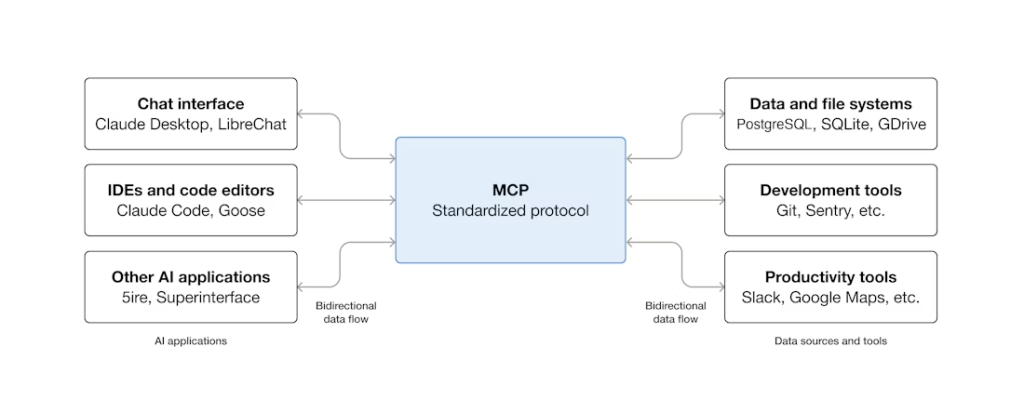
MCP and function calling aren’t competing standards. Function calling is a model-side capability: the LLM emits a structured call when prompted with tool definitions. MCP is a server-side protocol: it standardizes how tools are described, hosted, and invoked. The agent framework reads tool definitions from an MCP server, hands them to the model in function-calling format, and routes the model’s structured calls back to the server. MCP is the transport; function calling is the wire format the model speaks.
The MCP ecosystem is growing fast. Databases, SaaS platforms, and dev tools now publish MCP servers, and major agent frameworks (LangChain, LangGraph, LlamaIndex, Google’s Agent Development Kit) either support MCP or are wiring up support. Clients like ChatGPT, Claude, and VS Code already speak MCP out of the box. Build the integration once, and every MCP-aware agent can use it.
Standardization doesn’t replace governance, though. When an agent can write data, approve actions, or reach sensitive systems, the same guardrails still apply: scope its permissions, validate inputs, and route high-impact actions through a human.
How to implement agent tools
The first call you’ll make is which framework to use. LangChain, LangGraph, and the OpenAI Agents SDK all handle tool registration, the ReAct loop, and feeding tool results back into the model’s context. You don’t need to build the execution loop yourself. Pick a framework, let it run that layer, and spend your time on the tools themselves.
A tool is a function with three things attached to the model:
- A name the model uses to pick the tool.
- A description that tells the model when to call it.
- An input schema that defines what arguments to pass.
All three need to be precise. The example below uses LangChain and the langchain-neo4j package to expose a vector similarity search tool over an existing Neo4j vector index. First, install the dependencies:
| pip install langchain-neo4j langchain-openai |
Then define the tool:
from langchain.tools import tool
from langchain_neo4j import Neo4jVector
from langchain_openai import OpenAIEmbeddings

# Use the same embeddings model as your Neo4j vector index
embeddings = OpenAIEmbeddings(model="text-embedding-3-large")

# Connect to an existing Neo4j vector index
vector_store = Neo4jVector.from_existing_index(
    embedding=embeddings,
    url=NEO4J_URI,
    username=NEO4J_USERNAME,
    password=NEO4J_PASSWORD,
    index_name="vector",  # replace with your vector index name
)

@tool
def search_vector_index(query: str) -> str:
    """
    Search a Neo4j vector index for passages relevant to the query.
    Use this tool when the agent needs to retrieve embedded content stored in Neo4j.
    Do not use it for graph writes.
    """
    results = vector_store.similarity_search(query, k=5)
    if not results:
        return "No relevant passages found."
    return "\n\n".join(doc.page_content for doc in results)
Now we have a tool named search_vector_index that takes the user query as input. The description tells the agent to use it when it needs to retrieve embedded content stored in Neo4j, and not to use it for graph writes.
This description is the biggest deciding factor in whether the model selects the right tool. Vague or missing descriptions are the fastest way to get wrong calls, so spell out what the tool does, what it returns, and what it isn’t for.
For the input schema, specify each parameter, mark fields as required or optional, and add constraints where needed. Loose schemas are a common cause of hallucinated or malformed inputs. If the model can pass anything, it eventually will.
Finally, keep the toolset small. Every tool definition consumes context window tokens, and every additional tool adds selection ambiguity for the model. Group related operations together and expose only what the agent needs for the task. At runtime, validate arguments before execution, default to read-only access, and require confirmation for destructive actions. Log every tool call and its outcome so you can trace why a call succeeded or failed.
Why retrieval tools matter the most
Of the six categories above, retrieval is where most agents spend their time — and where weak output compounds the fastest. Pull thin context, and every downstream call runs on it.
The vector search tool in the implementation example covers the common case: embed the query, return the closest chunks. It works well over unstructured text and single-hop questions. It runs into trouble when the answer depends on how entities relate to each other: customer relationships, supply chain dependencies, and compliance policies. At that point, similarity isn’t the right primitive. Traversal is.
That’s where graph retrieval excels. Knowledge graphs store data as connected nodes and relationships, capturing both what an entity is and how it links to everything around it. GraphRAG combines that traversal with retrieval-augmented generation, so an agent can follow paths rather than just ranking chunks. The traversed path doubles as evidence that the agent can show.
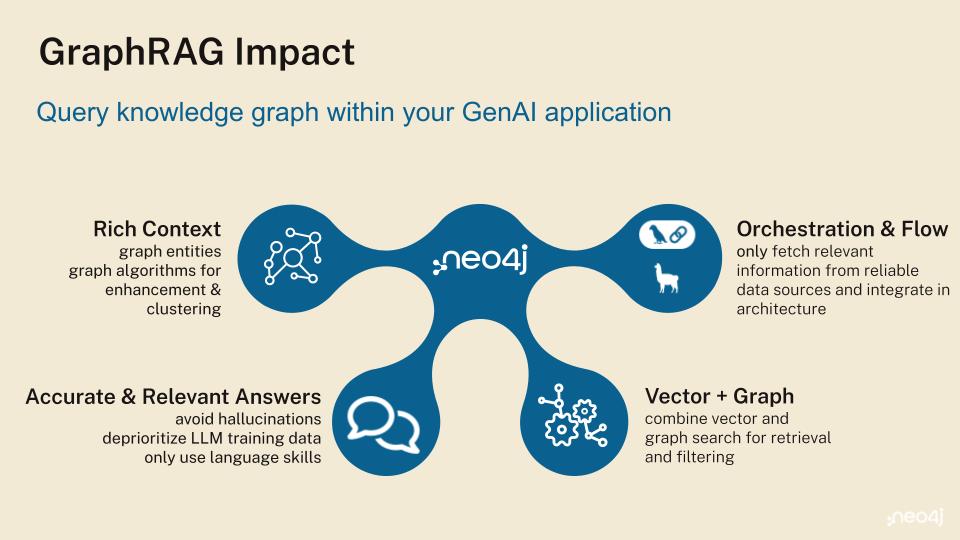
Exposing this through tools is a small change. The Neo4j MCP server (docs) ships four primitives any MCP-aware agent can call: get-schema to read the graph model, cypher-read for traversals and vector similarity in Cypher®, cypher-write for updates, and list-gds-procedures to surface graph algorithms (PageRank, community detection, shortest path) when Graph Data Science is installed. Swap or add these alongside the vector tool above and the agent can inspect a schema, traverse relationships, run an algorithm, and act on the result.
A retrieval tool earns its place by returning the context an agent needs to make the next correct decision. Semantic similarity is one way to find that. In connected domains like customer support, financial risk, supply chain, cybersecurity, and compliance, traversing relationships is usually a better one.
Give your AI agents the context layer they need
If you’re building agents that need to give accurate, explainable answers about your business, retrieval can’t be an afterthought. Start with the smallest toolset that solves the task. Then make the context layer worth pulling from. For most enterprise use cases, that means moving from isolated documents and point lookups to connected data the agent can inspect, traverse, and reuse across reasoning steps.
Neo4j, the graph intelligence platform, brings knowledge graphs, vector search, and 65 graph algorithms into one platform built for agentic AI. Native vector stores, retrievers, and tool wrappers ship across LangChain, LlamaIndex, and LangGraph.
If your next agent needs to reason across relationships, justify an answer, and act on connected enterprise context, agentic GraphRAG should be part of the toolset.
Where to go next
Pick whichever of these matches where you are right now.
- Create your free graph database instance in the cloud with Neo4j AuraDB Free to give your agents a structured knowledge graph.
- Build a knowledge graph from your unstructured data using LLM Knowledge Graph Builder.
- Expose graph and vector search as tools to your agents through the Neo4j MCP server.
- Learn to build your own GraphRAG MCP tools in this free, hands-on course: GraphAcademy: Building GraphRAG Python MCP tools.
Essentials of GraphRAG
Pair a knowledge graph with RAG for accurate, explainable AI. Get the authoritative guide from Manning.
Agent tools FAQs
Agent tools are functions and services that let an AI agent interact with external systems and execute tasks beyond generating text, like searching the web, querying a database, sending an email, or browsing a webpage.
The model reads each tool’s name and description at runtime to decide which tool fits the task, then emits a structured call with arguments, receives the result, and decides whether to continue or stop. That cycle repeats until the task is complete or a stop condition fires.
Most agent tools fall into six categories: web search, retrieval, computation, file manipulation, computer-use (browser and desktop interaction), and business and productivity tools like email, calendar, and CRM integrations.
The Model Context Protocol is an open standard that lets agents dynamically discover what tools a server offers, read their input schemas, and invoke them through a consistent interface, with no custom integration code per service or framework.
A tool is a discrete, callable function that the agent invokes to do one thing. A skill is a higher-order capability (usually a bundle of instructions, context, and sub-workflows) that shapes how the agent reasons through a class of problems. Most production agents need both.
Agent tools can be safe with the right guardrails. Best practice is scoped permissions, strict input validation, human approval for irreversible actions, and treating tool outputs as untrusted input to defend against prompt-injection attacks.
Agent performance depends on accurate, relevant, connected context. Start with the smallest toolset that solves the task, then strengthen the retrieval layer. For most enterprise use cases, that means moving from isolated documents and point lookups to connected knowledge that an agent can inspect, traverse, and reuse across reasoning steps.
Share Article



Explore
Related Articles
Neo4j Named “One to Watch” in Snowflake’s 2026 Modern Marketing Data Stack Report
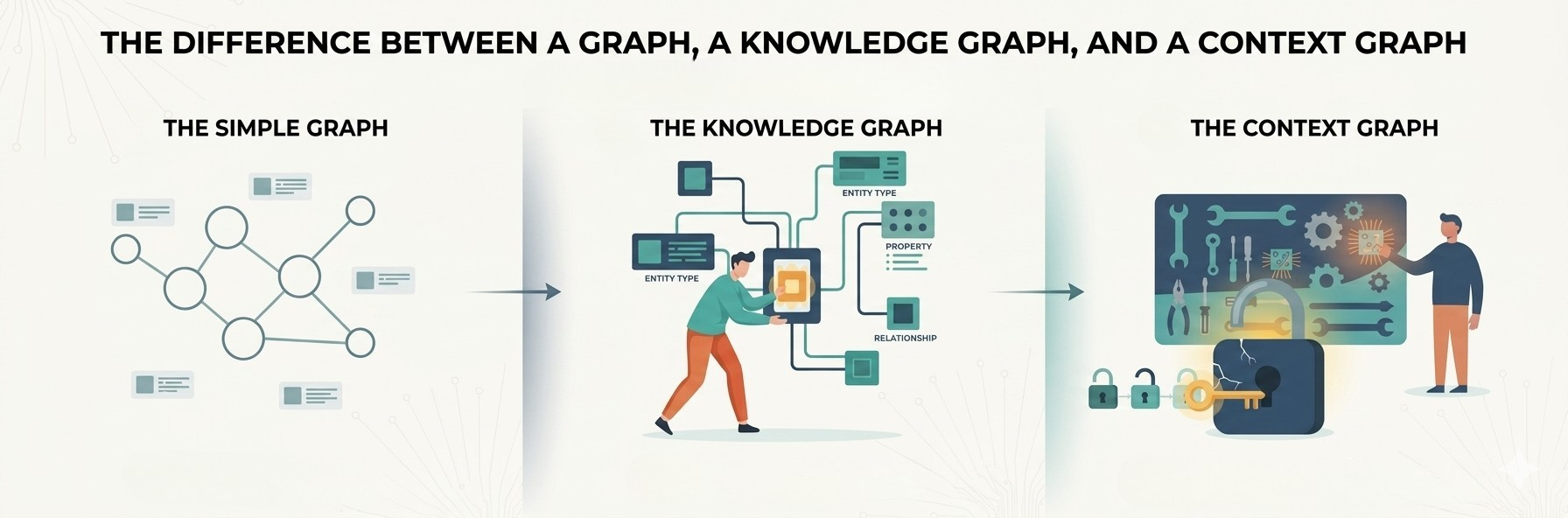
1 of 3: The difference between a graph, a knowledge graph, and a context graph
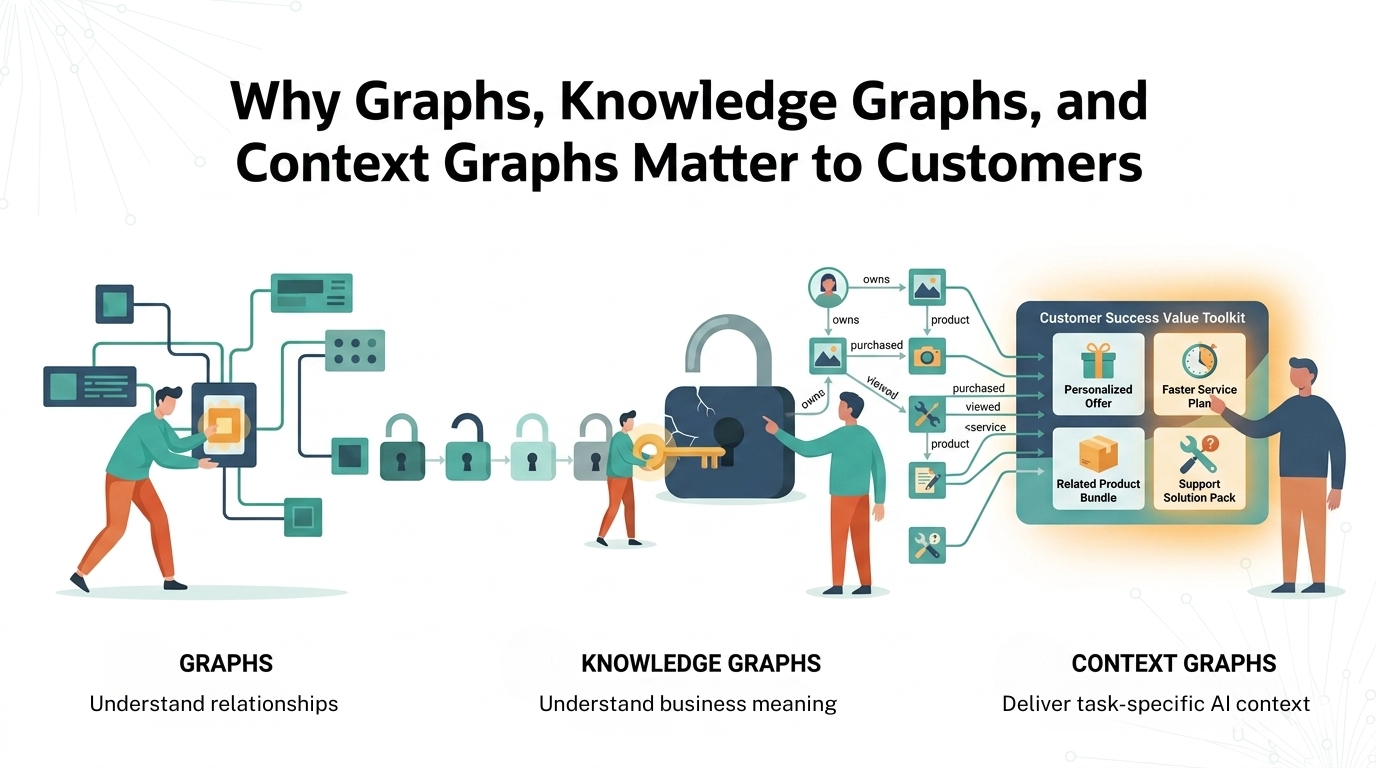
2 of 3: Why graphs, knowledge graphs, and context graphs matter to customers
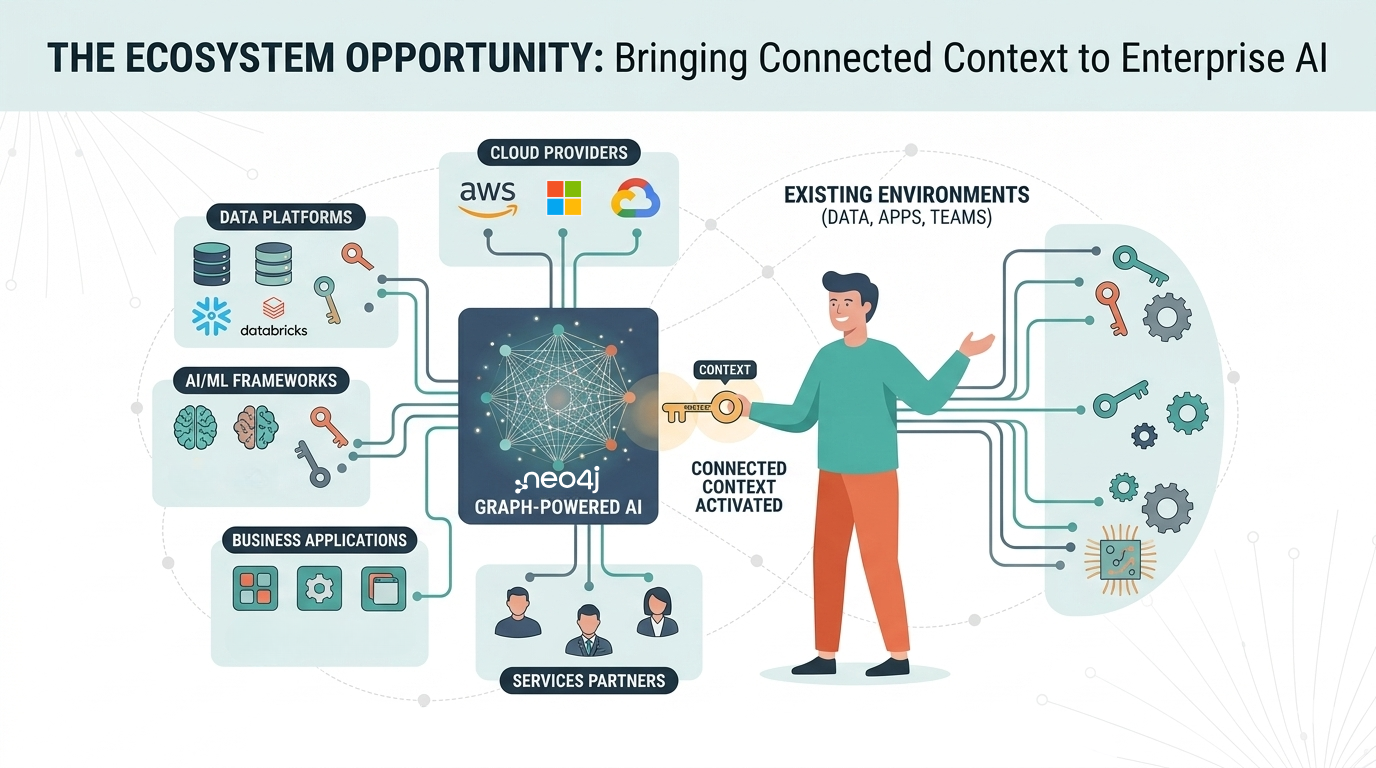
3 of 3: The graph ecosystem: Bringing connected context to enterprise AI