Neo4j Kubernetes Operator: A Declarative Way to Run Neo4j Enterprise

Product Manager, Neo4j
14 min read
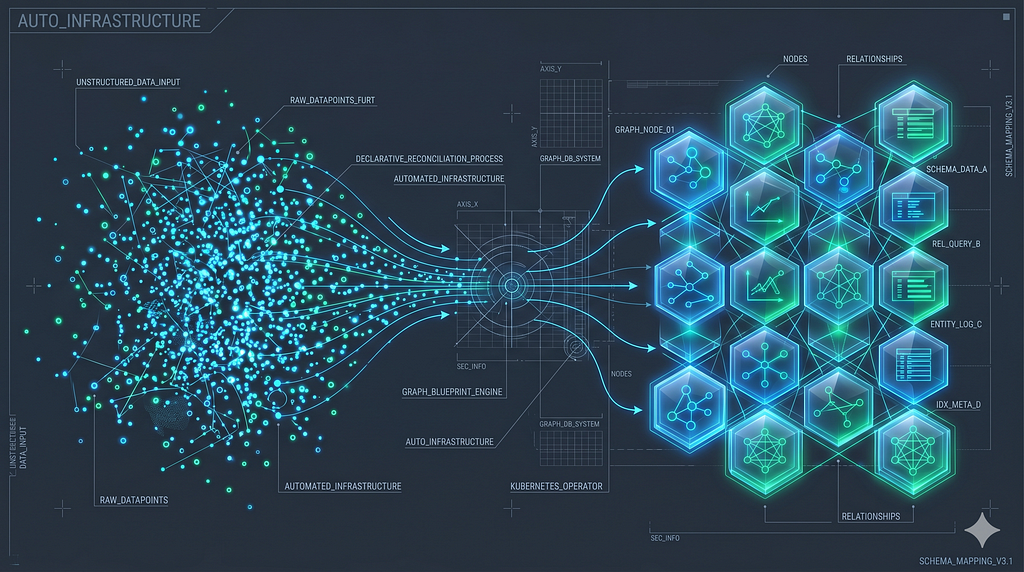
There is now a Kubernetes operator for Neo4j Enterprise. It manages clusters, standalones, databases, users, roles, plugins, and backups through Custom Resource Definitions, with full drift reconciliation against live Neo4j state. This post walks through what running Neo4j on Kubernetes actually looks like with the operator — step by step, mirroring the project’s interactive make demo.
Project status. This is alpha software, maintained in a personal capacity by a single contributor at Neo4j. It is not an official Neo4j product and is not supported by Neo4j, Inc. APIs and behaviour may change between releases. Independent validation is required before production use. Bug reports and contributions are welcome on GitHub.
Why an operator
Running Neo4j Enterprise on Kubernetes is rarely just a helm install. Production deployments need TLS-terminated cluster traffic, primary election across multiple servers, multiple databases per cluster with their own topology, plugin lifecycle, declarative user and role management, scheduled backups, and live observability — all co-ordinated against a database that holds long-running state.
The operator pattern fits this shape well. Kubernetes controllers excel at watching declared specifications, comparing them to live system state, and reconciling the difference continuously. For Neo4j specifically, that means cluster bootstrap and re-configuration, privilege drift correction, password rotation from Secret updates, and rolling plugin installation are all handled by reading and writing Custom Resource fields rather than by procedural scripts.
Rather than describe each capability in the abstract, we’ll deploy them. Every YAML in this post is a real manifest the operator reconciles; every kubectl get is what we’d see in a working cluster.
What you’ll need
- A Kubernetes cluster (Kind works for local; the operator only officially targets Kind for development and testing)
- kubectl configured against it
- Helm 3.8 or later
- cert-manager v1.20+ with a ca-cluster-issuer ClusterIssuer (for TLS examples)
If you’d rather watch all of this play out automatically, the project ships an interactive demo: make demo from a clone of the repository walks through the same eight scenarios end-to-end with live narration and verification. Everything below is a slower, written tour of the same ground.
Bootstrap a cluster (skip if you already have one)
For a fully self-contained local setup, the project includes a one-shot target that creates a Kind cluster, installs cert-manager, and configures the ca-cluster-issuer ClusterIssuer that the TLS examples expect:
git clone https://github.com/neo4j-partners/neo4j-kubernetes-operator
cd neo4j-kubernetes-operator
make dev-cluster
If you’d rather wire it up by hand against an existing cluster:
# Install cert-manager (the version `make dev-cluster` installs is v1.20.0;
# check https://github.com/cert-manager/cert-manager/releases for newer)
kubectl apply -f https://github.com/cert-manager/cert-manager/releases/download/v1.20.0/cert-manager.yaml
kubectl wait --for=condition=Available --timeout=120s \
  deployment/cert-manager-webhook -n cert-manager

# Self-signed ClusterIssuer named ca-cluster-issuer
# (the operator's TLS examples reference this exact name)
kubectl apply -f - <<'EOF'
apiVersion: cert-manager.io/v1
kind: ClusterIssuer
metadata:
  name: ca-cluster-issuer
spec:
  selfSigned: {}
EOF
For production, the self-signed issuer becomes your real CA — Let’s Encrypt via ACME, an internal Vault PKI, or an externally signed CA.
Step 1 — Install the operator
helm repo add neo4j https://neo4j-partners.github.io/neo4j-kubernetes-operator/charts
helm repo update
helm install neo4j-operator neo4j/neo4j-operator \
  --namespace neo4j-operator-system \
  --create-namespace
That’s it. The chart installs the CRDs, the controller deployment, and the RBAC permissions it needs. We can confirm the controller is up:
kubectl get pods -n neo4j-operator-system
# NAME                                              READY   STATUS    RESTARTS
# neo4j-operator-controller-manager-...             1/1     Running   0
The chart is also published as an OCI artifact at oci://ghcr.io/neo4j-partners/charts/neo4j-operator — useful when pinning to a specific version, or for installations that prefer OCI registries. The helm repo add flow above is available from v1.8.0 onwards; pre-v1.8.0 users must use the OCI path.
Step 2 — A standalone, for development
Before any Neo4j manifest, we need a Kubernetes Secret holding the admin credentials. The operator reads usernameand password keys from whatever Secret name we provide in spec.auth.adminSecret:
kubectl create secret generic neo4j-admin-secret \
  --from-literal=username=neo4j \
  --from-literal=password=changeme-please
Use a real password for anything you intend to keep around. Even on a local Kind cluster, Neo4j refuses passwords shorter than 8 characters.
The simplest deployment is a single Neo4j Enterprise instance — no clustering, no quorum, just a process with a PVC. The Neo4jEnterpriseStandalone resource expresses it directly:
apiVersion: neo4j.neo4j.com/v1beta1
kind: Neo4jEnterpriseStandalone
metadata:
  name: dev-instance
spec:
  image:
    repo: neo4j
    tag: 5.26-enterprise
  storage:
    className: standard
    size: 5Gi
  auth:
    authenticationProviders: ["native"]
    adminSecret: neo4j-admin-secret
  env:
    - name: NEO4J_ACCEPT_LICENSE_AGREEMENT
      value: "eval"
A note on that last env var: NEO4J_ACCEPT_LICENSE_AGREEMENT is a license-acknowledgement gate enforced by the Neo4j Enterprise Docker image itself — the entrypoint refuses to start the database until it sees one of two values. eval accepts the Evaluation License (free, non-production, time-limited); yes accepts the standard commercial license terms and assumes a paid agreement is in place. The operator passes whatever we set straight through to the container rather than picking a default, because a default would silently make a legal claim on our behalf. The remaining manifests in this post all require the same env var; we’ll omit it from the snippets for brevity.
When we apply this, the operator creates a StatefulSet (replicas=1), a ClusterIP Service for Bolt and HTTP, a ConfigMap with the rendered neo4j.conf, and a PersistentVolumeClaim for data. Once Neo4j is ready, status.endpointspopulates with the connection strings:
kubectl get neo4jenterprisestandalone dev-instance -o jsonpath='{.status.endpoints}'
# {"bolt":"bolt://dev-instance-service.default.svc.cluster.local:7687",
#  "http":"http://dev-instance-service.default.svc.cluster.local:7474",
#  "https":"https://dev-instance-service.default.svc.cluster.local:7473",
#  "connectionExamples":{...}}
The dev-instance-service Service is what the operator creates from the standalone CR; the connectionExamplesblock carries copy-pasteable port-forward / browser URLs that vary by Service type.
This deployment is fine for development, prototyping, and CI tests. For anything that needs availability or read-scaling, we move to clusters.
Step 3 — A three-server cluster, with TLS
The same pattern, but with Neo4jEnterpriseCluster and a topology declaration:
apiVersion: neo4j.neo4j.com/v1beta1
kind: Neo4jEnterpriseCluster
metadata:
  name: production
spec:
  image:
    repo: neo4j
    tag: 5.26-enterprise
  topology:
    servers: 3
  storage:
    className: standard
    size: 10Gi
  auth:
    authenticationProviders: ["native"]
    adminSecret: neo4j-admin-secret
  tls:
    mode: cert-manager
    issuerRef:
      name: ca-cluster-issuer
      kind: ClusterIssuer
  monitoring:
    enabled: true
When we apply this, the operator creates a single StatefulSet — production-server — with three replicas. Pods come up sequentially (production-server-0, then -1, then -2), which Neo4j requires for RAFT bootstrap on the system database. The first pod forms the cluster; the remaining pods join it via the operator-injected V2 discovery endpoints.
The tls.mode: cert-manager directive tells the operator to issue a certificate via the named ClusterIssuer, mount it at /ssl/, and configure server.bolt.tls_level=REQUIRED so plain bolt:// connections are rejected. The DNS names on the certificate cover every server pod, the headless service, and the client service.
We can watch the cluster form by reading the status:
kubectl get neo4jenterprisecluster production -w
# NAME         SERVERS   READY   PHASE      AGE
# production   3         false   Pending    30s
# production   3         false   Forming    1m
# production   3         false   Forming    2m
# production   3         true    Ready      3m
The READY column is a boolean — true once all three servers have joined and the operator has verified cluster formation, otherwise false. Once Ready, status.endpoints exposes a bolt+s:// connection string and an HTTPS browser URL. We can verify the cluster from inside any server pod:
kubectl exec production-server-0 -- cypher-shell -u neo4j -p ... "SHOW SERVERS"
# All three servers report Enabled / Available, hosting both the
# system database and any user databases (none yet — see Step 4).
Step 4 — Databases as Kubernetes resources
Neo4j Enterprise supports multiple databases per cluster, each with its own topology distribution. The operator exposes this through the Neo4jDatabase CRD:
apiVersion: neo4j.neo4j.com/v1beta1
kind: Neo4jDatabase
metadata:
  name: orders
spec:
  clusterRef: production
  name: orders
  topology:
    primaries: 2
    secondaries: 1
  wait: true
  ifNotExists: true
  initialData:
    source: cypher
    cypherStatements:
      - "CREATE CONSTRAINT order_id_unique IF NOT EXISTS FOR (o:Order) REQUIRE o.orderId IS UNIQUE"
      - "CREATE INDEX order_date_index IF NOT EXISTS FOR (o:Order) ON (o.orderDate)"
The operator runs CREATE DATABASE orders TOPOLOGY 2 PRIMARIES 1 SECONDARY WAIT against the cluster’s system database, then executes each cypherStatements entry against the new database — so we get the schema, indexes, and any seed data applied as part of the same declarative resource that creates the database itself.
Different databases on the same cluster can have different topologies. A read-heavy analytics database might use one primary and two secondaries; a write-heavy session store might use two primaries and zero secondaries. We just declare both:
---
apiVersion: neo4j.neo4j.com/v1beta1
kind: Neo4jDatabase
metadata:
  name: analytics
spec:
  clusterRef: production
  name: analytics
  topology: { primaries: 1, secondaries: 2 }
  wait: true
---
apiVersion: neo4j.neo4j.com/v1beta1
kind: Neo4jDatabase
metadata:
  name: sessions
spec:
  clusterRef: production
  name: sessions
  topology: { primaries: 2, secondaries: 0 }
  wait: true
The operator places each database according to its declared topology, and SHOW DATABASES from any server reflects the resulting layout.
Step 5 — Plugins, without baking custom images
Plugins are managed by the Neo4jPlugin CRD. For APOC, which ships pre-bundled in every Neo4j Enterprise image since 5.26, the operator simply sets NEO4J_PLUGINS=[“apoc”] on the StatefulSet and lets the Neo4j Docker entrypoint copy the bundled jar into /plugins/ at pod startup:
apiVersion: neo4j.neo4j.com/v1beta1
kind: Neo4jPlugin
metadata:
  name: apoc
spec:
  clusterRef: production
  name: apoc
  version: "5.26.0"
  enabled: true
  source:
    type: official
  config:
    apoc.export.file.enabled: "true"
    apoc.import.file.enabled: "true"
When we apply this, the operator amends the cluster’s StatefulSet environment, which triggers a rolling restart. Each pod restarts in sequence, picking up APOC. After the rollout, we can verify:
kubectl exec production-server-0 -- cypher-shell -u neo4j -p ... "RETURN apoc.version()"
# 5.26.0
The same CRD handles other plugins (GDS, Bloom, GenAI, N10s, GraphQL) with appropriate neo4j.conf keys generated automatically — for example, GDS gets dbms.security.procedures.unrestricted=gds.* added without us writing it.
For declarative plugin lifecycle without custom images, this is the shape: one CRD, one rolling restart, no manual config-file editing.
Step 6 — Users, roles, and privileges as CRDs
This is the section that closed the last imperative gap in the operator. Three CRDs work together: Neo4jRole defines a role and its privileges, Neo4jUser defines a user and its role bindings, and Neo4jRoleBinding is for users provisioned outside the operator (SSO/LDAP) where we only own the role grants.
A read-only role for an analytics team:
apiVersion: neo4j.neo4j.com/v1beta1
kind: Neo4jRole
metadata:
  name: analytics-reader
spec:
  clusterRef: production
  name: analytics_reader
  enforcePrivileges: true
  privileges:
    - "GRANT ACCESS ON DATABASE analytics TO analytics_reader"
    - "GRANT MATCH {*} ON GRAPH analytics NODES * TO analytics_reader"
    - "DENY WRITE ON GRAPH analytics TO analytics_reader"
A user bound to that role. First, create a Secret holding alice’s password — the operator never sees the password directly, it reads it from the Secret on every reconcile and fingerprints it for change detection:
kubectl create secret generic alice-creds \
  --from-literal=password=alice-changeme
Then declare the user:
apiVersion: neo4j.neo4j.com/v1beta1
kind: Neo4jUser
metadata:
  name: alice
spec:
  clusterRef: production
  username: alice
  passwordSecretRef:
    name: alice-creds
  roles:
    - analytics_reader
Two design rules are worth calling out, because they shape every production use of these CRDs:
Privileges live on the role, not on the user. The user resource carries only role bindings, never inline GRANT/DENYstatements. This keeps role definitions reusable across users and avoids merge conflicts when two teams share a role.
Drift is reconciled. If someone runs REVOKE ACCESS ON DATABASE analytics FROM analytics_reader directly in cypher-shell, the role controller detects the missing privilege on its next reconcile (via SHOW ROLE PRIVILEGES AS COMMANDS) and re-applies it. To opt out of this behaviour for a specific role, we set enforcePrivileges: false.
Password rotation works through the same Secret. We update the value in alice-creds; the user controller fingerprints it, sees the hash has changed, and runs ALTER USER alice SET PASSWORD <new> against the cluster. The password itself is never persisted in the Neo4jUser resource — only the SHA-256 fingerprint, used for change detection.
For users provisioned externally — say, by an OIDC IdP at first login — Neo4jRoleBinding lets us own the role grant without owning the user lifecycle:
apiVersion: neo4j.neo4j.com/v1beta1
kind: Neo4jRoleBinding
metadata:
  name: bob-binding
spec:
  clusterRef: production
  username: bob
  roles:
    - analytics_reader
If bob doesn’t exist yet, the binding sits in UserNotFound and waits. When the IdP creates bob on first login, the binding picks up on the next reconcile and grants the role. The binding never creates or drops the user.
Step 7 — Observability without kubectl exec
When monitoring.enabled is true, the operator periodically queries the cluster (SHOW SERVERS, SHOW DATABASES, SHOW USERS, SHOW ROLES) and surfaces the results in status.diagnostics. This means we can answer most operational questions without ever opening a shell on a Neo4j pod:
kubectl get neo4jenterprisecluster production \
  -o jsonpath='{.status.diagnostics.servers}' | jq
# [
#   {
#     "name": "abc1...",
#     "address": "production-server-0.production-server-headless...",
#     "state": "Enabled",
#     "health": "Available",
#     "hostingDatabases": 5
#   },
#   ...
# ]
For each server, we get its lifecycle state, health, and the count of databases it hosts. The same applies to databases, users, and roles. Two named conditions on the cluster status — ServersHealthy and DatabasesHealthy — summarise the live state for fleet-level dashboards. A Prometheus metric neo4j_operator_server_health{cluster_name, namespace, server_name, server_address} is emitted from the controller, so we can alert on cluster degradation without writing a Neo4j-specific exporter.
For the per-database breakdown of which servers host which databases, SHOW DATABASES from inside any pod is still the direct path — the operator surfaces aggregate health on the CR, not the full hosting graph.
Diagnostic collection is non-fatal: if Neo4j is briefly unreachable, the operator records the error in status.diagnostics.collectionError and keeps reconciling. Diagnostics never block the rest of the control loop.
What we built, and where to go next
In about a dozen YAML files, we declared a TLS-terminated three-server Neo4j Enterprise cluster, three application databases with distinct topology profiles, the APOC plugin, a role with explicit privileges, a user bound to that role with password rotation from a Secret, and live diagnostics surfaced through Kubernetes status. None of these involved a shell on a Neo4j pod, a hand-edited neo4j.conf, or a custom Docker image.
The full project ships more than what we covered here. Backups (Neo4jBackup) and restores (Neo4jRestore) including point-in-time recovery; property sharding (Neo4jShardedDatabase, GA in Neo4j 2025.12 and later CalVer releases) for horizontal scale; fleet management integration with Neo4j Aura; and an MCP server CRD for AI assistant integration. Each of these gets its own walkthrough elsewhere in the documentation.
To go further:
- Try it locally: make demo runs everything in this post interactively against a Kind cluster.
- Browse the docs: https://neo4j-partners.github.io/neo4j-kubernetes-operator/ has the full user guide, API reference, and developer guide, with a per-release version selector.
- Read the examples: the examples/ directory has working YAML for every CRD, including end-to-end scenarios.
- Open an issue: bug reports, design discussions, and PRs are all welcome at the project’s issue tracker.
The operator is alpha. It is not officially supported by Neo4j, Inc., and is maintained in a personal capacity. APIs may shift between releases. With those caveats acknowledged, the shape of the project is stable enough now that the eight scenarios in this post should look much the same six months from now — just with a few more CRDs filling in the corners.
Neo4j Kubernetes Operator: A Declarative Way to Run Neo4j Enterprise was originally published in Neo4j Developer Blog on Medium, where people are continuing the conversation by highlighting and responding to this story.
Share Article



Explore
Related Articles

SumoDB in Neo4j: Chaining Multiple Graph Algorithms in Snowflake — Part 3