Building stateful AI: Integrating Aura Agent lifecycle with MCP and persistent memory

Graph ML and GenAI Research, Neo4j
15 min read
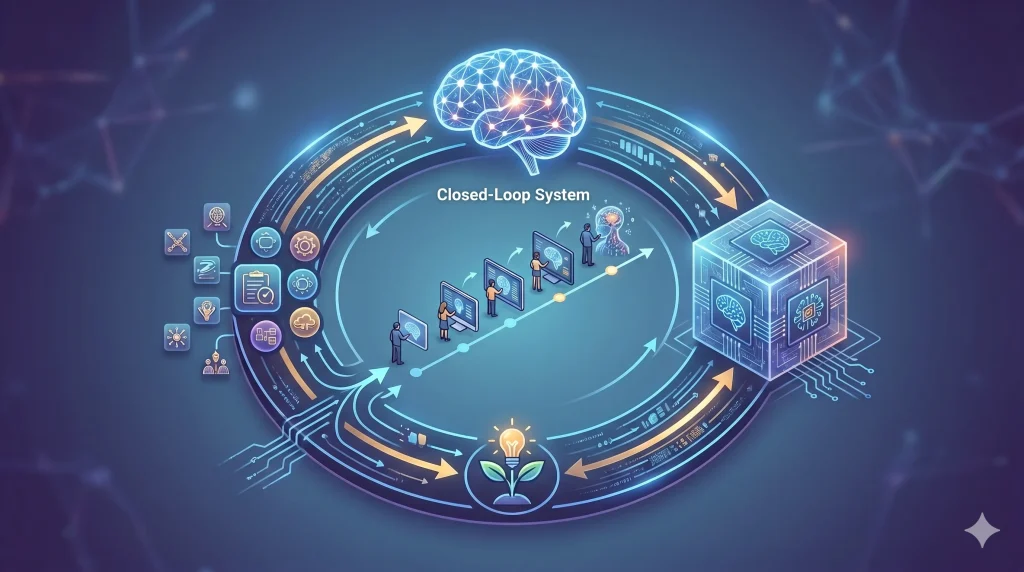
An exploration into creating a closed-loop system where agents don’t just execute tasks, but learn and evolve through a dedicated memory layer.
Over the last two weeks since I got back from vacation, I’ve seen a huge focus on agentic memory. It’s all about agents learning about the user and their preferences, while also using past iterations to actually get better at solving tasks.
Building on that, we need a closed loop where the agent can learn and self-improve automatically, without any copy-pasting between systems. This is where we can put our approach to the test. Since Neo4j Aura Agents can be managed and invoked via an API, our main agent can build subagents on Neo4j Aura, evaluate them, and store what it learns in memory for persistence.
Disclaimer: I currently work at Neo4j, which is why I’m using Neo4j as an example
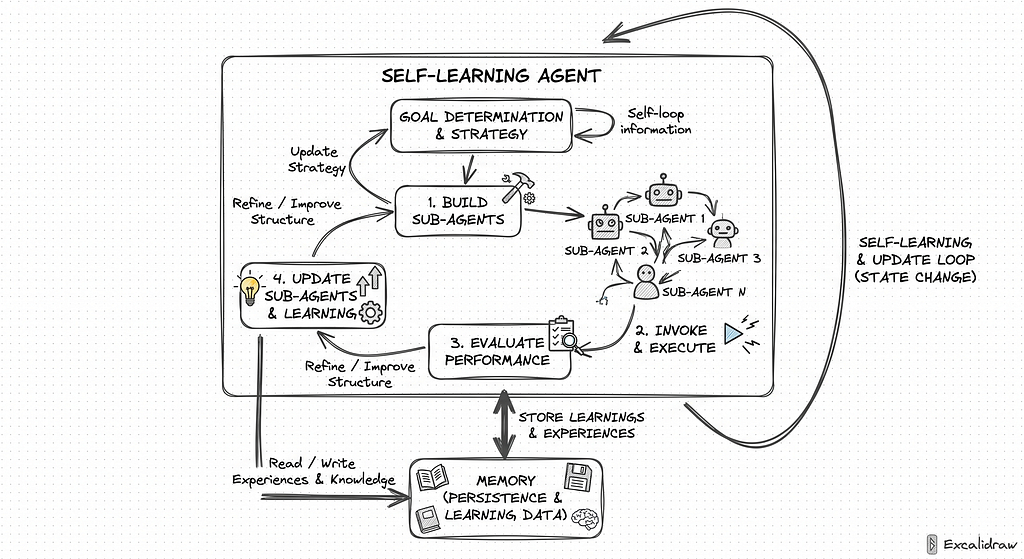
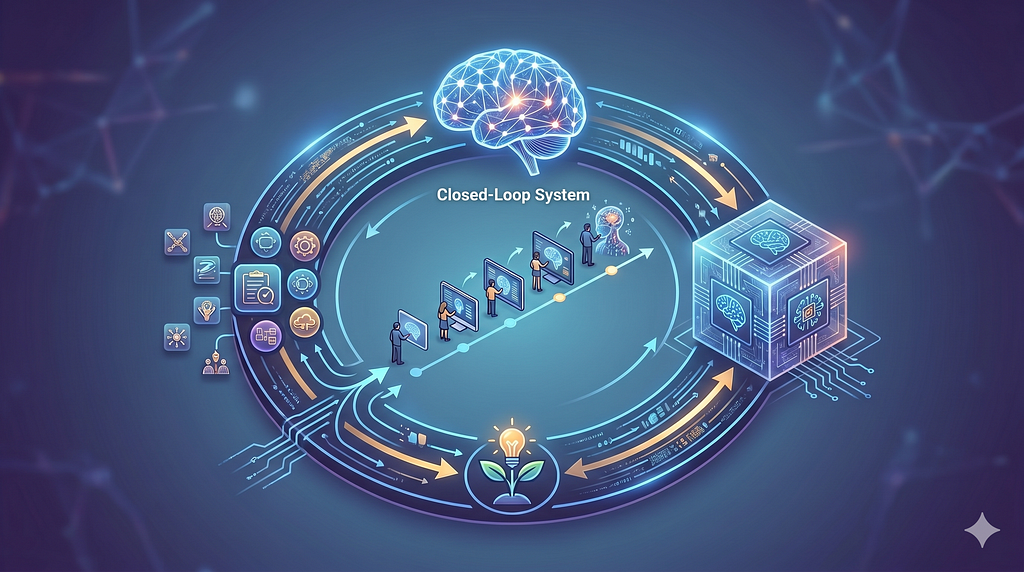
The diagram above illustrates this self-learning loop in action.
The main agent starts with goal determination and strategy, then moves through four key stages:
- building sub-agents tailored to the task,
- invoking and executing them,
- evaluating their performance, and finally
- updating the sub-agents based on what worked and what didn’t.
Each iteration feeds back into the strategy, while all learnings and experiences are persisted to memory, allowing the agent to read from and write to a growing knowledge base over time.
This closes the loop: the agent doesn’t just solve a task once, it gets better at solving similar tasks in the future.
With the architecture clear, the next decision is how to actually implement the memory layer. We need to choose how experiences and learnings are structured, stored, and retrieved, whether as raw traces, distilled lessons, or a graph of interconnected insights, and how the agent queries this memory when determining its strategy.
The right memory implementation is what turns a one-off execution pipeline into a system that genuinely compounds knowledge over time.
I like to keep it simple, and just recently, Andrej Karpathy introduced his idea about LLM Knowledge Bases.
Andrej Karpathy on X (formerly Twitter): “LLM Knowledge BasesSomething I’m finding very useful recently: using LLMs to build personal knowledge bases for various topics of research interest. In this way, a large fraction of my recent token throughput is going less into manipulating code, and more into manipulating… / X”
LLM Knowledge BasesSomething I’m finding very useful recently: using LLMs to build personal knowledge bases for various topics of research interest. In this way, a large fraction of my recent token throughput is going less into manipulating code, and more into manipulating…
Karpathy’s idea is to instruct an LLM to build Wiki-style knowledge base using a repository of markdown files as storage. Instead of storing and indexing raw documents, the LLM processes documents and stores only interesting information to its Wiki. We can reuse this approach for storing agentic memory as well, the only distinction is to store learnings instead of information from documents.
Additionally, while markdown files are a natural abstraction for an LLM to work with, managing them directly in production can get messy fast. Beyond that, giving an LLM access to the terminal and file system is a real security concern. I recall seeing that LangChain recommends storing markdown content in a database while still presenting it as files to the LLM, which is a clean separation of concerns. We’ll take a similar approach here, using Neo4j to store the agentic memory, inspired by Karpathy’s take on Knowledge Bases.
Throughout this blog post, we’ll build an MCP server that will enable us to inspect databases, manage agents, and store learnings in memory.
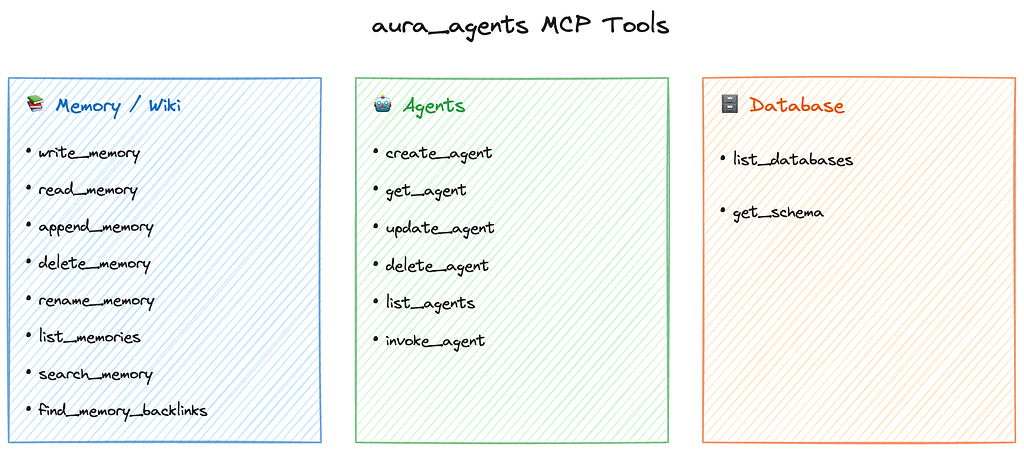
The Database tools let us fetch the schema so the agent knows what data it’s working with.
The Agents tools cover the full CRUD lifecycle plus invocation, so we can create, update, delete, and actually run sub-agents programmatically.
The Memory/Wiki group is the largest, since we don’t have terminal commands to fall back on, we need dedicated tools for writing, reading, appending, searching, and linking memory pages.
The MCP is available on GitHub.
Let’s start by preparing the environment.
Neo4j Aura and Aura Agents
The idea is simple: if the agent can do tasks, learn about them, and update its approach, whether for knowledge graph creation or retrieval, it naturally becomes a self-improving loop. In this post, we’ll implement that loop by allowing the agent to create and update Aura Agents.
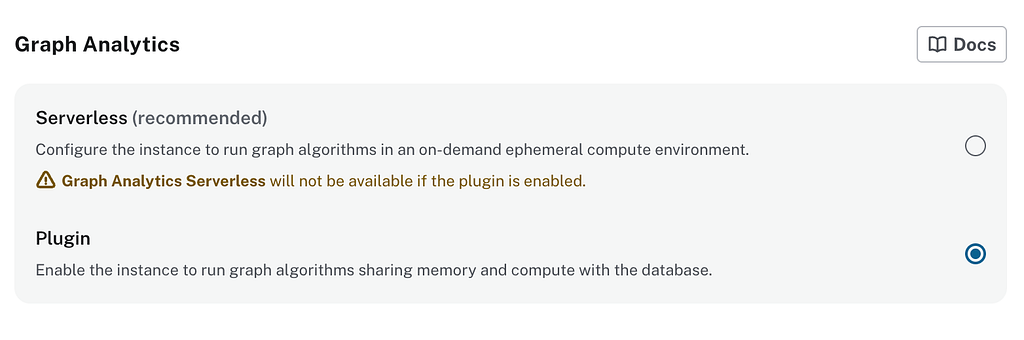
To follow along, you’ll need a Neo4j Aura instance with data already loaded. If you don’t have one yet, create an instance now. Be sure to select Graph Analytics as the plugin so the agents can access it.
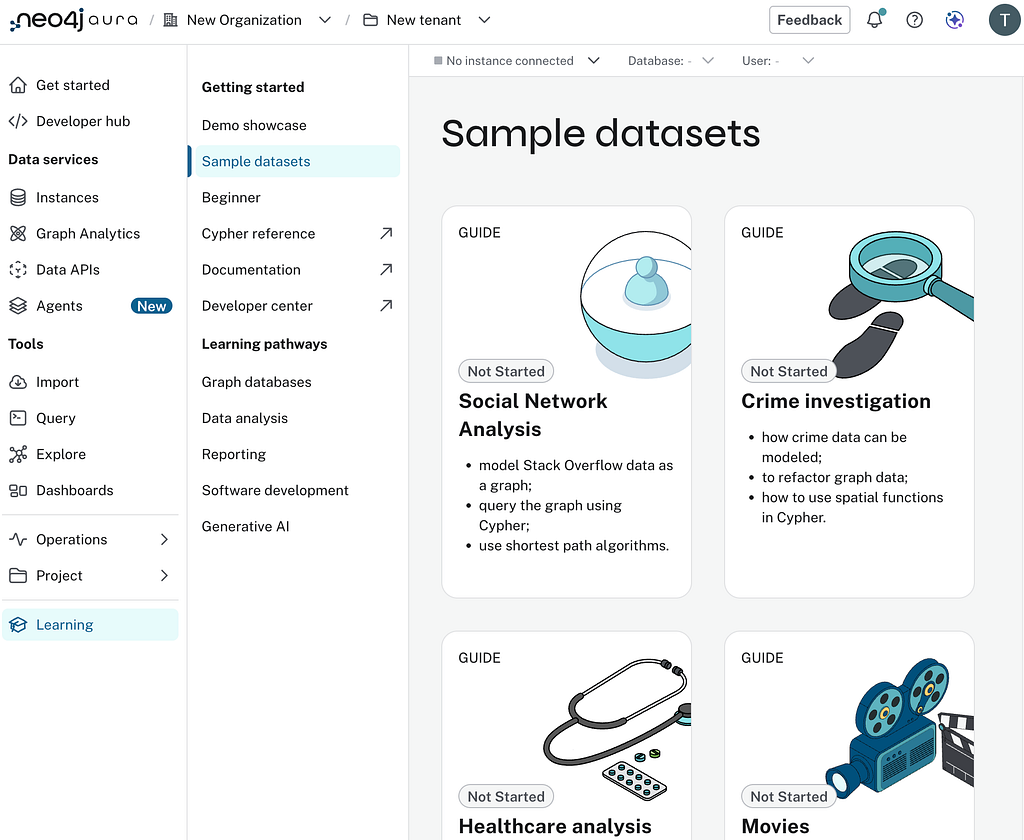
If your database is already populated, great. Otherwise, you can restore the companies dump I’m using or load one of the sample datasets.
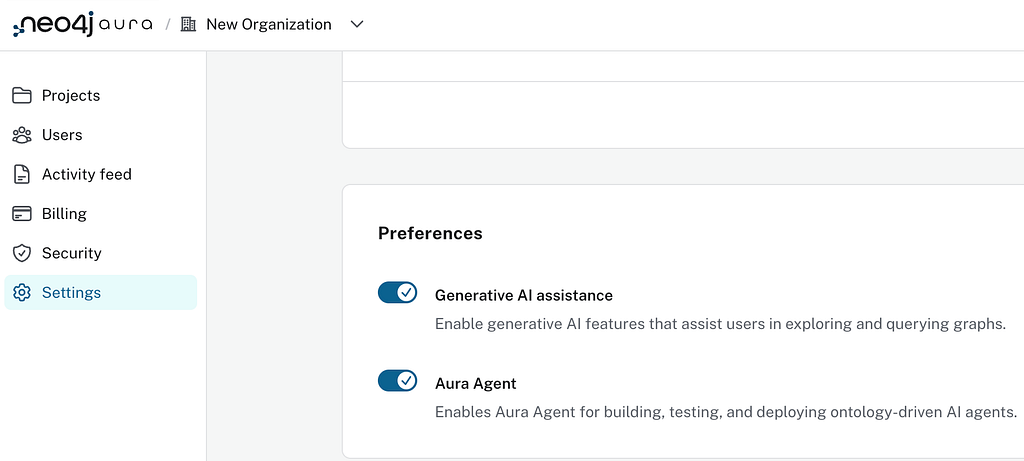
Once your instance is up and populated, head to your organization’s Settings and make sure Aura Agent is enabled under Preferences.
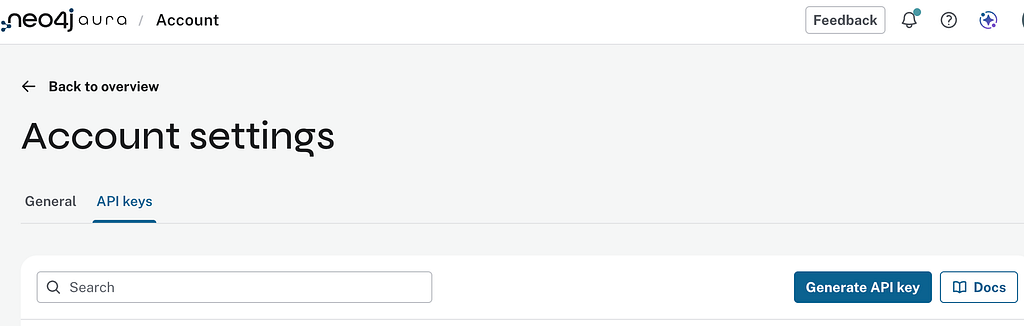
Finally, you’ll need Aura API credentials to interact with agents programmatically. Go to Account Settings, open the API keys tab, and generate a new key. Keep these credentials handy, we’ll use them throughout the MCP server implementation.
Next, we’ll implement the MCP server.
Aura Agent Management MCP server
The implementation of the MCP server is fairly straightforward. We have two types of tools, one that deals with agent lifecycle and execution, and the other, which allows the agent to store its learnings into persistent memory.
Aura Agent lifecycle tools
First, we’ll implement Aura Agents lifecycle tools using the Aura Agents API specification. The available endpoints for agentic interface are:
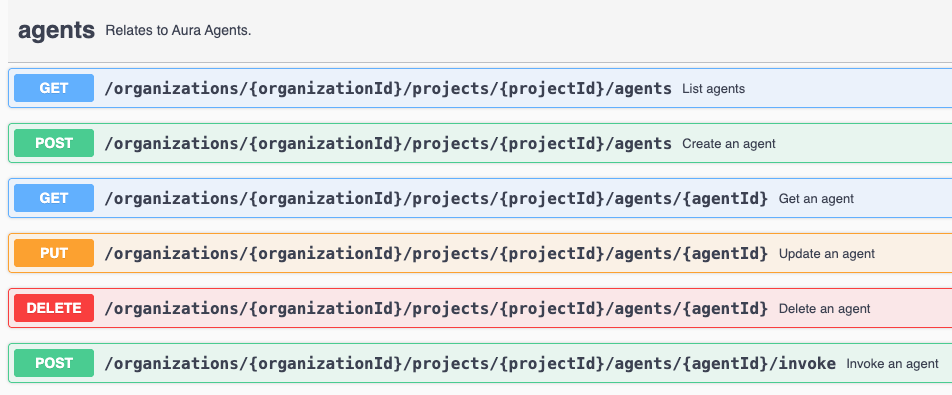
Here, we can simply map endpoints to agentic tools one-to-one, requiring no transformation.
Additionally, we’ll need tools to list existing databases and inspect their schema. For database lookup, we simplified the flow: instead of separate tools for listing orgs, projects, instances, and finally databases, a single tool iterates over all orgs, projects, and instances and displays every available database.
For schema lookup, we had to create a custom agent equipped with predefined schema tools, since the API doesn’t expose direct Cypher access. The only way to query the database is by invoking an agent. Below is the definition of the schema agent with custom tools I implemented to be able to fetch schema:
agent = await _request(
    "POST",
    base,
    json={
        "name": "_schema_probe",
        "description": "Temporary agent for schema retrieval",
        "dbid": dbid,
        "is_private": False,
        "system_prompt": system_prompt,
        "tools": [
            {
                "type": "cypherTemplate",
                "name": "get_schema",
                "description": "Fetch the node/relationship schema via apoc.meta.schema().",
                "enabled": True,
                "config": {
                    "template": "CALL apoc.meta.schema() YIELD value RETURN value",
                    "parameters": [],
                },
            },
            {
                "type": "cypherTemplate",
                "name": "get_indexes",
                "description": "Fetch fulltext and vector indexes.",
                "enabled": True,
                "config": {
                    "template": (
                        "SHOW INDEXES YIELD name, type, labelsOrTypes, properties, options "
                        "WHERE type IN ['FULLTEXT', 'VECTOR'] "
                        "RETURN name, type, labelsOrTypes, properties, options"
                    ),
                    "parameters": [],
                },
            },
        ],
    },
)
The agent is spun up on demand, queried for the schema, and torn down once the information has been retrieved. This effectively uses the agent layer as a thin proxy for the Cypher access we’d otherwise call directly, keeping schema introspection self-contained and avoiding long-lived probe agents attached to the database.
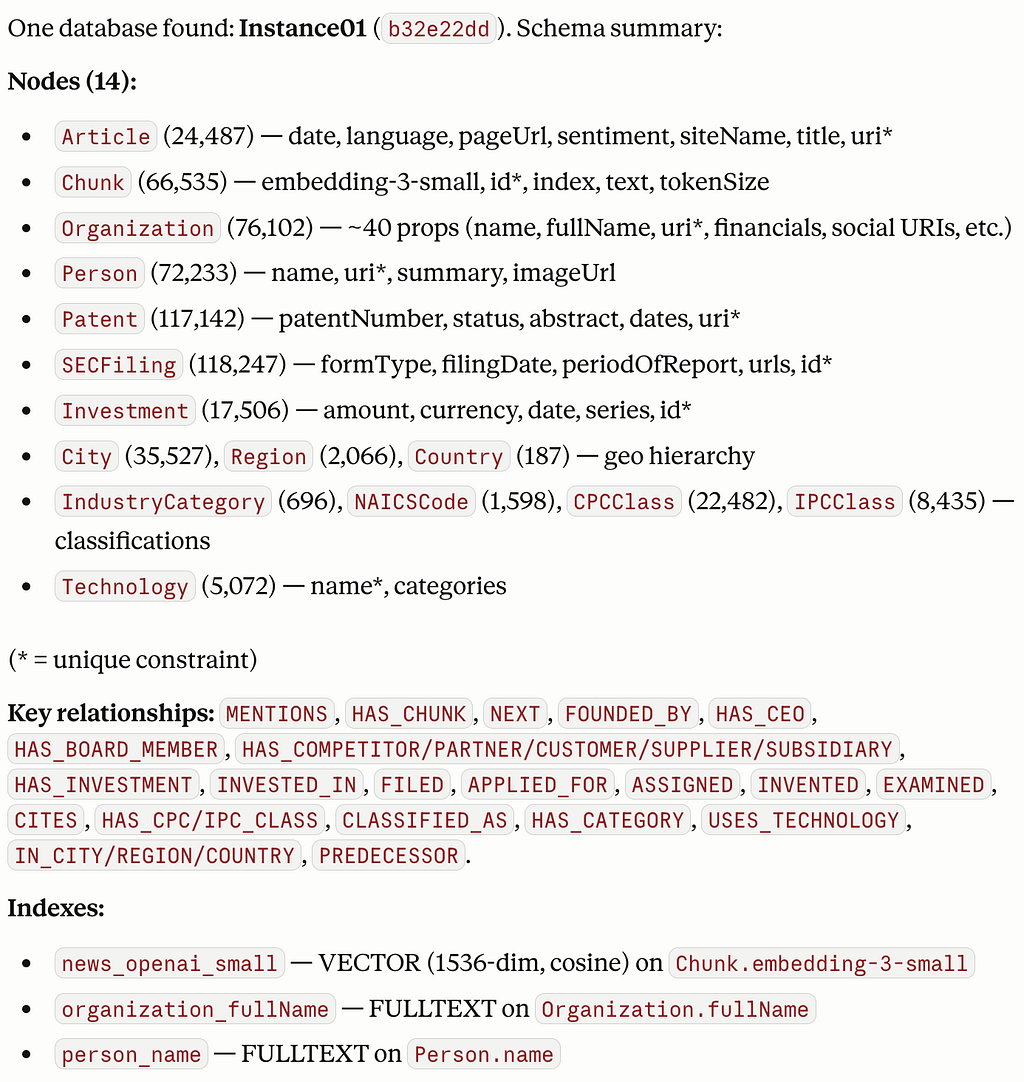
On my example database you would get an answer like the following when inspecting a schema of the graph.
Karpathy’s memory module
The second piece is the memory module. Without memory, the agent starts every session from scratch, losing any context or insights it built up previously. The memory module fixes this by giving the agent a place to write down what’s worth remembering, so useful information carries across sessions.
In our MCP server, memory is optional. The agent runs fine without it, but if you supply credentials for a memory database, the module is wired in automatically.
This means you’ll need a second Neo4j database to store the memory, separate from your main one. I’m running a local instance for this, but anything works: a second Neo4j Aura instance, a Docker container, or any other Neo4j deployment you have handy.
Following Karpathy’s idea, we expose memory through a familiar abstraction: a filesystem of markdown files. That’s what the agent sees and interacts with. Behind the scenes, everything lives in Neo4j, structured with the graph model shown below.
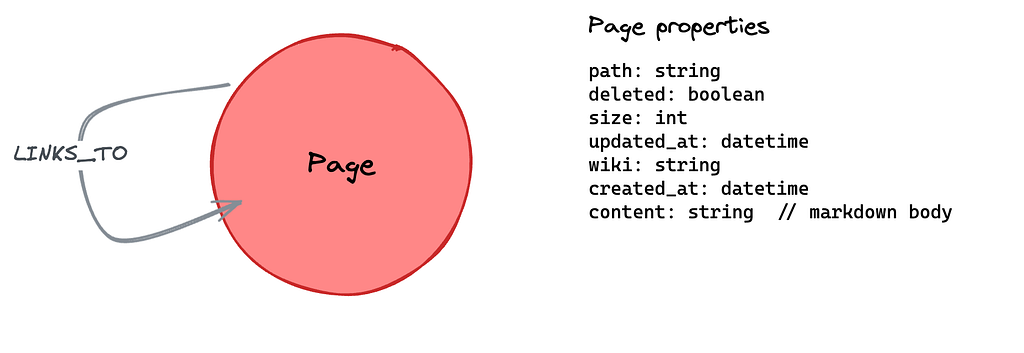
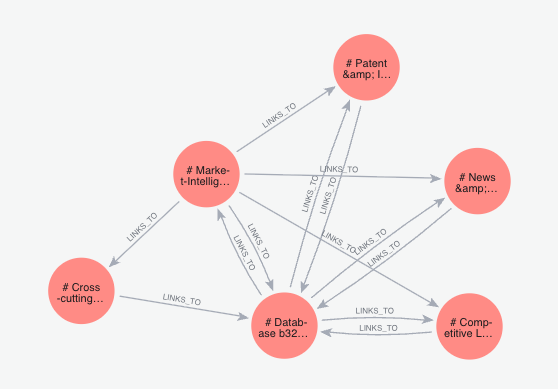
The model is deliberately minimal. There’s a single node type, Page, which represents one markdown file. Each page carries its path (the filesystem-style identifier the agent uses to read and write it), its content (the markdown body itself), and some bookkeeping fields: created_at, updated_at, size, a deleted flag for soft deletes, and a wiki field for grouping pages into separate namespaces.
The only relationship is LINKS_TO, a self-reference from Page to Page. Whenever one markdown file references another (think wiki-style [[links]]), we materialize that as an edge in the graph. This is what turns a flat pile of notes into something the agent can traverse, letting it follow connections between memories rather than just reading them in isolation.
Because the memory is just a filesystem, the agent is free to name pages however it wants, and left to its own devices it will. One session writes notes_about_db.md, the next writes db-info.md, the third buries the same facts inside log.md. The pages exist, but the agent can’t find them again, which defeats the point of having memory at all.
A small amount of guidance fixes this. By suggesting a layout in the system prompt, we nudge the agent toward consistent paths and a consistent sense of what belongs where.
Recommended page layout — organise memories by topic, not by
conversation, so they can be recalled independently of when they
were learned. Group facts and learnings about each *database* and
each *agent* under their own page so they can be retrieved
individually rather than scanning a single mixed log:

    user/profile.md          # who they are, role, responsibilities
    user/preferences.md      # tooling, style, do / don't

    databases/<dbid>.md      # one page per Aura database. Capture:
                             #   - purpose / dataset description
                             #   - schema quirks, label & rel naming
                             #   - known-good Cypher patterns
                             #   - gotchas, slow queries, indexes
                             #   - links to related agents/concepts
    databases/<dbid>/<topic>.md  # optional sub-pages for deep dives
                             #   (e.g. databases/abc123/schema.md)

    agents/<agent_id>.md     # one page per agent. Capture:
                             #   - what it's for, who uses it
                             #   - tool list and why each was chosen
                             #   - prompt-engineering lessons
                             #   - failure modes, fixes, retries
                             #   - link to its `databases/<dbid>.md`
    agents/<agent_id>/<topic>.md # optional sub-pages

    entities/<name>.md       # people, orgs, services, repos
    concepts/<name>.md       # domain ideas worth knowing
    learnings/<topic>.md     # cross-cutting lessons not tied to one
                             # database or agent
    log.md                   # scratch / chronological notes
The actual implemented tools for memory are:
- write_memory — Save or overwrite a memory in your agentic memory.
- read_memory — Read a stored memory page
- append_memory — Append to an existing memory without rewriting it
- rename_memory — Atomically rename a memory; also rewrites [[old_path]] references
- delete_memory — Soft delete a memory
- list_memories — List memory pages with pagination, sorting, and metadata
- search_memory — Full-text search across your agentic memory
- find_memory_backlinks — Return all memories that link to a given one
Probably, we could make the memory tools more flexible, so we wouldn’t require eight of them. Otherwise we’re ready to test it out.
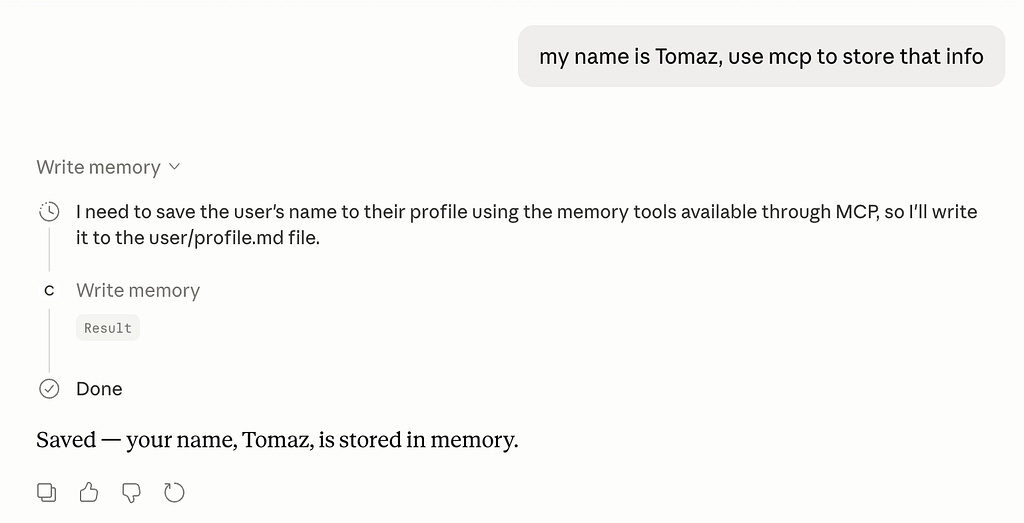
Running the MCP server
You can run the MCP server in any MCP client. I use Claude Desktop, but it doesn’t matter which one. To save yourself from cloning the repo, you can pull the MCP directly from GitHub using the snippet below. Just set up the environment and plug in valid credentials before running it.
{
  "mcpServers": {
    "aura_agents": {
      "command": "uvx",
      "args": [
        "--from",
        "git+https://github.com/tomasonjo/aura-agents-management-mcp",
        "aura-agents-management-mcp"
      ],
      "env": {
        "AURA_CLIENT_ID": "",
        "AURA_CLIENT_SECRET": "",
        "NEO4J_MEMORY_URI": "bolt://localhost:7687",
        "NEO4J_MEMORY_USERNAME": "neo4j",
        "NEO4J_MEMORY_PASSWORD": "password"
      }
    }
  }
}
Agentic self-learning loop
Let’s test how the agent learns, memorizes, and applies solutions to specific tasks. Our test case: building an agentic interface that efficiently retrieves information from Neo4j for a market intelligence scenario.
Before we begin, two important notes:
- Token consumption: This process uses significant LLM tokens. Consider it an investment in cutting-edge experimentation (and yes, bragging rights for burning tokens).
- Aura Agents costs: This requires paying to run Aura Agents
Let’s begin by defining the task at hand.
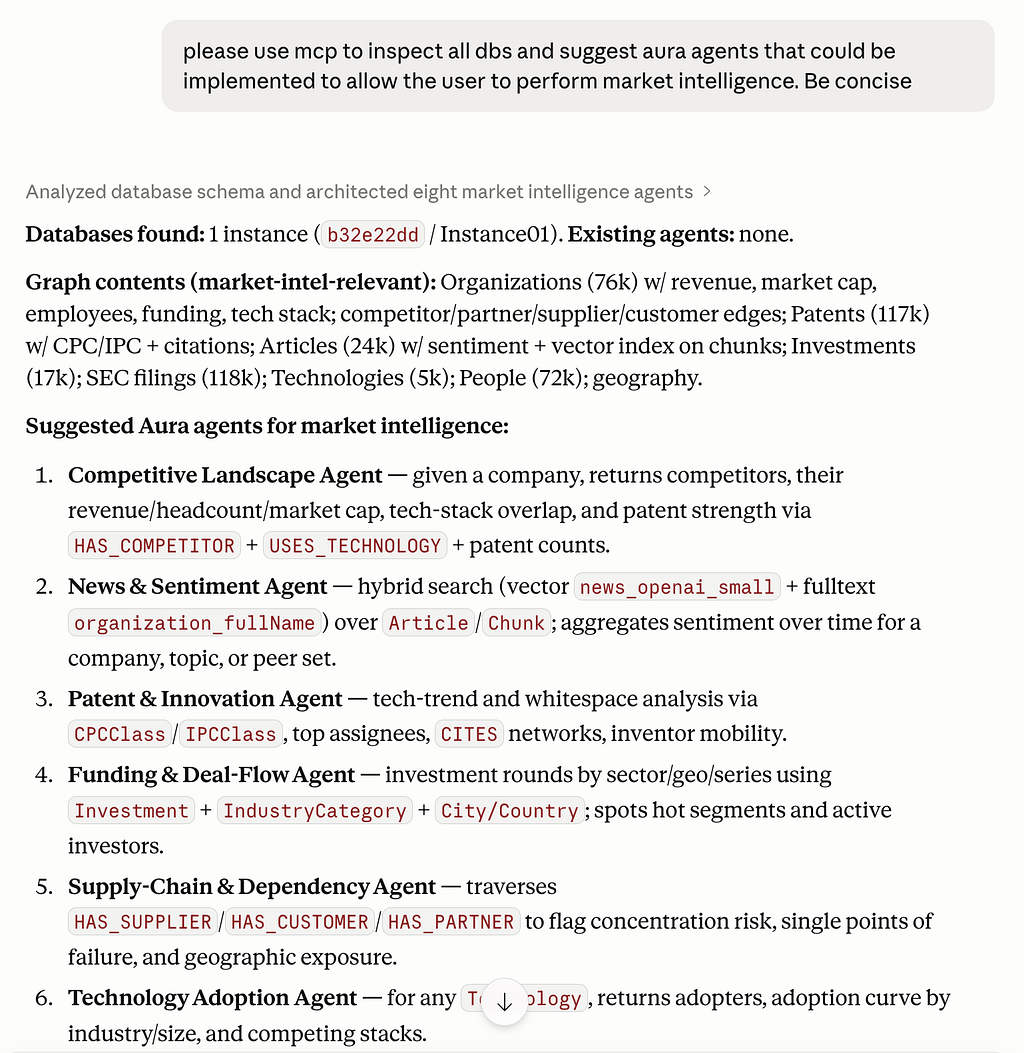
We have one database available containing the companies dataset with market intelligence information. The agent has proposed ideas for building Aura subagents, so let’s get started.
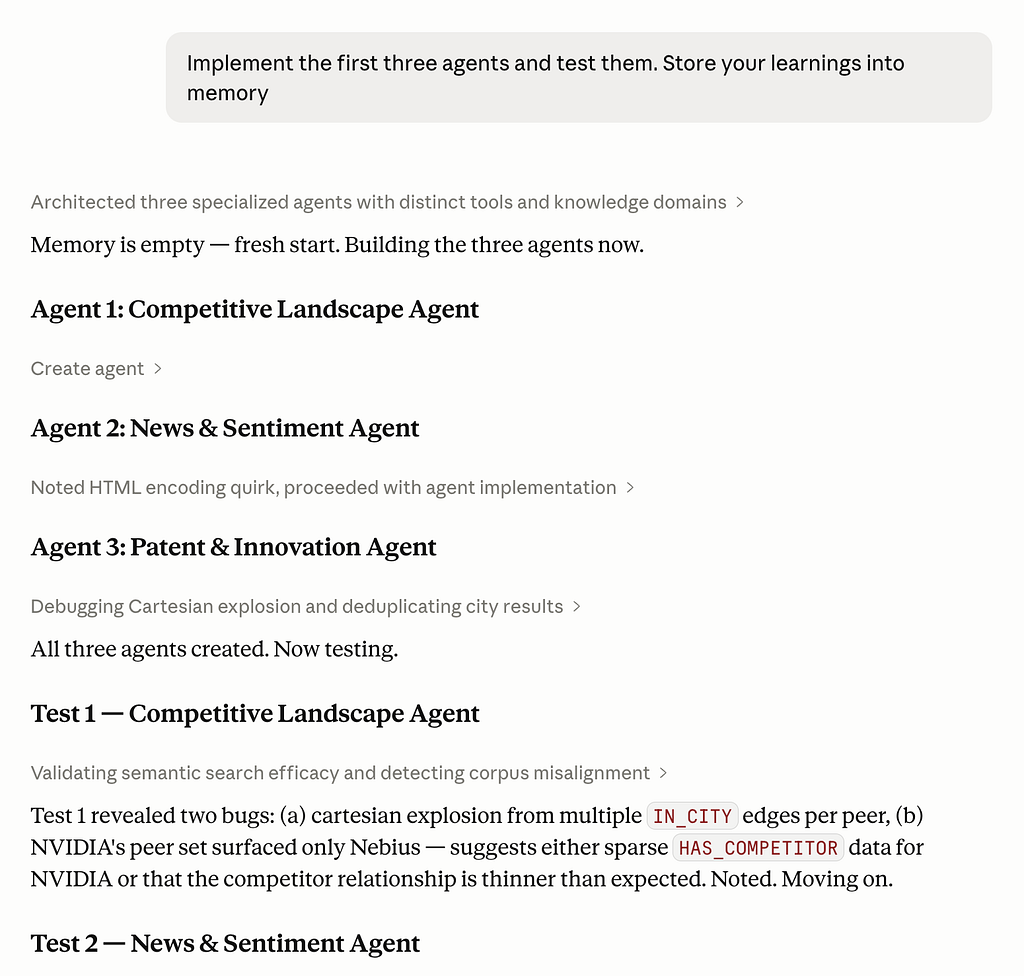
This is the part we are burning tokens 🔥🔥🔥. The agent is creating Aura subagents, testing them, updating them, and learning about the process as well.
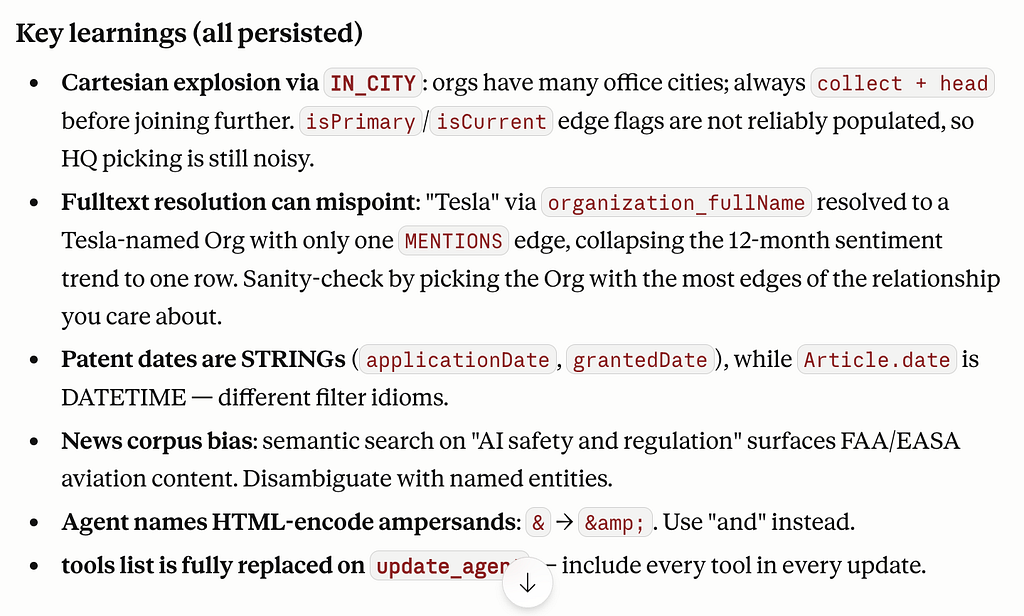
So basically the agent has been running into walls and writing down what it learned each time. Pretty simple concept but it adds up fast.
- 🏙️ The city thing — turns out orgs have offices everywhere, so if you just grab the first city you find, you’ll get garbage results. Collect them all first, then pick.
- 🔍 The Tesla problem — searching by name sounds fine until you realize there’s probably a “Tesla Consulting LLC” with one article that tanks your whole trend analysis
- 📅 Dates are annoying — some fields are strings, some are datetimes, they filter differently. Easy to miss, annoying when you do.
The persisted part just means next time the agent spins up, it already knows all this. It doesn’t have to relearn that ampersands break things or that Tesla is a common name.
In our memory graph, information is structured as pages, which contain markdown content and file paths. Pages can also reference one another.
The first subagent iterations are implemented and tested. Time to build the next one.
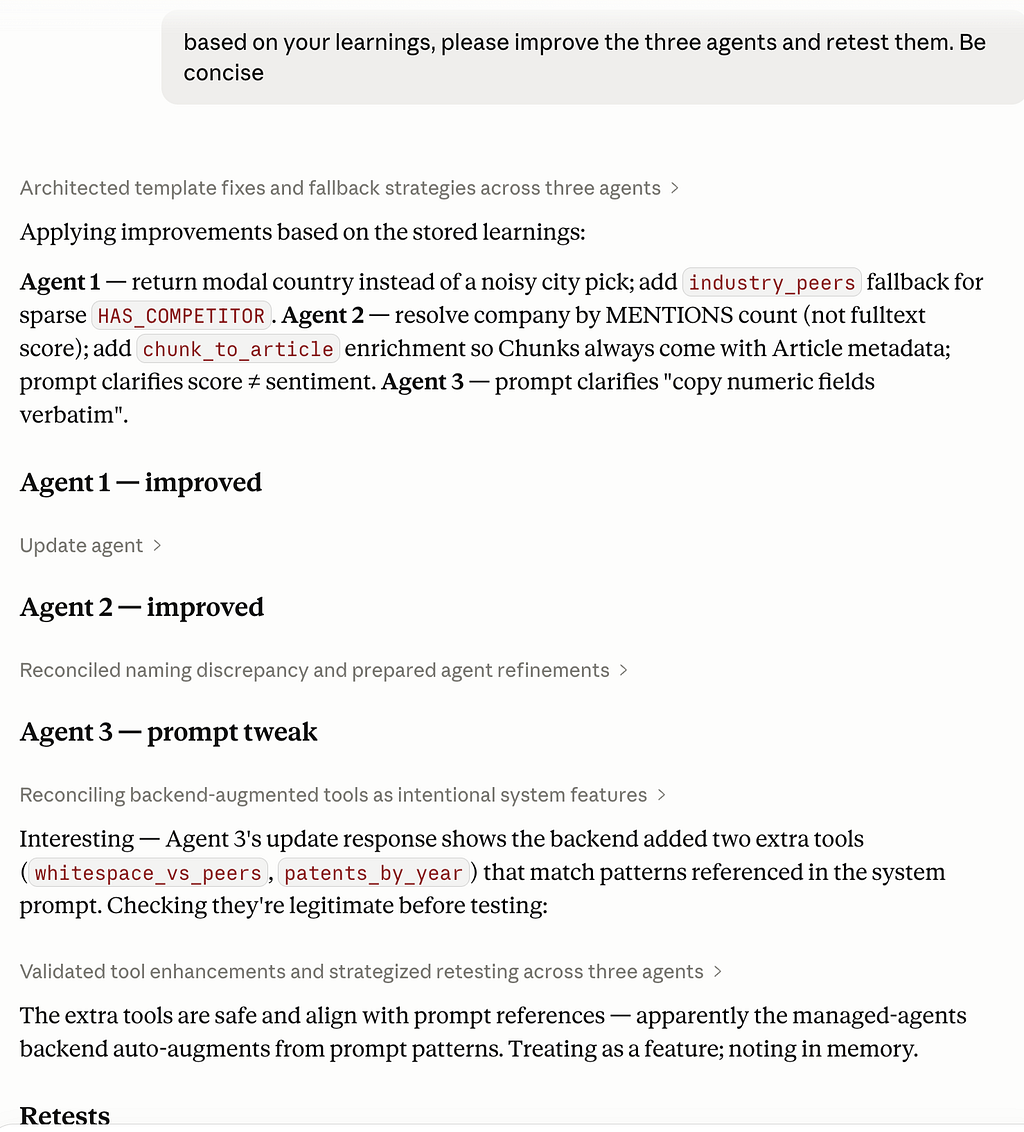
This screenshot doesn’t show the full picture. Claude is actually making a large number of tool calls and burning through tokens, with output that extends well beyond what’s visible.
What’s happening underneath is that the model is observing its own environment, noticing what works and what doesn’t, and adjusting its approach as it goes. With every iteration you get a better agent, but you also get something equally valuable: the learnings that come from watching it fail, recover, and find a different path.
There’s something genuinely powerful about giving a language model the ability to observe and reshape the environment it’s operating in. It stops being a thing that answers questions and starts being a thing that figures out problems. The mistakes are part of that. Each run surfaces assumptions you didn’t know you were making, edges you hadn’t considered, and constraints that only become visible when something actually tries to push against them.
That feedback loop, where the model acts, observes the result, and tries again, is where most of the real progress happens.
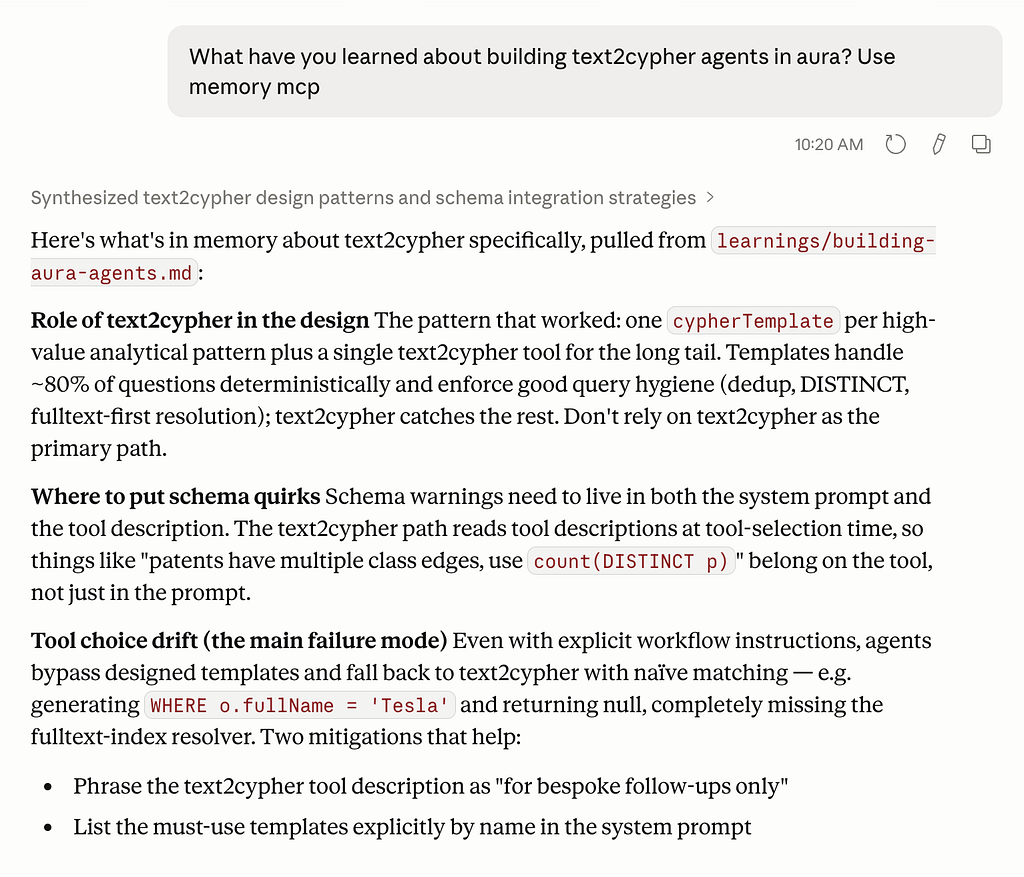
For example, you could present the learning of the agent to your Product manager, like what it thinks about building text2cypher agents. Here we are using a new chat, so the information has to come from memory.
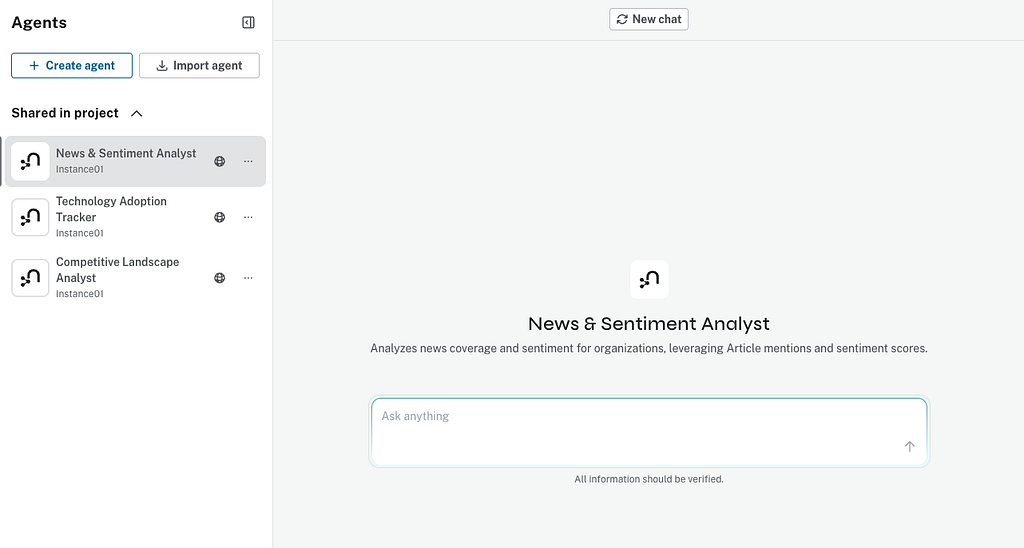
Another option is to present your coworkers with a built-in chat interface for the created agents.
Summary
What started as a thought experiment about agentic memory turned into something more concrete: a working loop where an agent builds subagents, tests them, fails at them, and writes down what it learned so the next attempt starts further ahead than the last.
The pieces themselves aren’t exotic.
- An MCP server wrapping the Aura Agents API gives us lifecycle control.
- A second Neo4j instance, modeled as Pages connected by LINKS_TO edges, gives us a Karpathy-style wiki the agent can read and write like a filesystem.
- A small nudge in the system prompt about page layout keeps the memory from devolving into a pile of inconsistently named notes.
None of it is heavy machinery, and that’s kind of the point.
What makes this interesting isn’t the infrastructure, it’s what happens once all three pieces are wired together.
The agent stops treating each task as a fresh start. It remembers that organization names are messy, that date fields lie about their types, that certain Cypher patterns work better than others on a given schema.
Those aren’t insights we hardcoded, they’re lessons the agent surfaced by running into walls and deciding the wall was worth writing down.
The MCP is available on GitHub.
Building Stateful AI: Integrating Aura Agent Lifecycle with MCP and Persistent Memory was originally published in Neo4j Developer Blog on Medium, where people are continuing the conversation by highlighting and responding to this story.
Share Article



Explore
Related Articles

Connected Intelligence: Accelerating Enterprise AI throughout the cloud ecosystem