Import from a relational database into Neo4j
|
You need to have a clear understanding of your graph data model before transferring the data from an existing relational structure to a graph. |
Depending on the environment you are working in, the format of the exported dataset, and the Neo4j deployment method of your choice, there are different ways you can import data from a relational database into a graph.
This page lists some of the recommended methods. For a full list, refer to Import your data into Neo4j.
Import tool
Import is a tool for importing data into an Aura instance. Ideal to get started quickly with testing and prototyping, it is also available as the stand-alone tool Data Importer.
Data sources
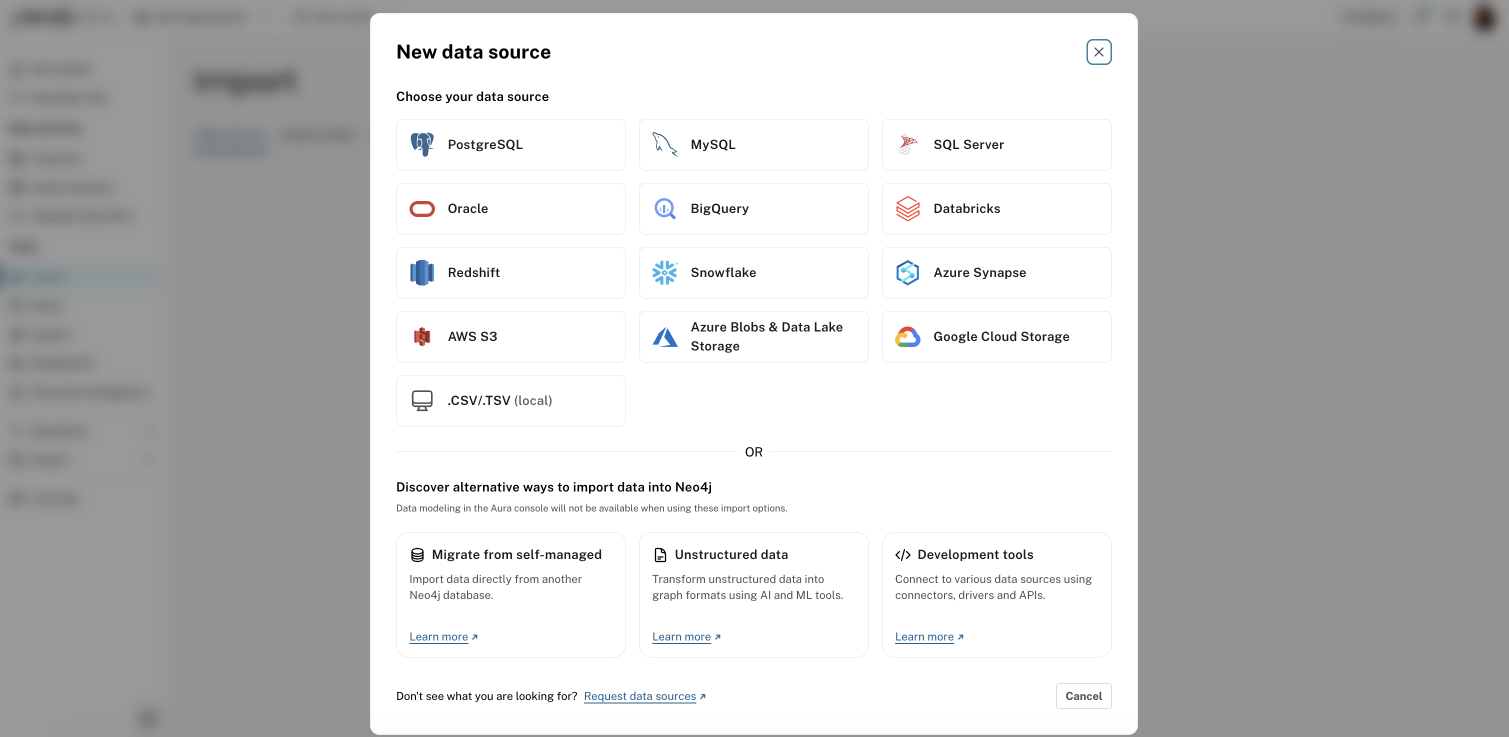
Through the Data sources tab, you can provide remote access to data stored in the following sources:
-
PostgreSQL
-
MySQL
-
SQL Server
-
Oracle
-
BigQuery
-
Databricks
-
Redshift
-
Snowflake
-
Azure Synapse
-
AWS S3
-
Azure Blobs & Data Lake Storage
-
Google Cloud Storage
Additionally, the Import tool also allows you to stream local CSV files. Refer to Aura → Import for a full guide.
LOAD CSV
A common format that many systems can handle is a flat file of comma-separated values (CSV).
After exporting your relational data into a CSV file, you can load it into a Neo4j instance using the Cypher® command LOAD CSV.
This built-in Cypher function allows users to take existing or exported CSV files and load them into Neo4j with Cypher statements to read, transform, and import the data to the graph database. It allows the user to run statements individually or run them batched in a Cypher script.
See Import CSV data using LOAD CSV for a tutorial on how to use LOAD CSV.
Refer to Modeling: relational to graph for specific guidance on how to model data from relational to graph.
When you are dealing with bigger data sets (>10 million rows) and if you can afford downtime, you can use the neo4j-admin database import command instead.
See Operations → Import for more details.
APOC
APOC is Neo4j’s utility library for handling data import, as well as data transformations and manipulations. From converting values to altering the data model, this library allows you to combine and chain procedures in order to get the desired results.
You can use APOC to import files or data from a URL in CSV, JSON, XML, and XLS, as well as loading data straight from a database (using JDBC). APOC also supports loading data from web APIs and GraphML.
When you call these procedures, you can pass in the data source and use other procedures to manipulate data or regular Cypher to insert or update to the database. There are also procedures for batching data, adding wait/sleep commands, and handling large data sets or temperamental data sources.
APOC’s transformation procedures allow you to process dynamic labels or relationships, correct/skip null or empty values, format dates or other values, generate hashes, and handle other tricky data scenarios.
While APOC is a flexible and custom data handling library, it is not always the recommended method for more complex scenarios that could result in an excess of lines of code to handle multiple data transformations.
Apache Hop
With Apache Hop’s Neo4j plugin, you can load large datasets in Neo4j, update graphs, and get logging information.
Drivers
You can also import data programmatically using the Neo4j driver for your preferred language, executing Cypher statements directly against the database. This approach is particularly useful when your data comes from an external API, a live application, or any source that isn’t available as a flat file.
You can set up the driver connection to Neo4j, and then execute Cypher statements that pass from the application-level through the driver and to the database for various operations, such as including large amounts of inserts and updates.
Read the blog post Tips and Tricks for Fast-Batched Import with Neo4j for more information on how to get started.
When you migrate data from a relational database (or other tabular structure) into Neo4j using the Neo4j drivers, the driver communicates with the database over the Bolt Protocol.