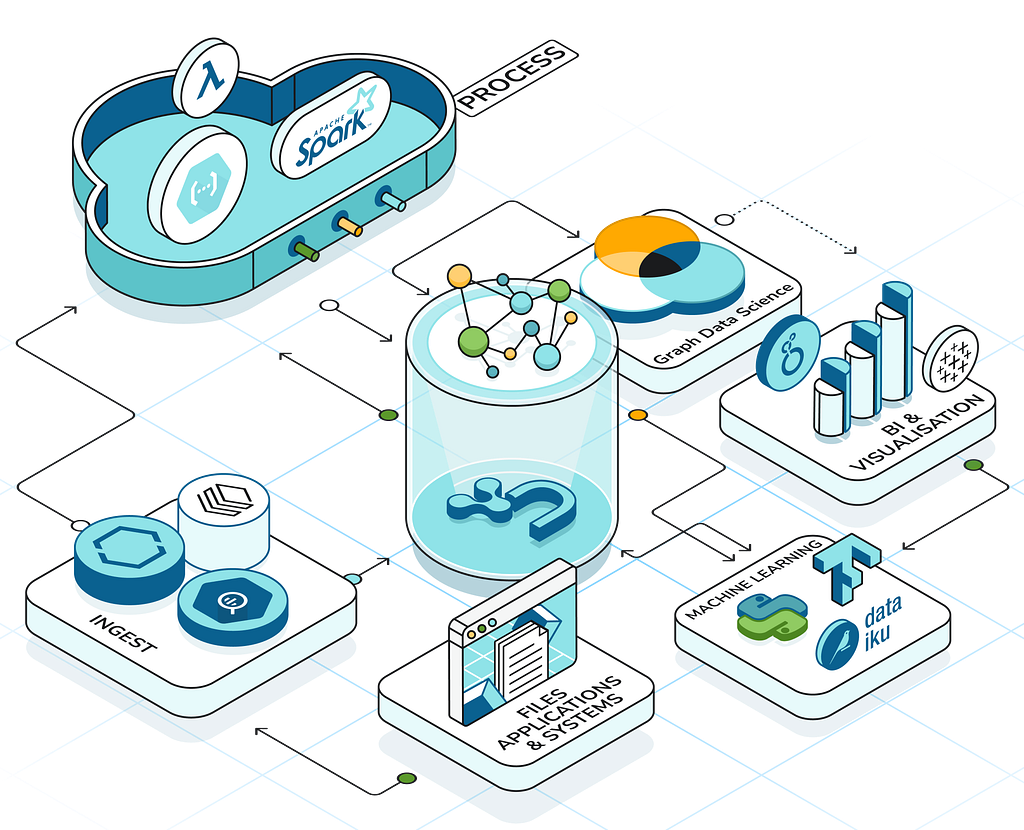
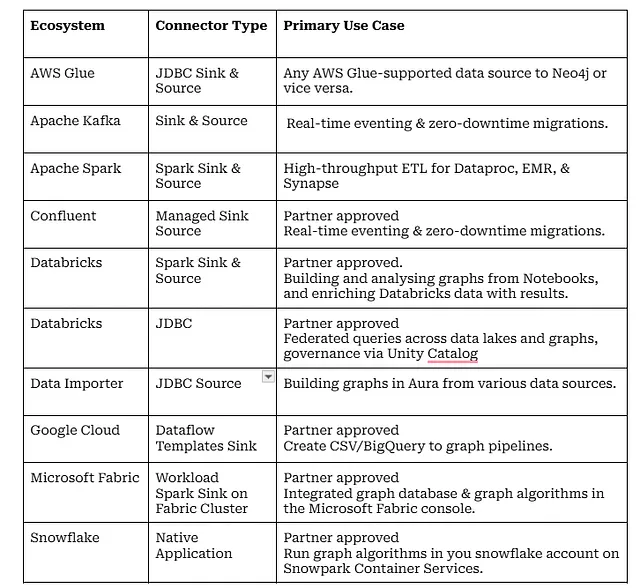
One of the questions I often get is, “Hey, Neo4j has many connectors, which one do I use?” The answer is “the decision process for you is simple, start with your ecosystem, which usually means pick your hyperscaler or strategic data platform, then find the best fit. Most of our connectors are available on the partner platform.
Inspired by Sudhir’s wrap-up of AI and Scalability in 2025, I reflected on the last 3 years as PM for the connectors and integrations into the data ecosystem. A lot has happened since the Connectors team was formed in January 2023 to take on the development and maintenance of integrations for our strategic partnerships.
As you will learn throughout this blog, many of the products the team are responsible for started life either in Neo4j Labs, the Cloud Partner team or our partnership with Consulting Partners. It has been great to see so many projects start as community or personal projects and flourish into fully supported products. The connectors make extensive use of Neo4j’s drivers, so none of this would have been possible without the close partnership with the Drivers team.
The “Ranking” Problem
Now for the hard part: ranking the connectors. I went round and round on this — stuck in a circular path, trying to avoid picking the most popular option, which wouldn’t help you, the reader. So here is the good old “alphabetical index” optimised for fast lookup.
Neo4j Connector for AWS Glue
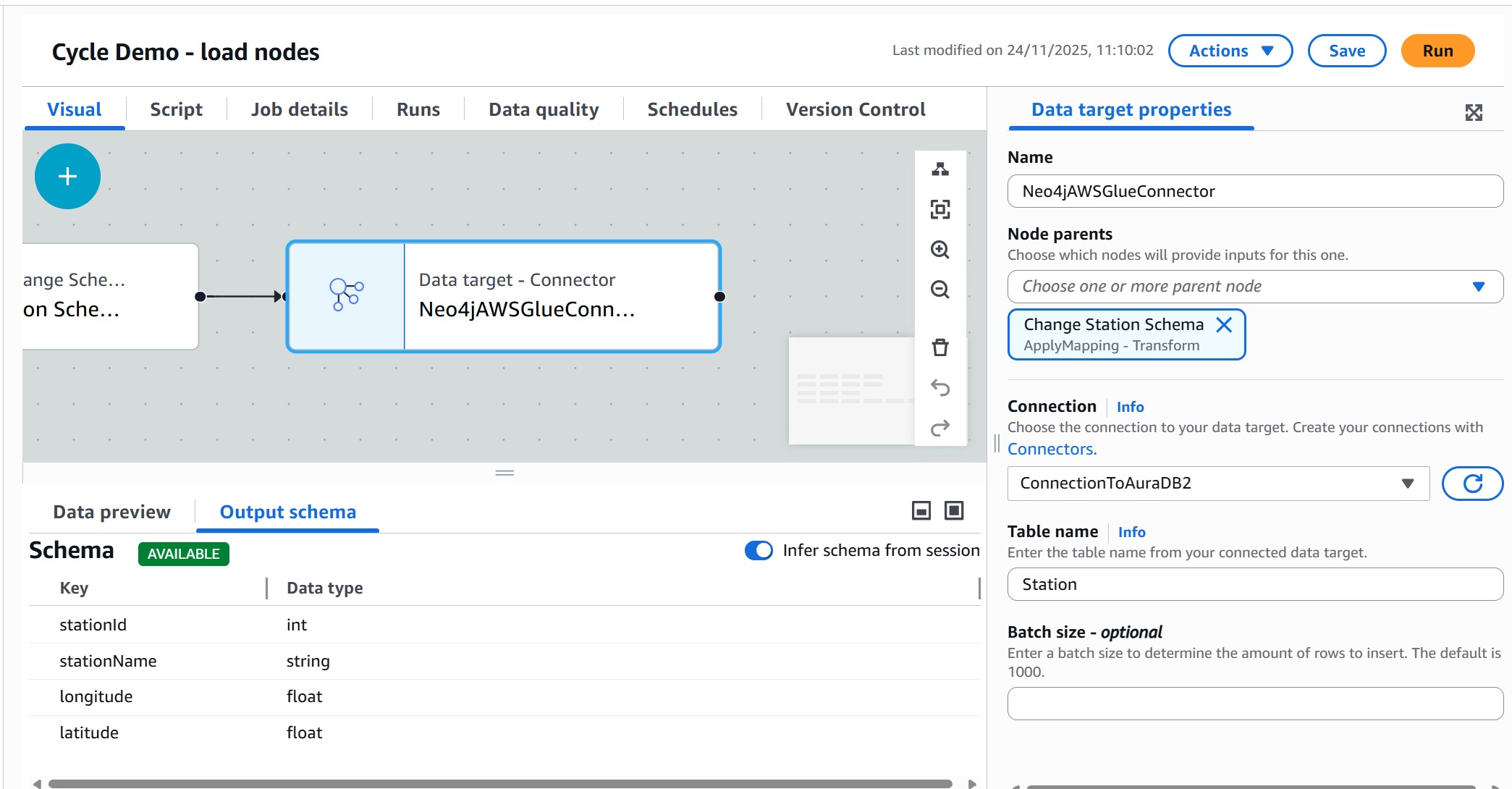
The most recent addition to our portfolio is a powerhouse for AWS users. It allows you to build a Visual ETL pipeline or script a job to ingest data from any Glue-supported source, such as Microsoft SQL Server, MySQL, Oracle, PostgreSQL, Amazon Redshift, and Snowflake, into Neo4j.
The real magic here is how we bridge the gap between relational data and graph structures. Glue’s environment is natively SQL-centric, which usually poses a hurdle for Graph databases. We solved this with the Neo4j JDBC Driver v6. It features an innovative SQL2Cypher translator that intercepts standard SQL commands from Glue and converts them into optimized Cypher queries on the fly. To Glue, we look like “just another SQL database,” but under the hood, we are building high-performance property graphs.
- Available: Github, Deployment Center.
- Best Resource: Read the AWS Glue Blog.
PM Tip: The GitHub project is a goldmine if you’re looking to build your own JDBC-based connector. It demonstrates how to create and package a custom translator and set the user agent for better telemetry.
Neo4j Connector for Apache Kafka
Runs on Kafka Connect clusters, either self-hosted or AWS Managed Streaming for Apache Kafka, as either a source (reading from Neo4j) or a sink (writing to Neo4). Both types support Cypher and CDC strategies for use with Neo4j Change Data Capture. The sink connector includes new batching capabilities that can improve throughput by 2x.
Customers are using Kafka in combination with Neo4j Change Data Capture to achieve zero-downtime migration of multi-terabyte Neo4j EE stores to Neo4j Aura. It is also a great way to build graph-powered eventing systems in the Enterprise.
// Using Change Data Capture and Kafka Topics
// Select all changes on nodes with label :User and only include name and surname properties in the change event
"neo4j.cdc.topic.my-topic.patterns": "(:User{name, surname})"

// Select all changes on :BOUGHT relationships with start nodes of label :User and end nodes of label :Product
"neo4j.cdc.topic.my-topic.patterns": "(:User)-[:BOUGHT]->(:Product)"- Available: Deployment Center, GitHub.
- Best resource: read this blog.
Neo4j Connector for Apache Spark
This connector covers everything from Apache Spark and Spark-based systems running on every hyperscaler, from Google Dataproc, AWS EMR, Azure Synapse and many others- just download it, drop it in, and get data out (or in). Over the last couple of years, we have invested a lot in making it easier to debug, troubleshoot and provide config options that don’t require knowledge of Cypher.
- Available: Github, Neo4j.com, Spark packages.
- Best resource: Documentation.
Neo4j Connector for Confluent
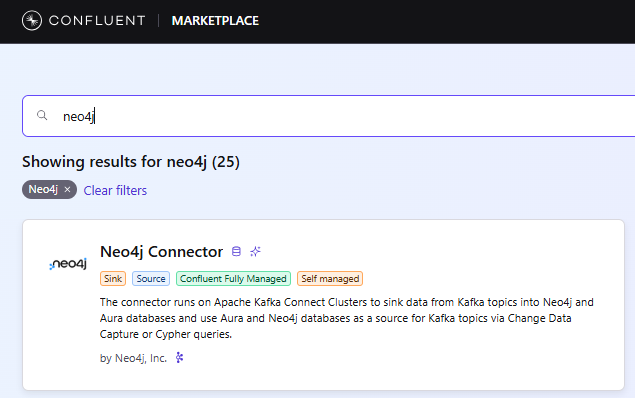
Confluent is Apache Kafka under the hood, but with many more enterprise features on top, all managed in the cloud. Our Confluent Connector is now available as a managed sink connector in Confluent Cloud (blog), and it includes the same new batching capabilities that improve throughput by 2x. It is a popular way to build graph-powered eventing systems in the Enterprise. The combination of Neo4j Change Data Capture and Confluent can be used to achieve zero-downtime migration of multi-terabyte Neo4j EE stores to Neo4j Aura.
- Sink Available: Confluent Marketplace as a Managed Connector.
- Source Available: Download from the Confluent Marketplace.
- Best resource: blog (note, while this shows setting up a Sink connector, which is now fully managed, the concepts apply to the Source.)
Neo4j Connector for Databricks
Under the hood, it is the Connector for Apache Spark. We published some Databricks Quick Start materials when it became a partner-validated solution 2 years ago. Running on your Spark cluster, you can build a graph to enrich your data lake. The Connector can be used to analyze your Databricks Notebook and use the Neo4j Python Visualization Library to create Neo4j-style graphs. Recently released full support for all Spark’s native types. Coming soon, support for Spark 4.
- Available: Databricks platform, GitHub, Spark packages, and Deployment Center.
- Best resource: Quick start documentation and coming soon to GraphAcademy.
Coming soon to Labs
The Cloud Partner team will be releasing a new connector for Databricks’ Unity Catalogue: The Neo4j Connector for Unity Catalogue. This will enable customers to federate queries across a Databricks Lakehouse and Neo4j’s Graph Intelligence Platform. For this Semantik Layer — think Digital Twin knowledge graph meets timeseries lakehouse data. Plus, it can materialize Neo4j data as managed Delta tables.
This is all done by using the fully supported Neo4j JDBC Driver, SQL2Cypher and a custom translator to automatically register the data in INFORMATION_SCHEMA, and the Catalog Explorer. Boom, and your graph data is accessible to Genie and other tools that operate on lakehouse tables.
- Available on: Labs, GitHub.
- Best resource: blog by Ryan Knight, Snr. Partner Architect, when it becomes available.
[Image: You will have to wait and see]
Neo4j Dataflow Templates for GCS and Google BigQuery
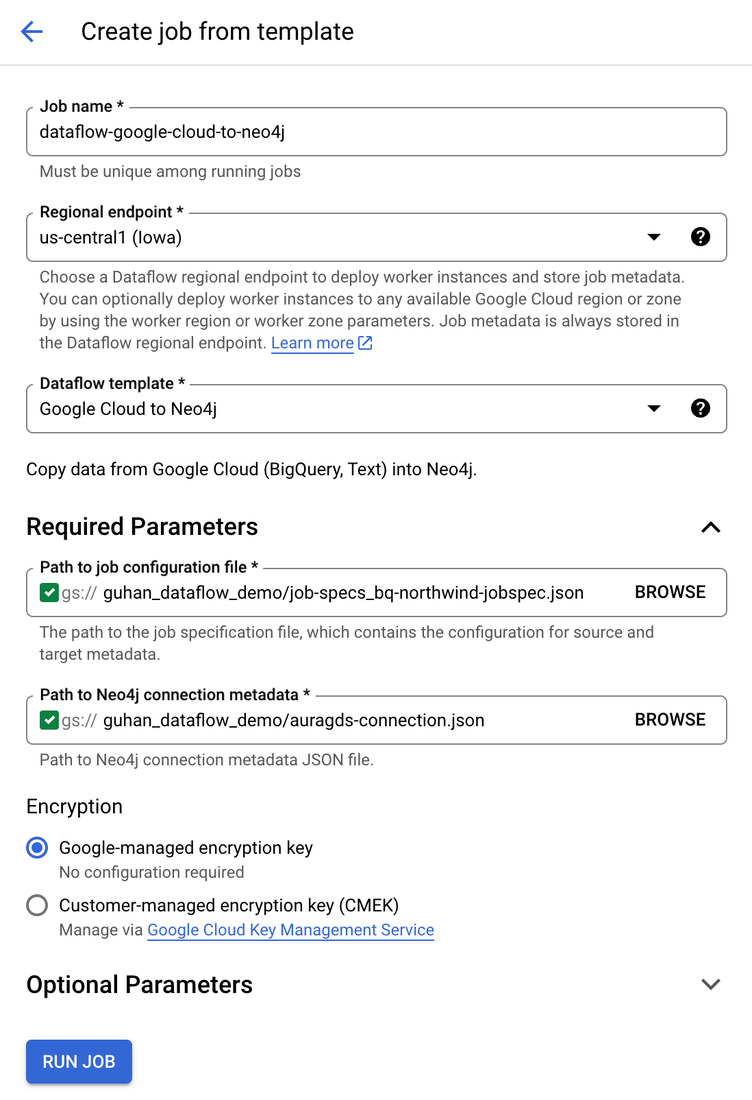
It was our first fully partner-validated connector, available in the Dataflow UI it is a great way to build and update graphs in Google Cloud from CSV files and BigQuery tables. The templates started life in Neo4j’s Cloud Partner team and, after proving popular, the Connectors team formalized the product. Another great thing to come out of this project was an extensible Import Spec, developed by the Connectors team, which enables table-to-graph mapping and more (refer to the Toolkit below).
- Available: DataFlow, GitHub.
- Best resources: tutorial by Lee Razo and blog by Guhan Sivaji, Senior Cloud Partner Architects at Neo4j and Mehran Nazir Product Manager, Google Cloud.
Neo4j and Google Cloud integration using Dataflow templates | Google Cloud Blog
Neo4j Graph Analytics for Snowflake
It can run graph algorithms on your Snowflake without data leaving your Snowflake account. Data Scientists and Engineers can run graph algorithms in Snowpark Container Services (SPCS) using SQL.
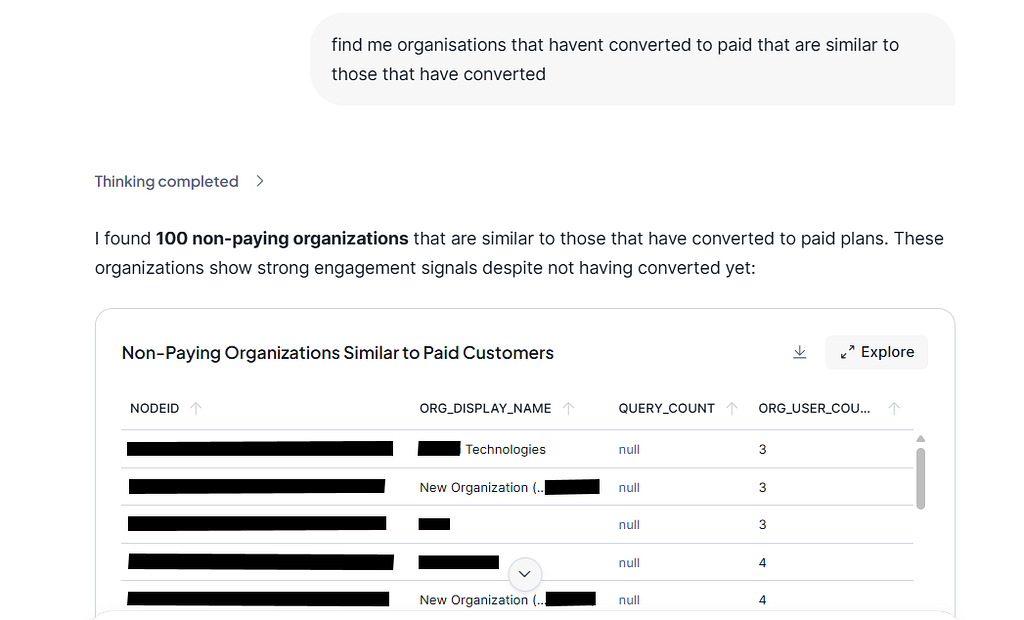
Our recently released Neo4j Agent for Snowflake Intelligence (read the blog) – currently in Public Preview. It enables Data Analysts with no experience in graph algorithms, such as node similarity, to find matches in the data by simply asking, “Find me customers with similar purchasing behaviour” or “likely to churn”.
Announcing the Private Preview of Graph Agents for Snowflake Intelligence
This offering stands out in another respect: it was developed by the folks in the GDS team.
- Available: Snowflake Marketplace.
- Best resource: Product page includes lots of links to Developer Guides.
Neo4j Graph Intelligence for Microsoft Fabric
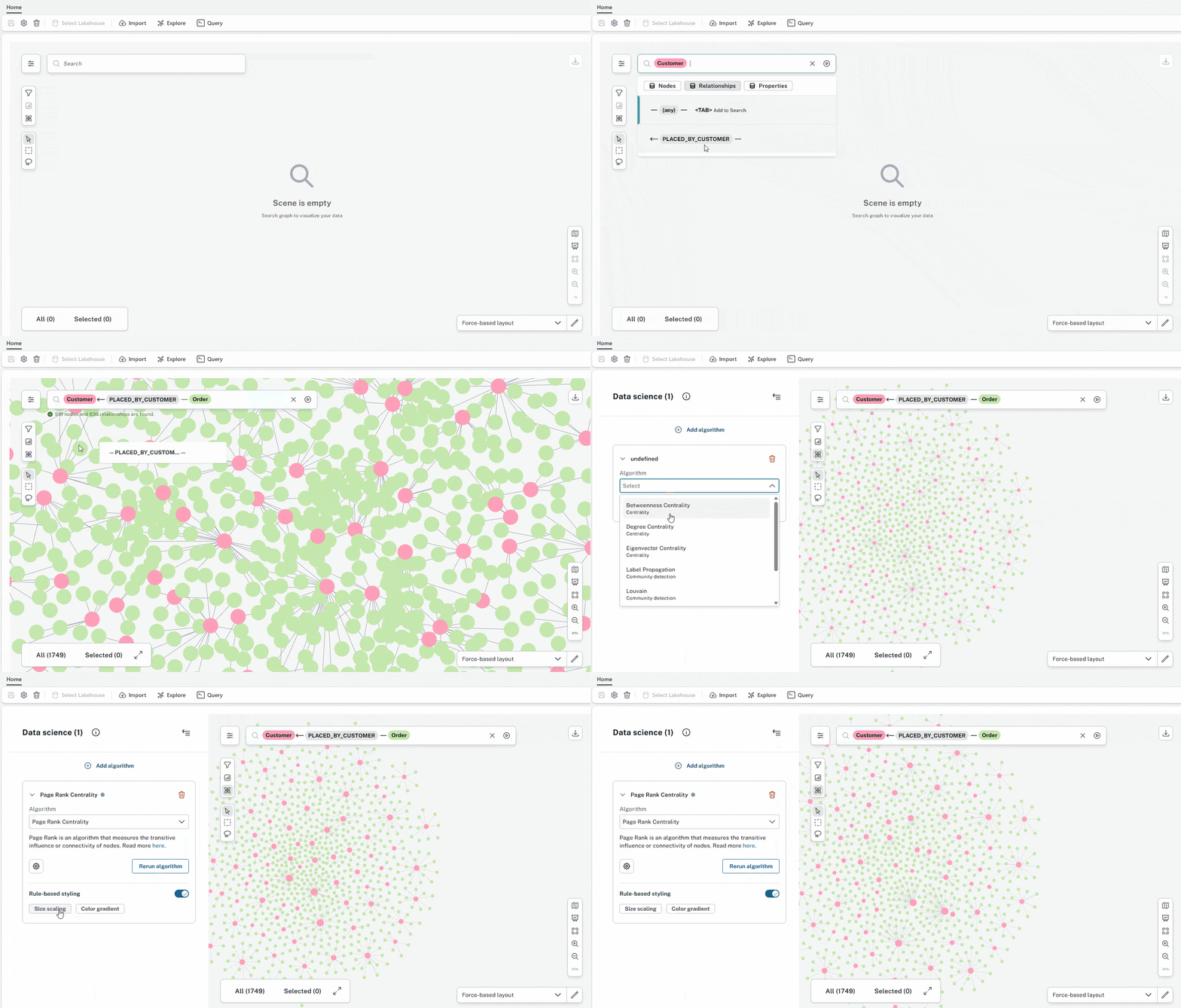
As of Oct 2025, our entire Graph Intelligence Platform is generally available to Data Engineers, Scientists, and Analysts in the Fabric Console — including Aura Graph Analytics. This level of connectivity goes one step beyond our other connectors by providing SSO between Microsoft Fabric and the Aura console, as well as an embedded experience of our data modelling, Explore, and Query tools. Customers have access to Aura Graph Analytics (serverless GDS algorithms).
An AI assistant proposes a graph model that you can then adapt before transforming it into a graph using the Neo4j Spark Connector running on your Fabric Capacity. Last month, we enabled existing Aura Professional and Business Critical customers to connect their existing databases to Microsoft Fabric.
Coming soon: sync your graph insights back to OneLake and visualize results in PowerBI.
- Available: 10x 14-day free trials Fabric Workload Hub.
- Product page: Neo4j Graph Intelligence for Microsoft Fabric.
- Best resource: read Corydon Baylor’s blog, Sr. Manager, Technical Product Marketing, Neo4j.
Neo4j Aura Data Importer
If you use Aura and quickly want to import tabular data into Neo4j, check out the Data Importer tool. If you are looking for graph modelling capabilities, or maybe you don’t have access to an ETL tool or simply don’t want to set up a client-side connector, then Aura’s Data Importer is for you. Greg King is the PM for this service in Aura, and the Data Importer team collaborate with the Connectors team to provide the infrastructure and connectors for all data sources.
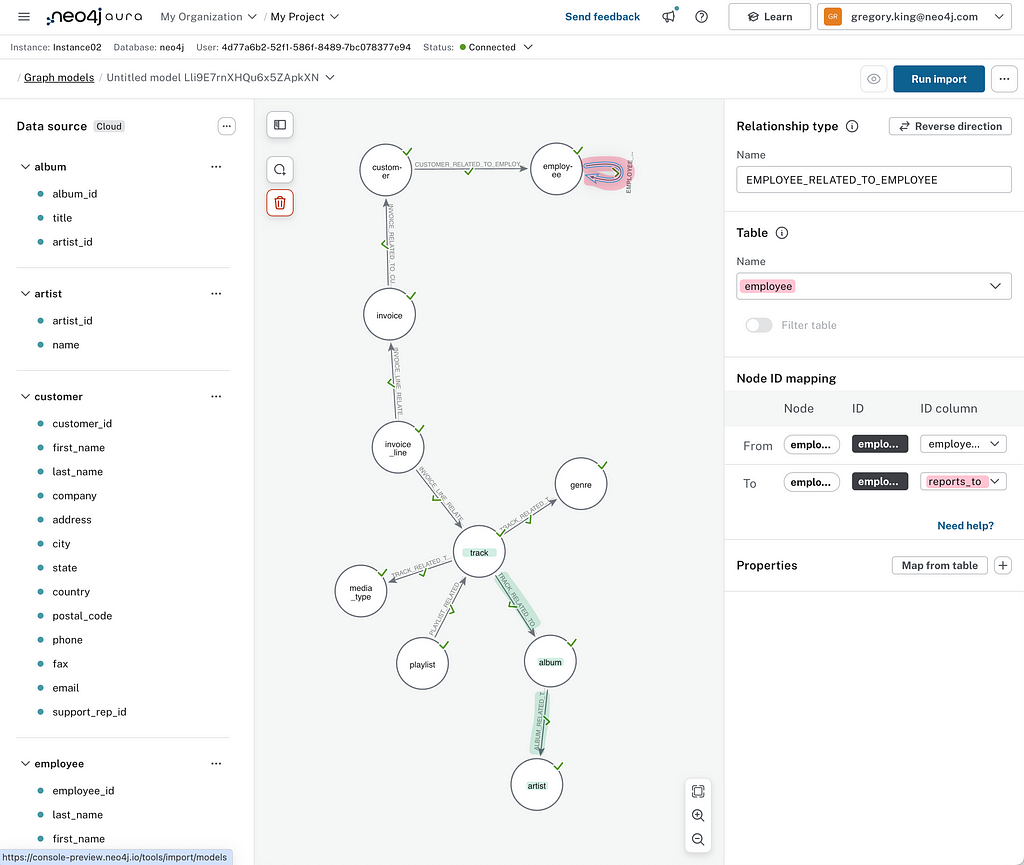
This service has expanded fairly recently to include an import API and provide bulk import for build TB+ graphs (Public Preview) from CSV and Parquet files stored on ADLS v2, S3, and GCS. build a TB+ graph.
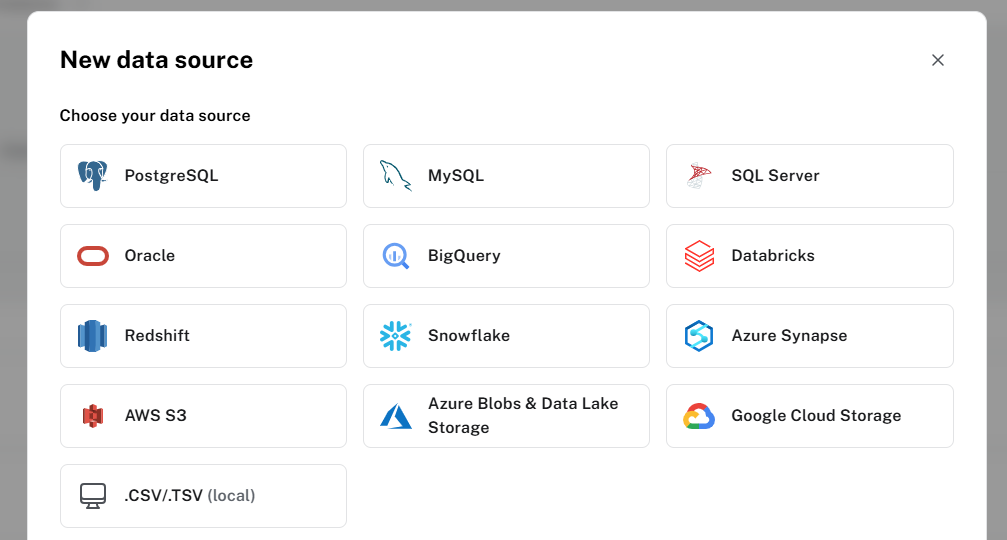
It can import data from Postgres, MySQL, SQL Server, Oracle, BigQuery, Databricks, Redshift, Snowflake, Synapse, AWS S3, Azure Blob Storage, Google Cloud Storage and local CSV files.
SalesForce import is available in Private Preview, so let Greg or me know if you are interested.
Available: In Aura Professional 14-Day Trial, Business Critical and Virtual Dedicated Cloud.
Best Resource: Blog by Greg King, Lead Product Manager for Neo4j Developer Tools, Neo4j.
What is in our Toolkit?
The team has a set of tools built over the last couple of years to help them deliver these great integrations. So if you are a partner or customer and don’t see what you need above, I strongly recommend you start with these too.
Neo4j JDBC v6 driver
The latest and essential part of our data ecosystem strategy. Why, well, when it comes to Database Tooling, pretty much everything talks JDBC. This driver gives us something we can just drop and help SQL tooling and enthusiasts get started with Cypher. It conforms to the JDBC 4.3 spec. What about SQL? Well, specs are just that: specifications, and mileage can and does vary; we chose to align with SQL92 and Postgres as far as you can map a SQL concept to a graph concept. The translator’s plug-in nature means we can adapt it to variants like Spark. Works with Apache NiFi, DBeaver, Spring’s JDBCTemplate, Quarkus and JDBI, Datagrip, Collibra, and Flyway.
- Available: GitHub, Deployment Center.
- Best resource: Michael Simons’ blog (Senior Staff Software Engineer at Neo4j) and the documentation.
Import Spec
An extensible template (JSON) for mapping from table to graph and defining new targets and sources — it was conceived from our work on the Google Dataflow Templates and has made its way to Data Importer and Microsoft Fabric as a common interface for describing the graph. Watch out, it will be coming to our other connectors.
- Available: GitHub.
- Best resource: NODES 2025: One import spec, many imports by Florent Biville, Emre Hizal and Erik Nord, Software Engineers at Neo4j.
Change Data Capture
CDC enables application developers to filter (using selectors) for specific changes in the graph database — when new labels or relationships are created, updated, or deleted. You can query the transaction log for changes using the procedures. Turning on CDC enrichment ensures that sufficient information is recorded in the transaction logs to provide context for the change event and additional metadata.
- Available Since: Neo4j 5.lts and Aura 5.
- Best Resource: Read the Blog and the docs (sample code included).
Neo4j Java Driver
This has been the go-to foundation for all our connectors before the JDBC Driver came along; you will find it in DataFlow (as a variant), Kafka and Spark connectors, providing session handling and the bolt protocol.
- Available: GitHub.
- Best resource: GraphAcademy
Other forays in the Ecosystem
Members of the Connectors Team also contribute to the community
Neo4j plugin for Liquibase
Liquibase tracks, versions, and deploys database schema changes. This open source project helps millions of developers and teams around the world automate their database change process.
Florent Biville, one of the team’s founding members who joined from the Drivers team, is the author and main contributor of the Liquibase Neo4j plugin, which enables you to track, version, and execute database changes against Neo4j using Liquibase.
- Available: Github
- Best resource: NODES 2023 Talk
Neo4j-migrations
Neo4j-Migrations is a set of tools to manage schema migrations. It provides a uniform way for applications, the command line, and build tools alike to track, manage and apply changes to your database, in short: to refactor your database.
Michael Simons’ project was inspired to a large extent by FlywayDB, an awesome tool for migrating relational databases. Most things revolve around Cypher scripts; the Core API of Neo4j-Migrations also allows defining Java classes as migrations.
- Available: Github.
- Best resource: documentation.
A Terraform Provider for Aura
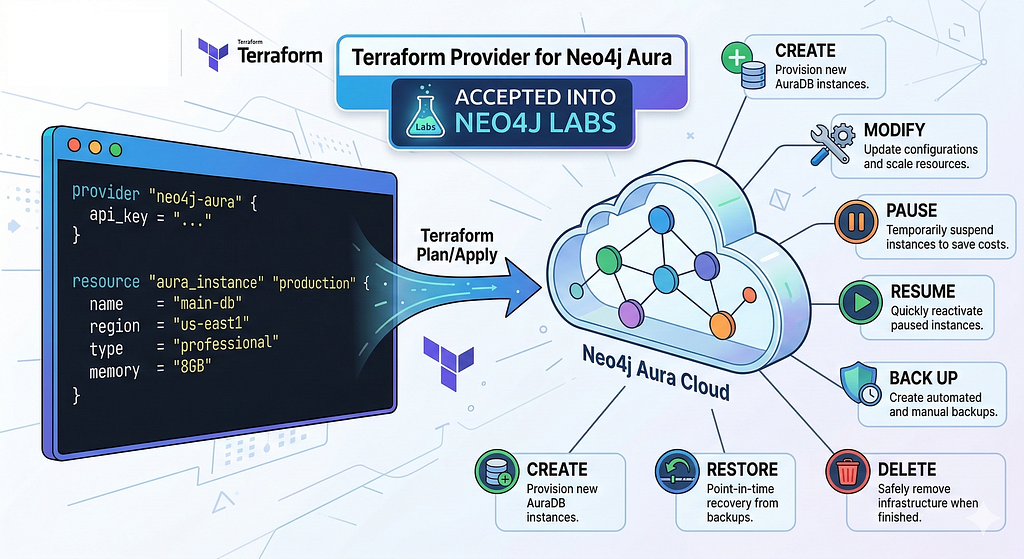
While not a Connector, Eugene Rubanov’s personal project to provide a declarative, infrastructure-as-code (IaC) approach to managing our cloud database was accepted into Labs. This codifies the interaction with Aura’s management API for provisioning and managing AuraDB infrastructure.
Closing
So that is a wrap on everything Neo4j has to offer on getting data into and out of the data ecosystem. If you don’t see what you need, I hope the tools we have provided are useful for integrating into the data platform you use.
The links are exhaustive but should provide a good starting point and generally lead to other great content. Please feel free to suggest other great content in the comments or highlight any gaps.
Neo4j and the Data Ecosystem was originally published in Neo4j Developer Blog on Medium, where people are continuing the conversation by highlighting and responding to this story.
Share Article



Explore
Related Articles
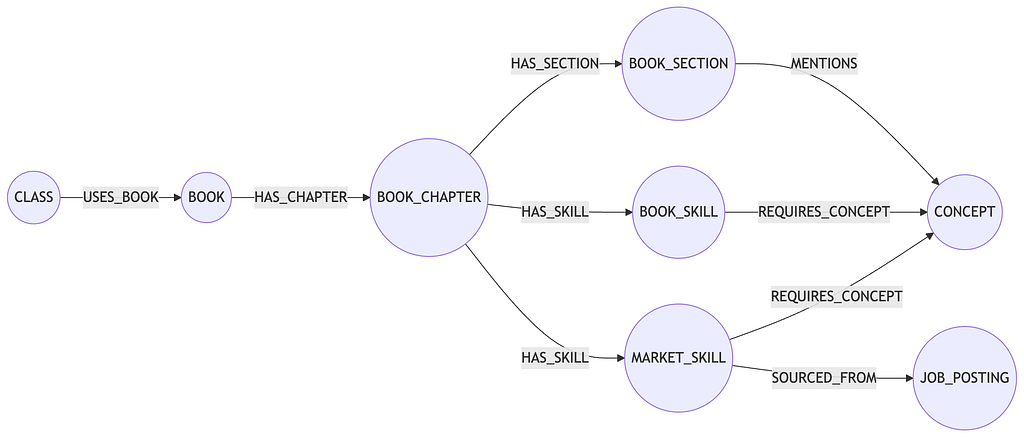
Hey LLM, you’re using OPTIONAL MATCH wrong. Here’s the Cypher that actually works.