Easily build a knowledge graph from your existing documents with Document Intelligence



2 min read
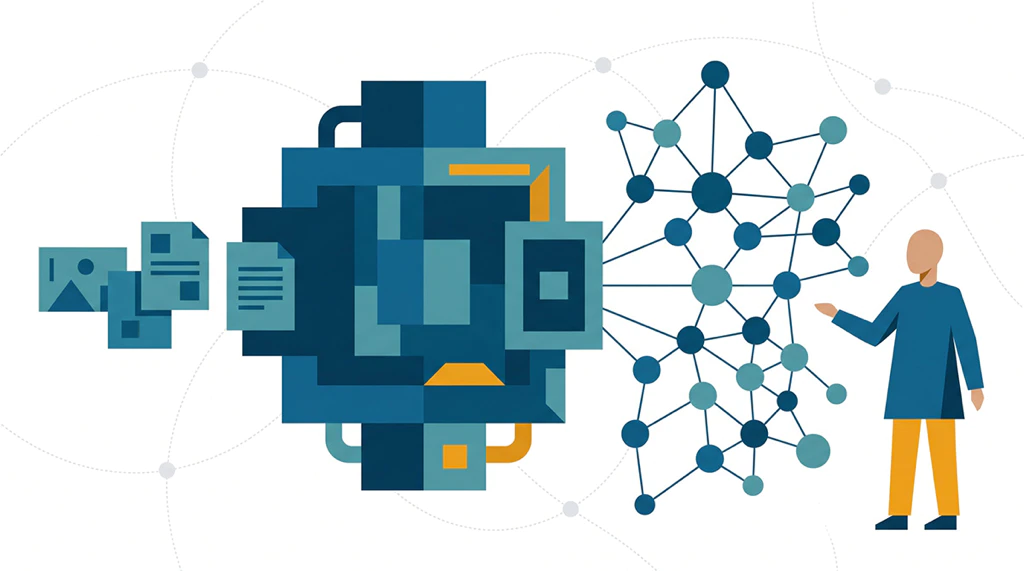
Today, we are announcing the upcoming release to general availability (GA) of Document Intelligence in Neo4j AuraDB on the Free, Professional, and Business Critical tiers. With Document Intelligence, you can build a knowledge graph from existing documents, including plain text files, PDFs, and Microsoft Word files, without writing a single line of code. Documents that previously sat unused and unqueried can now be searched and acted upon.
Documents hold the context behind many business decisions. Contracts describe obligations, reports record risks, and policy documents explain how a business operates. The connections between those documents matter. A question about a supplier may depend on a contract, an exception recorded elsewhere, and the products that the supplier provides. A knowledge graph makes those relationships explicit, so an application can follow them across documents and into the business data you already maintain.
Getting started is easy. You describe what you want to extract, then refine the graph model through the canvas or built-in assistant. The resulting graph provides applications and AI agents with a cleaner signal than raw text alone, helping them retrieve related context with fewer tokens.
When we introduced Document Intelligence in preview, we brought document processing, graph modeling, and extraction into the Aura console. GA builds on that foundation with support for larger collections, richer document content, and deeper integration with the graph you already have. Document Intelligence can now process hundreds of documents in managed background jobs, interpret information in images and tables, extend an existing graph model, and resolve extracted entities against data already in AuraDB. You can inspect and refine the graph model on the canvas or with the built-in assistant before import.
What changes with the GA release?
Together, these changes make document-to-graph extraction a repeatable workflow for larger, evolving collections.
Larger collections and richer documents
Document Intelligence now processes hundreds of documents per job. Imports run in the background, with job status available in the Aura console, and retries make longer-running jobs more resilient. A collection of contracts or reports can serve as the starting point for an entity graph that connects information across the entire collection.
We’ve also expanded the content that Document Intelligence can understand. Alongside text, it can interpret images and tables so their content can inform graph extraction. This brings more of a document into the resulting graph, including information that would otherwise remain inside visual elements.
Build on the graph you already have
New documents often add information about entities you already know. Document Intelligence can extend an existing graph model, resolve extracted entities against records already in AuraDB, and add new facts and relationships to those records. For example, contracts can add obligations to a supplier graph that already connects companies to the products they supply.
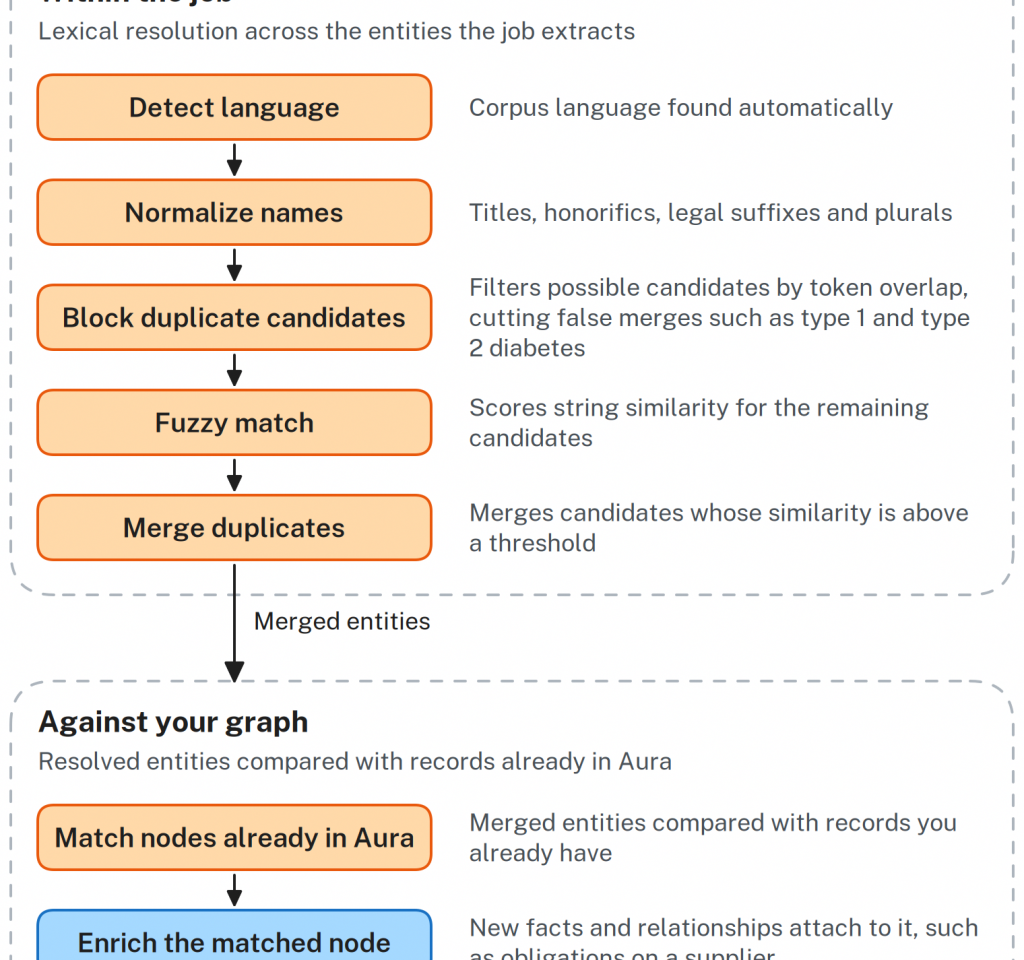
Entity resolution determines when different mentions refer to the same real-world entity. Within each job, Document Intelligence normalizes entities, narrows the pairs worth comparing, scores the remaining candidates, and merges those above a similarity threshold. It then compares the results with nodes already in AuraDB.
More control through the interactive assistant
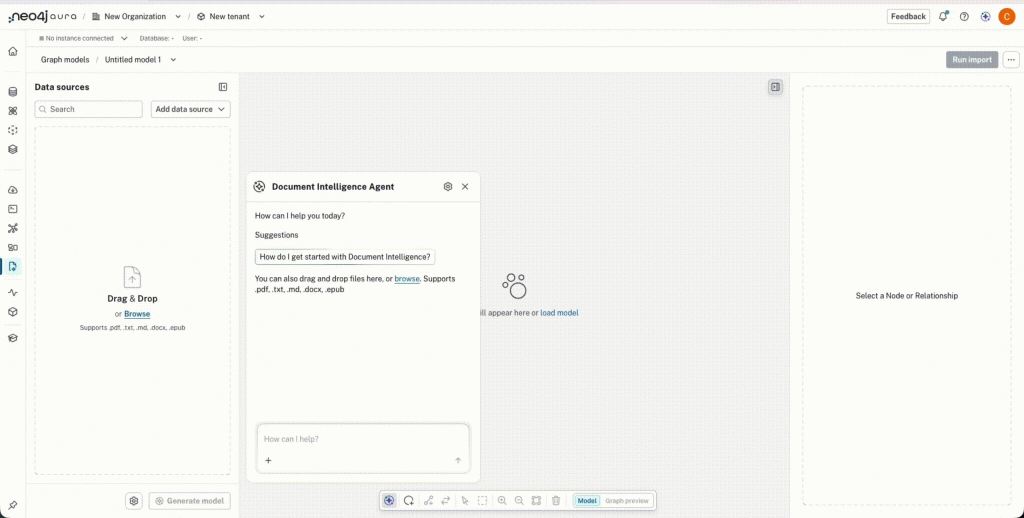
The assistant can generate and iteratively refine a graph model from a sample of your documents, start imports, and report job status. During the current session, it maintains the context of your conversation so you can develop the graph model through ongoing discussion. Descriptions and typed properties make the proposed model easier to review and more precise for extraction. Sampling across the collection helps the proposed model reflect recurring entities and relationships rather than the contents of a single document.
You can ask the assistant to change a relationship, add information found in the sampled documents, or check whether the proposed graph model can answer your business questions. You can then inspect the result on the canvas. Conversation and direct editing work on the same graph model, keeping your extraction choices visible throughout the session.
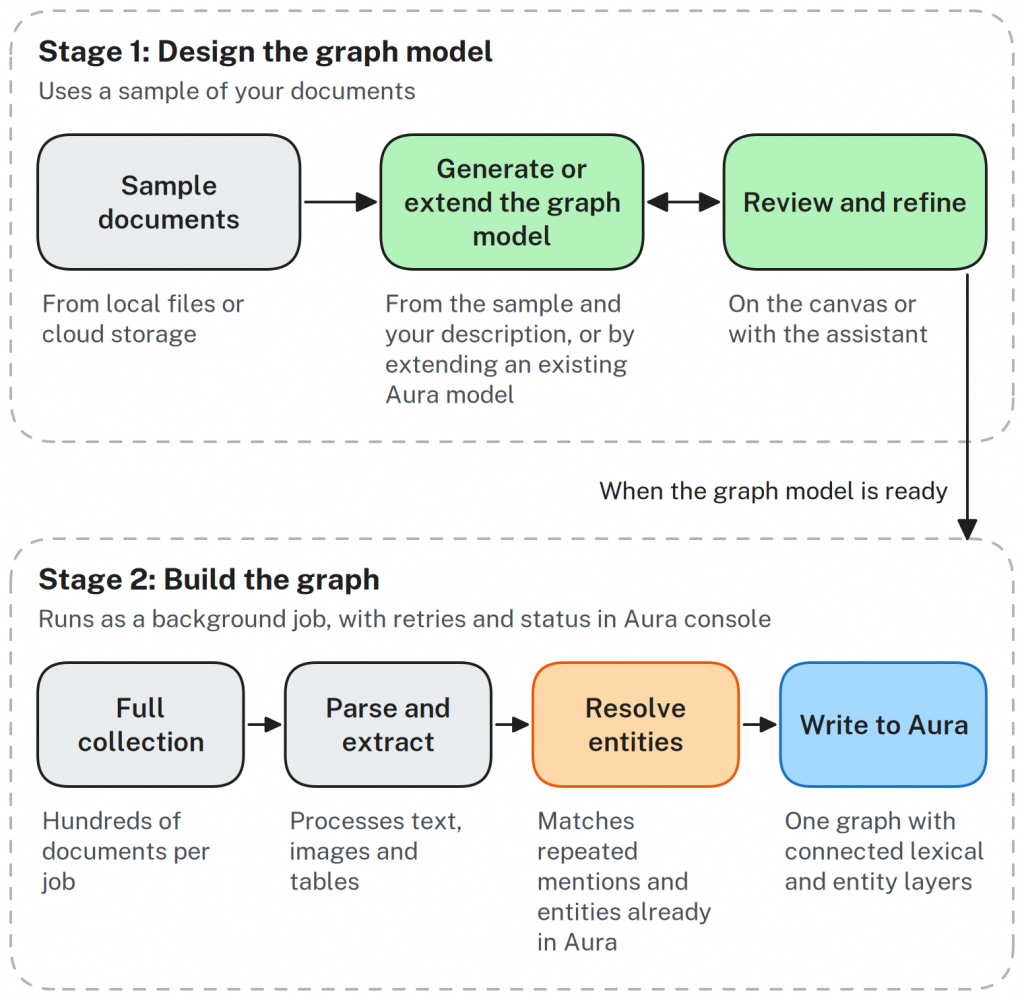
See Document Intelligence in action
Here’s a short walkthrough, from adding documents to starting an import. It shows the assistant proposing a graph model, helping you refine it on the canvas, and starting a background job that writes the resulting graph to AuraDB. You can follow the job’s status in the Aura console while it runs.
Connect the entity graph to its lexical graph
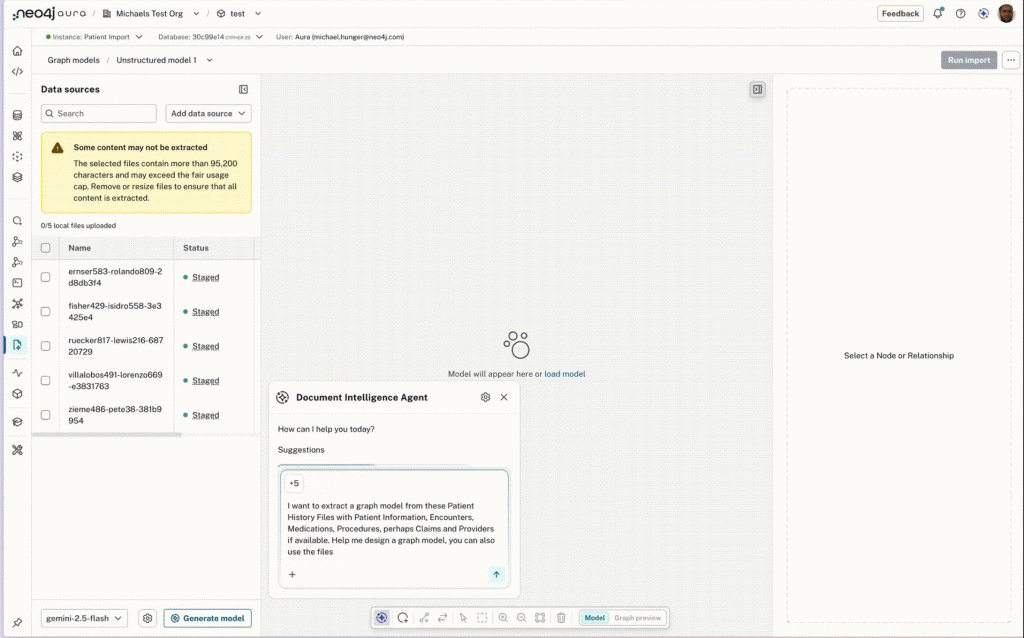
Document Intelligence works in two stages. First, it samples the document collection to propose a graph model for you to review and refine. Once the model is ready, it processes the full collection, extracts entities and relationships, resolves repeated mentions, and writes the resulting graph to AuraDB.
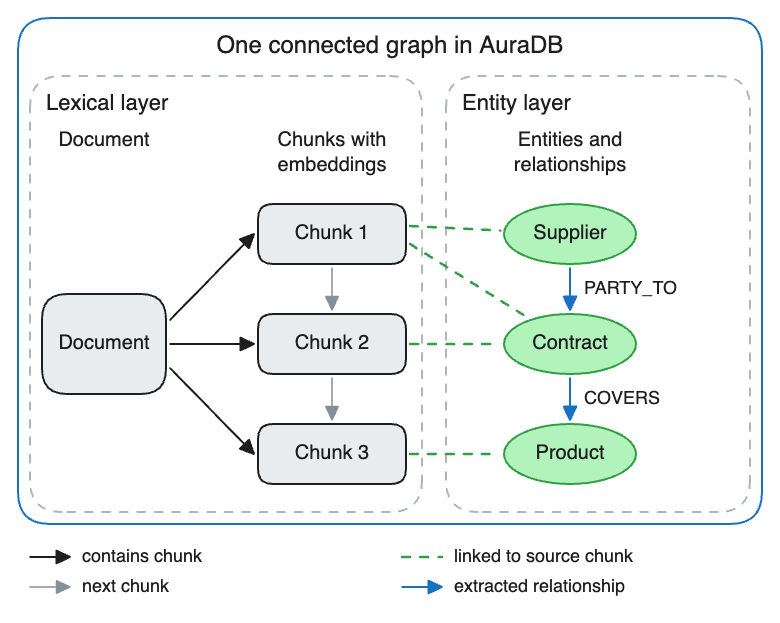
The result is one graph with connected entities and lexical layers. The lexical layer contains document and chunk nodes, with embeddings stored on chunks for similarity search. Extracted entities link back to the chunks in which they were found, while relationships between entities follow the graph model you reviewed. Applications can traverse those relationships and retrieve the source passages behind a result.
Start building with your documents
Document Intelligence is available in the Aura console across Free, Professional, and Business Critical. Bring your documents, describe the information you need, refine the proposed graph model, and review a sample of the extracted graph before starting the full import as a background job. The Document Intelligence documentation covers the supported sources and the workflow in detail.
What comes next
Next, we’re extending Document Intelligence beyond the Aura console with API, command-line, and Model Context Protocol access for pipelines and agents. We’re also exploring graph models that start from a business description, clearer job feedback and cancellation, more control over entity resolution, re-imports from updated sources, and visual tools for testing results. Broader enterprise deployment options, including customer cloud environments and self-managed Neo4j, are also on the roadmap. As you put Document Intelligence to work, use the Feedback button in the Aura console to tell us what would make the biggest difference. Your feedback will help shape what we build next
Check out Document Intelligence on Aura today! Or if you’ve tried Document Intelligence, please share your feedback with us here!
Share Article


Explore
Related Articles
Introducing Document Intelligence: From documents to a knowledge graph, right inside Aura