Neo4j Virtual Graph is now generally available

Product Manager
8 min read
First on GCP, coming soon to AWS and Azure
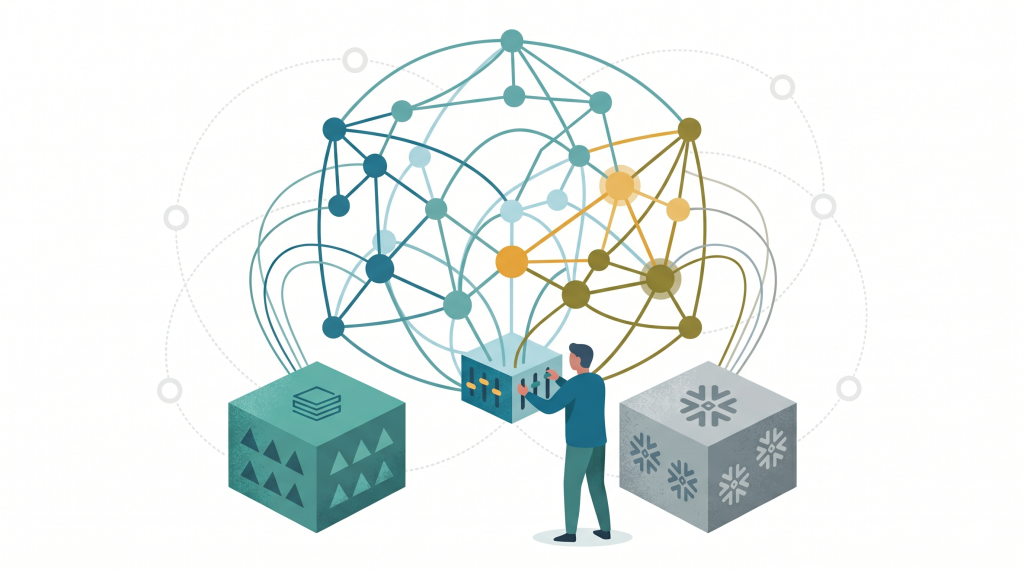
Today, Neo4j Virtual Graph is generally available in Neo4j Aura on GCP, with support for AWS and Azure to follow soon.
Virtual Graph lets you build zero-ETL knowledge graphs, GraphRAG systems, and solve fraud and supply chain problems all from your warehouse data without copying or migrating anything. It creates a graph on top of the tables you already have by translating your Cypher queries into SQL that runs in your warehouse. The data never leaves the warehouse, so only your query goes in, and only its results come back into Bloom, Query or the agents asking the questions.
Customers can now benefit from true zero-copy/zero-etl graphs on multi-terabyte data stores in Snowflake, Databricks, Iceberg tables on S3, and Google BigQuery. You keep your governance and get the benefit of a graph!
Connect what you have, get a graph in minutes
To start, Virtual Graph works with four kinds of sources: Snowflake, Databricks, Google BigQuery, and Apache Iceberg tables on S3.
Create a data source in the Aura console, and provide the credentials for a role to connect to the warehouse. Virtual Graph connects as that principal, so your existing roles, row-level restrictions and masking still apply to what it can see.
Creating your first knowledge graph is simple.
First, you need to decide how to model those tables as a graph, and there are three ways to do it:
- Define the model manually
- Generate it from the database schema
- Create it with AI from our table metadata
See it in action below:
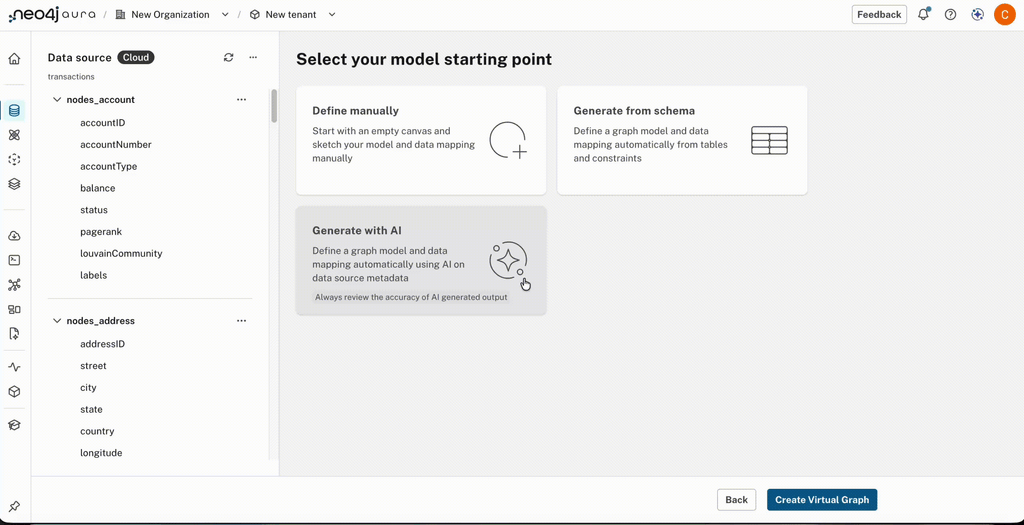
You review the proposal, fix label names, adjust relationship directions if needed, and remove unnecessary properties to define the graph. The model is yours to edit, name and save. When you query, Virtual Graph translates Cypher into SQL and pushes it down to your data warehouse/lakehouse. That translation is deterministic rather than generated by an LLM, so the same query produces the same SQL, with predictable performance and cost for future queries, and the results come back as graph data over Bolt. Because Virtual Graph works with the full Neo4j stack that is available to you, including Aura Agents, Aura Graph Analytics Bloom, Dashboards, Query and applications you develop using our drivers.
*Requires AI to be enabled in your Aura Organisation
Graph queries that go beyond joins
The reason to put a graph over your tables is to ask questions that are awkward in SQL. You can match patterns of any length and direction, find nodes with multiple labels or properties, and create more complex matches by chaining several MATCH clauses together with WITH. You can filter, aggregate with count, sum, min, max, avg and collect, sort, page, and combine results with UNION. A single CALL subquery handles per-row logic, and a broad set of string, math, trigonometric and conversion functions are available.
In graph-based fraud detection, it is helpful to traverse transactions that pass between accounts, looking for money being distributed between criminals. To help customers identify fraud without moving their banking transactions out of the data warehouse, we have introduced quantified path patterns (QPP). QPP lets you traverse a relationship a bounded number of times in one pattern, with conditions applied at every hop.
For example, to find accounts reachable from a starting account through up to four large transfers:
MATCH (a:Account {id: 'A-1001'})

      ((x:Account)-[t:TRANSFERRED_TO]->(y:Account) WHERE t.amount > 10000){1,4}

      (b:Account)

RETURN DISTINCT b.idCode language: PHP (php)
Quantified path patterns can be helpful in supply chain or transportation networks; for example, to find every airport within 1-3 hops that you can fly to from Dublin on an A320, use 3 lines of Cypher. Prefix the query with EXPLAIN to see how Cypher translates into SQL.
MATCH (start:Airport)

      ((:Airport)-[r:HAS_ROUTE_TO WHERE r.equipment CONTAINS '320']->(:Airport)){1,3}

      (dest:Airport)

      WHERE start.city = 'Dublin'

RETURN DISTINCT dest.name AS DestinationAirportCode language: PHP (php)
Check out Christoffer Bergman blog, which goes into detail on this use case and the Cypher feature.
Virtual Graph compiles this into SQL and runs it in your warehouse. Importantly, unsupported queries return the GQL error code 42NG1 and don’t silently fail or return incorrect results.
The full list, with the constructs that run in SQL and those that Virtual Graph finishes in Cypher, is on the Cypher coverage page.
Running in production
We introduced the Virtual Graph in private preview in May and opened it to all Aura customers in public preview in July. Since then, customers have used it for GraphRAG, analyst exploration, and agent workflows, all while the data remains under the warehouse’s governance. To be ready for GA we have introduced the following features
- Aura API. The v2beta1 API enables you to create, delete, list and get configuration for Virtual Graphs.
- Aura Agents*. Ground your Aura Agents with the context available in your data warehouse using Virtual Graph.
- Aura Graph Analytics. Run algorithms in graph analytics sessions using Cypher.
- Bloom. Create scenes and perspectives for business users to explore the graph. Includes running graph algorithms like PageRank, Louvain and Betweenness to score nodes and then colour or size accordingly.
- Build your dashboards with AI*. Create dashboards with simple text prompts: describe what you want the dashboard to show, then click Create.
- Monitoring and logs. See how an instance behaves with Cypher and SQL queries. Don’t forget EXPLAIN works for your queries too and provides the SQL statement that will be executed.
- Pause and resume. Manage costs by pausing and resuming when no one needs the graph; great for development, exploratory, and periodic workloads.
- Private Link for dedicated environments. If your organisation needs additional security and isolation, then you can deploy Virtual Graph within your existing VPC.
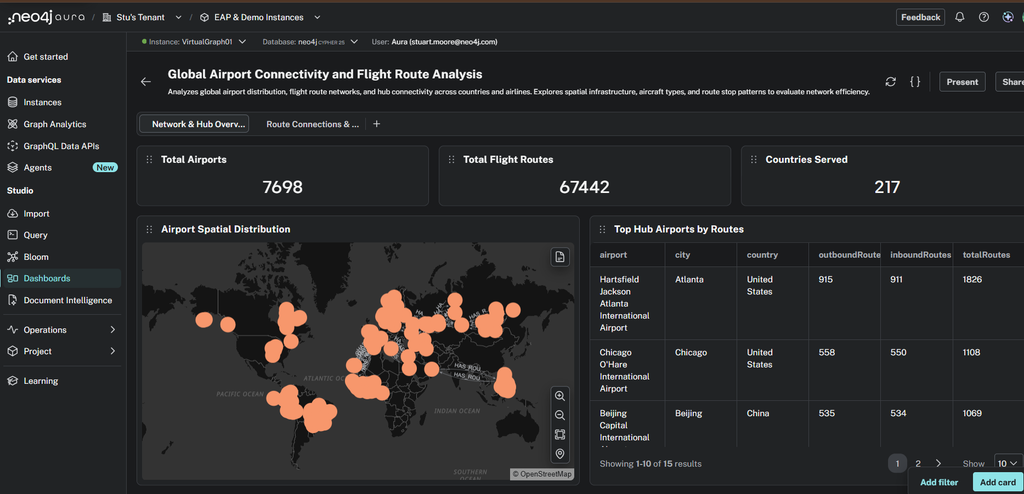
*Requires AI and Aura Agents to be enabled in your Aura Organization
Limitations at GA
The following capabilities will be coming to Virtual Graphs in Aura soon
- External IdP providers.
- Using Aura MCP servers; in the meantime, please use a local MCP server.
- Multi-source Virtual Graphs: please wait for Composite in Aura.
Know the virtual boundaries
Virtual Graph is not a replacement for a native graph; the following is a guide for when to use AuraDB.
- Virtual graphs are for read-only analytical use cases and are not suitable for OLTP or HTAP (Hybrid Transactional and Analytical Processing) applications which require writes.
- You don’t get full Cypher, so if your project cannot compromise on Cypher coverage, you will need to go native. Why is this? Cypher2SQL translation will continue to improve, but there will always be limits because SQL will never be as expressive as Cypher for graph. The following Cypher constructs aren’t supported:
OPTIONAL MATCH, EXISTSsubqueries, shortest-path syntax and unbounded variable-length patterns such as *1..5. A quantified path pattern with an explicit upper bound covers many of the same cases. Vector and full-text search aren’t available either. - When sub-second response times are required, use AuraDB. Virtual Graph sends SQL queries to your warehouse, so latency depends on the warehouse’s compute and the complexity of the SQL being processed and returned. Expect response times to be measured in seconds and minutes.
The simple rule of thumb: agents and analysts that think in seconds and minutes are a good fit for Virtual Graph, and applications that need millisecond traversal or continuous writes belong on a native Neo4j database.
What about Neo4j Enterprise Edition
After the Public Preview started in Aura, we released Neo4j EE into preview; you can find documentation here.
- In addition to BigQuery, Databricks, and Snowflake, you get DuckDB, SQLite, and PostgreSQL as officially supported Cypher2SQL-translated data sources.
- Bring your own driver (BYOD): provide any vendor’s SQL-based JDBC driver and get generic Cypher2SQL translation support.
- Deploy a single Virtual Graph on the same DBMS as Databases and Composite.
Limitations in the current public preview are
- Single Virtual Graph per DBMS.
- Configured via config files. A Cypher statement CREATE VIRTUAL GRAPH is coming in Q1.
- Graph Algorithms are not available.
Neo4j EE will remain in Preview, with GA anticipated in Q1 2027.
Get started
You can create a Virtual Graph in the Aura console in a few minutes: connect a source, review the proposed model, and start querying. The documentation includes quickstarts for Snowflake and Databricks, as well as a full reference covering data sources, models, and Cypher.
Share Article



Explore
Related articles
Introducing Neo4j Virtual Graph: Graph reasoning on the data you already have

Zero-Copy Graph Reasoning on Snowflake: Getting Started With Neo4j Virtual Graph