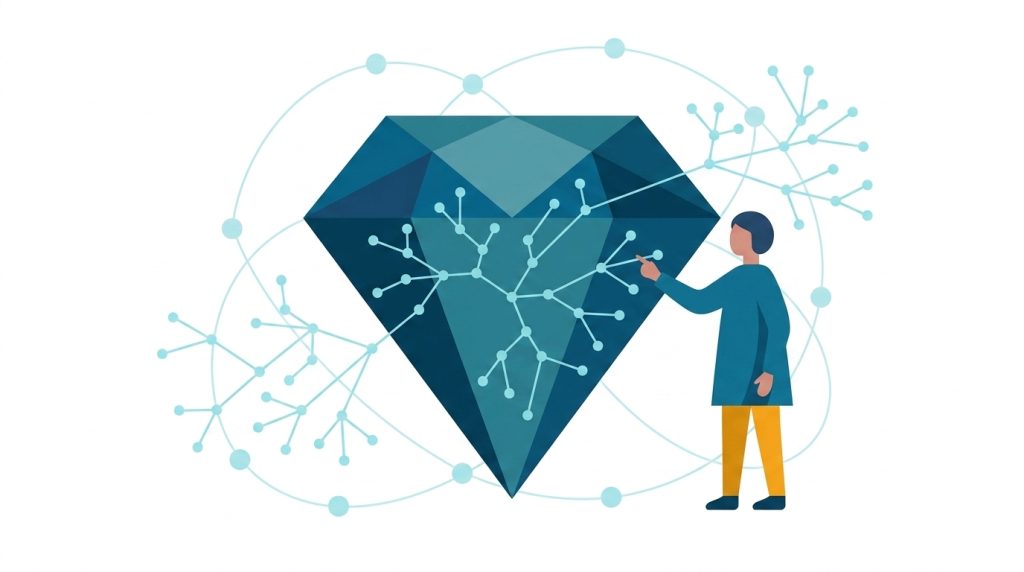
Graph Embeddings, One Line of Code Away

Senior Product Manager, Graph Analytics, Neo4j
8 min read
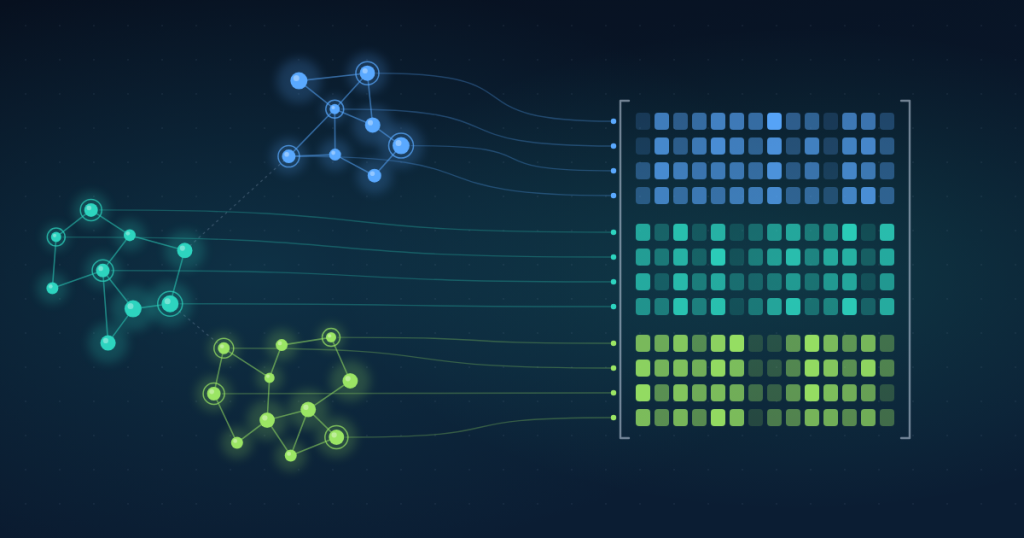
A single account on its own tells you very little. But look at who it sends money to, who those accounts send money to, and suddenly you have got a lot to work with.
That’s the idea behind graph embeddings: take a node and everything around it, and compress that graph structure into a vector. Nodes with similar surroundings end up with similar vectors. You will also see these called node embeddings, the name we use in the docs, because every node gets a vector of its own.
Over the last few years, embeddings have been the fastest-growing use case for Neo4j Graph Data Science (GDS), our graph analytics and machine learning library, and we are not surprised. Once every node is a vector, a lot of hard problems turn into ordinary ones:
- A fraud team can flag accounts that look like known fraudsters.
- A retailer can recommend what similar customers bought.
- An analyst can segment customers by how they connect to everyone else, and a data scientist can feed the vectors to a standard model to predict churn.
As more teams build AI agents on top of knowledge graphs, there is a newer one too: text embeddings tell an agent what things say, graph embeddings tell it how things connect, and retrieval that uses both can find related entities that text alone would miss.
Previously, creating embeddings was a job for data scientists. Just to get started, you would first have to climb a hill of concepts: which model fits my graph, which configuration fits my use case, what does this parameter even do? Plenty of teams have made that climb, trying out models and tuning configuration until the embeddings looked right. It works, but it is a lot to ask before you see a first result.
Compare that with text embeddings. You make one call, get vectors back in a few lines of code, and never need to know what happens under the hood. That bar has been set, and we think graphs deserve the same treatment.
One line, nothing to configure
Today, we are excited to release, in preview, a new Embeddings API in the GDS Python client (version 2.2 or later), built for Aura Graph Analytics:
gds.embedding.create(G)Code language: CSS (css)That is the whole call.
G is your graph, loaded into a session of Aura Graph Analytics, the on-demand environment where GDS runs in Aura, and create gives every node in it an embedding. Under the hood, it runs FastRP, a fast and highly scalable algorithm, with defaults we chose so you don’t have to, and in most cases they work well. That means you can start without knowing how the algorithm works or how to tune it, and spend your time on what the embeddings are for, not on how to produce them.
When you do want the dials, they are there. You can set the embedding size and other FastRP settings, name the property the embeddings are stored in, embed only some node labels or relationship types, and fix a random_seed to get reproducible results.
What happens to your graph
Embeddings are added to your in-memory graph as a new node property, called embedding unless you choose another name, and nothing is written to your database. From there, the vectors are yours: stream them into pandas, hand them to another algorithm in the same session (kNN to find similar nodes, k-means to cluster them), or, if your session is attached to a database, write them back to it.
Here it is in context, starting with the graph itself (accounts and the transfers between them):
G, result = gds.graph.project.native("transfers", ["Account"], ["TRANSFERRED_TO"])
gds.embedding.create(G)Code language: JavaScript (javascript)
And here is the same call with a few of the dials turned: an embedding size of 256, a separate property name (since the default embedding already exists now on this graph), and a fixed seed for reproducible results:
gds.embedding.create(
    G,
    embedding_dimension=256,
    mutate_property="embedding_256", # a new name since "embedding" already exists on G
    random_seed=42,
)Code language: PHP (php)
create fails if the graph already has a property with the same name, so existing embeddings are never overwritten by accident. While you are experimenting, give each set of embeddings its own property name, as in the example above, so you can compare them. In production, in scheduled pipelines, or in notebook cells you want to re-run, drop the property first. With fail_if_missing=False, that step is safe: if the property doesn’t exist yet, the line is simply ignored.
gds.graph.node_properties.drop(G, ["embedding"], fail_if_missing=False)
gds.embedding.create(G)Code language: PHP (php)
When the default isn’t enough
Of course, a general-purpose default only goes so far. It captures where each node sits in the overall shape of the graph, and that is all it looks at: whatever is stored on your nodes plays no part. If your accounts contain properties that matter, or your analysts have already classified some of them, you will want embeddings shaped by those properties.
That is what gds.embedding.train is for. It trains a GraphSAGE model that learns from node properties and from the classes you already know. Once you have a model, pass its name to create and you are back to a single call.
In this example, every account also carries a numeric risk_class and a features vector, so the projection brings them along:
G, result = gds.graph.project.native(
    "labeled-transfers",
    ["Account"],
    ["TRANSFERRED_TO"],
    node_properties=["risk_class", "features"],
)Code language: JavaScript (javascript)
With those properties in the graph, training takes one call. You point it at the property that holds the classes you already know (target_label and target_property), the properties the model should learn from (feature_properties), and the name to save the model under:
gds.embedding.train(
    G,
    model_name="account-risk-encoder",
    target_label="Account",
    target_property="risk_class",
    feature_properties=["features"],
)Code language: JavaScript (javascript)
Behind the scenes, a small classifier trained on your known classes teaches the encoder which patterns matter. If the defaults aren’t enough, you can tune both the encoder and the classifier, along with the number of epochs and the batch size.
What you keep is the encoder. Pass its name to create, and every node gets an embedding shaped by your classes and properties:
gds.embedding.create(
    G,
    graph_encoder="account-risk-encoder",
    mutate_property="embedding_tuned",
    feature_properties=["features"],
)Code language: JavaScript (javascript)
One word of caution when you evaluate the results: the model has already seen your training examples, so judge it on nodes it did not train on.
A model trained this way is a regular Aura Graph Analytics model, like any other you would train in a session. You can for example store it using gds.model.store to keep it in your project’s model catalog, so a later session can use it by name.
Try it today
Aura Graph Analytics is available on the AuraDB Free tier, so you can see this in action without paying anything. And your data does not have to live in Neo4j. Load nodes and relationships from a data warehouse, Databricks, or a CSV file into pandas DataFrames, and gds.graph.construct turns them into a graph in a standalone session.
The Embeddings API documentation has the full parameter reference and a quickstart that runs on Cora, a small citation graph that ships with our GDS Python client, so you can try it before loading anything of your own.
Both endpoints are in preview, which means they may change as we learn from how you use them. The Embeddings API is available only in Aura Graph Analytics, with GDS Python client 2.2 or later.
What’s next
This is a first step. We plan to keep adding to the API, with more capabilities for generating embeddings and for putting them to work once you have them, and to bring it to our Cypher API too, if Python isn’t your cup of tea.
Because this is a preview, your feedback shapes what comes next: tell us which graphs you embedded, what worked, and what you wished it did. Reach out to us on the Neo4j Community Forum or at [email protected].
Share Article



Explore
Related articles
From first graph algorithm experiment to production with Aura Graph Analytics
The persistence tax: Why it’s time to let your graph analytics sleep