Terminal
Desktop has a built-in full terminal. The terminal includes shortcuts to two command-line tools:
-
neo4j-admin -
neo4j-cli
The first tool neo4j-admin can be used to bulk load data into an instance, backups and restores, consistency checking and more.
See Operations Manual → The neo4j-admin tool for more information.
Keep in mind that the neo4j-admin tool is versioned, it is bundled with Neo4j so the available commands for this tool is depending on the version of Neo4j the instance is running.
The second one, neo4j-cli is a powerful tool that allows you to manage instances, run Cypher® against databases, and more.
It can also teach AI agents to do it for you.
For a full reference, see neo4j-cli.
When you open the terminal for the first time, you are prompted to install neo4j-cli, and likewise if an update is available after you have installed the tool.
Note that you do not have to install this tool to use the terminal.
|
|
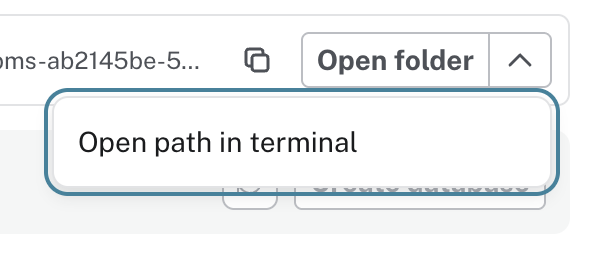
The terminal can be expanded from the bottom right corner, via the Open folder button on the instance card, or from the Terminal Neo4j Desktop 2 menu bar Open Terminal option.
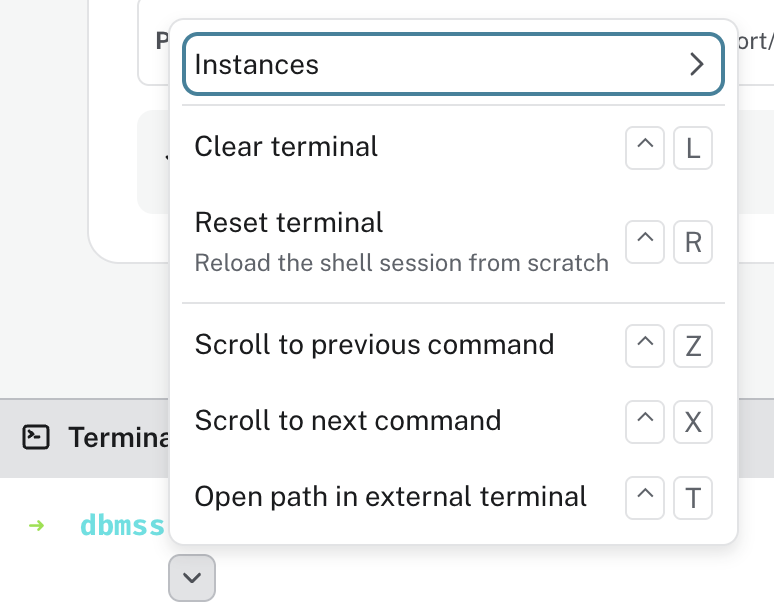
When you open the terminal from the bottom drawer, the working directory is dbmss and from the prompt, you can use the ^ button or Ctrl+. to see the command menu.
The command menu offers a number of actions, some of them with keyboard shortcuts attached.
Command helper
When you use either of the command-line tools, use the same ^ button or Ctrl+. after each term for assistance building your command.
Hover over any of the options for a short description of the listed command.
Select the command and either execute it or use the command helper to add another part to the command.
Some commands require the password for the instance to execute.
For a full reference of everything you can accomplish with the neo4j-cli, refer to the Labs documentation neo4j-cli, and for a full reference of available commands for neo4j-admin, see Operations Manual → The neo4j-admin tool.
Install skills
As mentioned earlier, you can use the neo4j-cli to teach your AI agents how to use Cypher, Graph Data Science, GraphRAG, and more.
This is done via neo4j-skills.
For a list of available skills in the Neo4j catalog, see the neo4j-skills GitHub repository.
|
The skills in the neo4j-skills catalog are experimental and as such not official Neo4j products or supported components of the Neo4j portfolio. Use them at your own discretion. |
You can install any and all available neo4j-skills directly from Desktop using the Install skills button in the terminal.