Inactive organization member pruning
Inactive organization member pruning is a feature that allows organization administrators to define policies that automatically remove inactive members from an organization after a specified period of inactivity.
|
On the warning days since inactivity, a user is sent an email warning them that they’ll lose access. |
Configuring inactivity policies
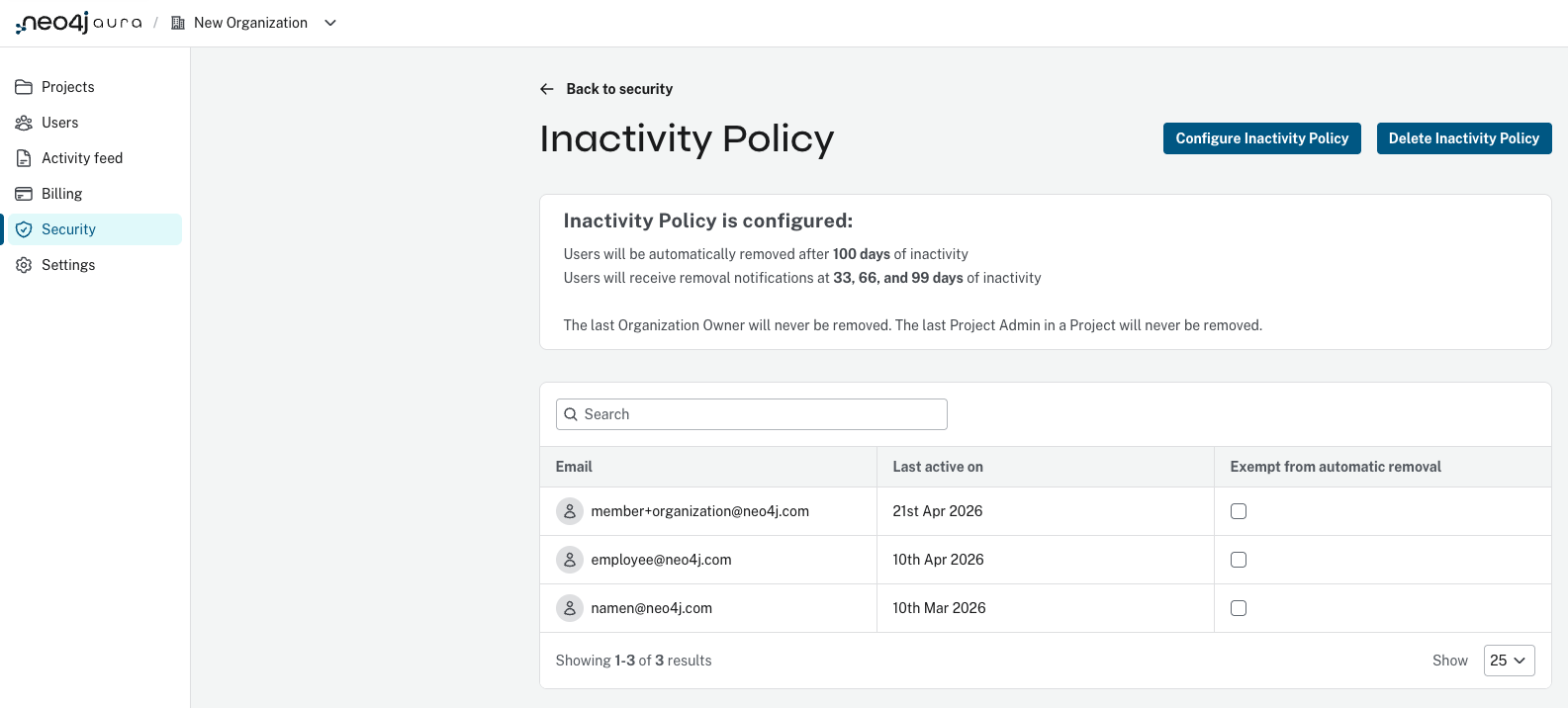
Inactivity policies are configured in the Organization Security page by organization owners or organization administrators.
Requirements and constraints
Inactivity policies can not be enabled if the organization is only using SSO as a console login method.
The policy never removes:
-
The last organization owner
-
The last project admin in any project
Policy settings
An inactivity policy includes:
-
Inactivity threshold (days): Maximum number of days a user can remain inactive before removal eligibility, between 30 and 365.
-
Scheduled warning (days): Up to three notification points before removal, used to alert users they are at risk of being removed. Must be less than the inactivity threshold.
Exemptions
Users can be marked as exempt from removal, which prevents them from being removed due to inactivity regardless of duration.
Definition of activity
A user is considered active if they perform any of the following actions within the organization:
-
Any activity in the console under the organization
-
Make usage calls to the public Aura API associated with the organization
Any activity resets the timer for a user to be removed.
Removal process
When a user exceeds the inactivity threshold defined by the policy:
-
The user is automatically removed from the organization
-
The action is recorded in the Aura Activity Feed
-
The user receives an email notification informing them of:
-
Their removal
-
Steps to regain access or be re-added to the organization
-
-
Users also receive warning notifications prior to removal based on the configured schedule