Graph Data Science integration
Neo4j Graph Data Science algorithms can help you find new insights in your data, from community detection to influence and graph structure and more.
|
Running Graph Data Science algorithms on elements in your Scene does not alter the underlying data. The scores only exist temporarily in Bloom. However, if you opt to create a projection on the entire graph, results are written back to your data as a new database property. |
The algorithms are described briefly below, but refer to The Neo4j Graph Data Science Library Manual for their full descriptions.
Using GDS algorithms in Bloom
When you run graph algorithms in Bloom, these either run in a separate compute environment via Aura Graph Analytics, or they run in your instance using the Graph Analytics plugin, sharing both memory and compute with your database. This is determined by which option you chose when you created the instance, as described in Create instance and cannot be manually selected from Bloom.
See Graph analytics in Aura for more information about the differences between the two options.
Available GDS algorithms in Bloom
The available algorithms can be divided into two categories, centrality and community detection. Centrality algorithms are used to measure the importance of particular nodes in a network and to discover the roles individual nodes play. A node’s importance can mean that it has a lot of connections or that it is transitively connected to other important nodes. It can also mean that another node can be reached in few hops or that it sits on the shortest path of multiple pairs of nodes. The following centrality algorithms are available in Bloom:
-
Betweenness Centrality
-
Degree Centrality
-
Eigenvector Centrality
-
PageRank
Community detection algorithms on the other hand, are used to find sub-groups within the data and can give insight to whether networks are likely to break apart. Community detection is useful in a variety of graphs, from social media networks to machine learning. The following community detection algorithms are available in Bloom:
-
Louvain
-
Label propagation
-
Weakly connected components
Betweenness Centrality
The Betweenness Centrality algorithm finds influential nodes, that is, nodes that are thoroughfares for the most shortest-paths in the scene. Nodes with a high degree of betweenness centrality are nodes that connect different sub-parts of a graph.
Degree Centrality
The Degree Centrality algorithm measures the relationships connected to a node, either incoming, outgoing, or both, to find the most connected nodes in a graph.
Eigenvector Centrality
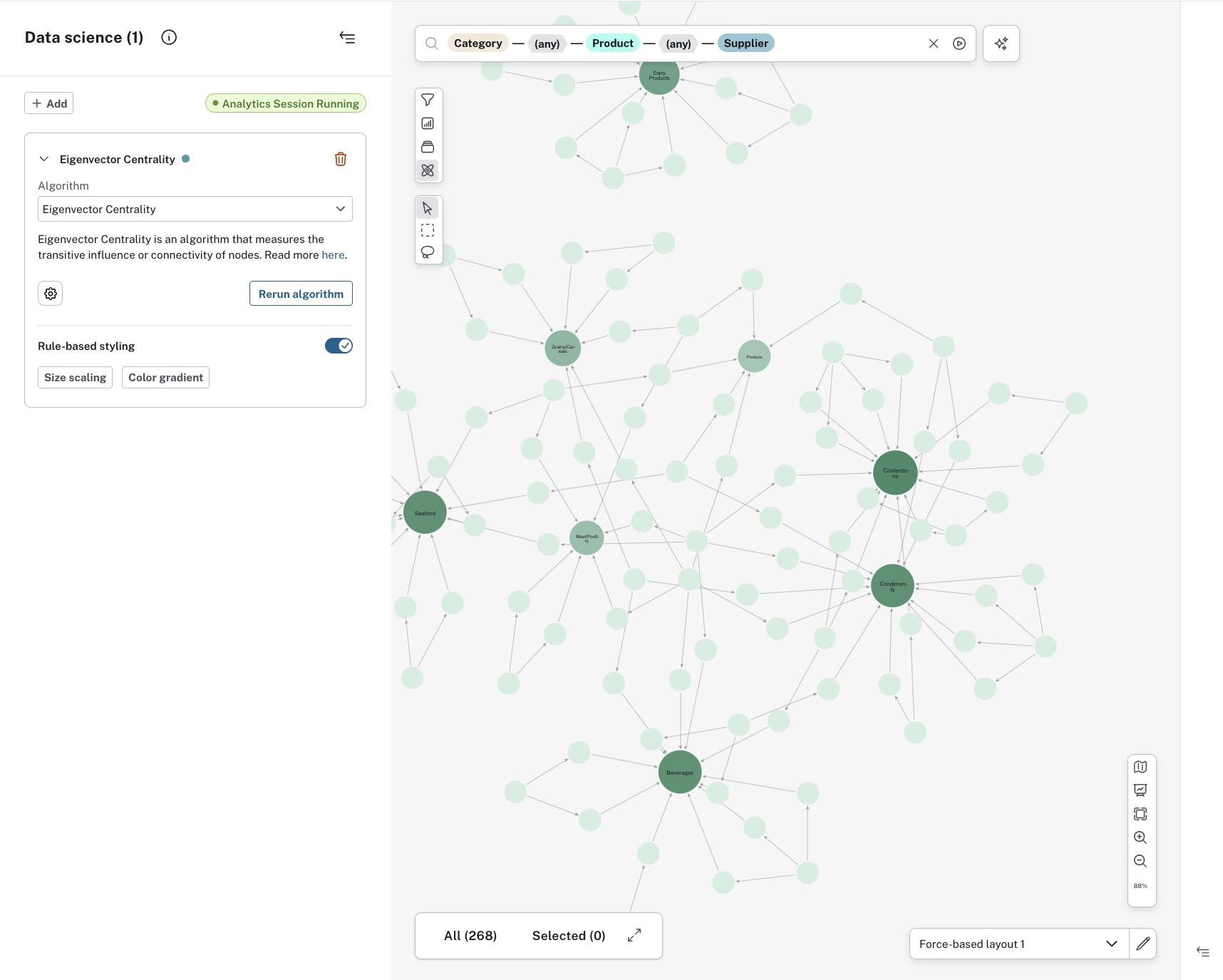
The Eigenvector Centrality algorithm is used to measure transitive influence of nodes. That means that for a node to score a high eigenvector centrality, it needs to be connected to other nodes which in turn are well-connected. The difference between the eigenvector and the betweenness centrality is that the eigenvector is not only based on a node’s direct relationships with other nodes, but on the relationships of the related nodes as well.
PageRank
The PageRank algorithm is a way to measure the relevance of each node in a graph. The relevance of a node is based on how many incoming relationships from other nodes it has and how important the source nodes are.
Louvain
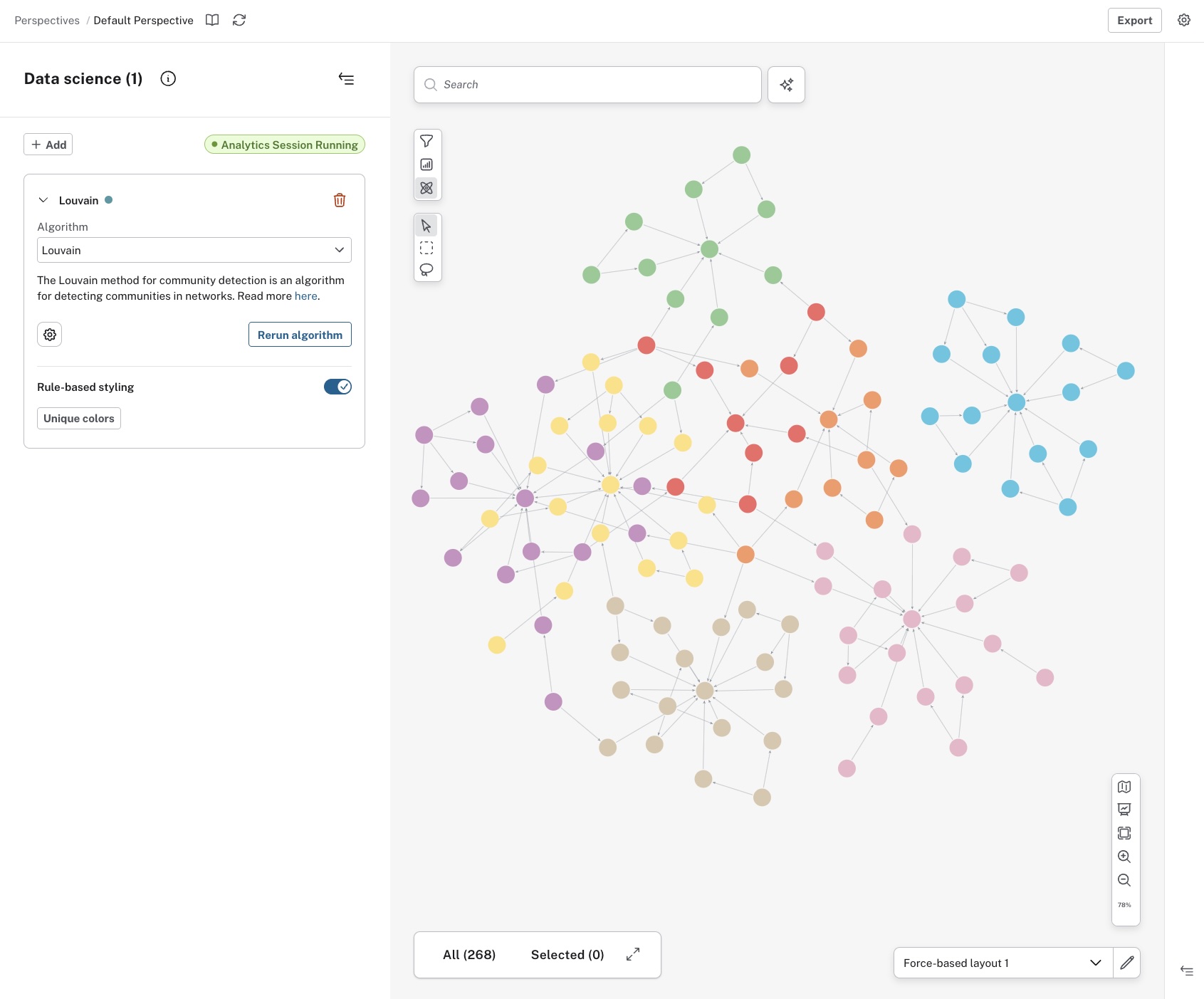
The Louvain algorithm aims to find clusters of highly connected nodes within a larger network. It can be useful for product recommendations, for example. If you know a customer bought one product from an identified cluster, they are likely to be interested in another product from that cluster.
Label Propagation
The Label Propagation algorithm is another way to find communities in a graph. One difference between Label Propagation and Louvain, both community detection algorithms, is that this one allows for some supervision, i.e. it is possible to set certain prerequisites that allow for a degree of control of the outcome. This can be useful when you already have some knowledge of the intrinsic structure of your data.
Weakly Connected Components
The Weakly Connected Components algorithm finds subgraphs that are unreachable from other parts of the graph. It can be used to determine whether your network is fully connected or not and also to find vulnerable parts in supply chains, for example.
Running the algorithms
The GDS algorithms are accessed via the GDS button in the upper-left corner of the Scene. When you have selected an appropriate algorithm, you have the option to run it on all elements or specify which node labels and/or relationship types. Additionally, you can also select the orientation of the relationships to be traversed. The options are accessed via the Settings button next to the algorithm name.
When you are satisfied, you can either run the algorithm on the data in your current Scene or create a projection on the entire graph. The time it takes to run the algorithm can be different depending on the size of your graph. Additionally, running an algorithm on the current Scene only temporarily adds a score to the elements in the Scene. This action does not write to your graph. But creating a projection on the entire graph adds a new database property containing the individual score to all affected elements. The property name contains the name of the algorithm and a number and it is displayed in the GDS drawer.
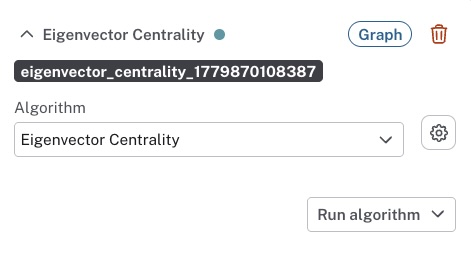
You can edit and delete the property on the individual nodes, but you cannot rename it. You can manually remove the property from the entire graph using the Query tool, if needed.
Applying your selected algorithm does not immediately change anything in the Scene. You can inspect each node to see its score, but to make the results easily visible, apply rule-based styling. This is done directly in the GDS drawer. The centrality algorithms are based on a range of values and can be either size-scaled or color gradient, while the community detection algorithms use unique values and offer unique colors to style the nodes.