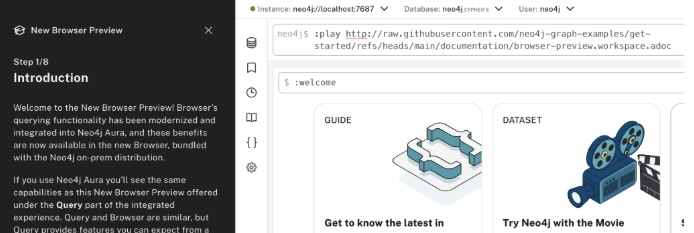
Custom Neo4j Browser guides
Neo4j Browser has a few built-in guides, accessible from the welcome screen when you first open Browser. But you can also author your own guides and serve them both in Browser and in the Query tool in Neo4j Desktop 2. Note that custom guides are not supported in Neo4j Aura’s Query tool.
The guides should be written in asccidoc markup, see Asciidoc syntax quick reference for more details on the syntax.
Prerequisites
Allowlist hosting domains
When guides are hosted remotely, you need to explicitly configure Neo4j Browser to allow fetching content from external hosts.
This protects you from unintentionally loading untrusted content.
The browser.remote_content_hostname_whitelist setting controls which hosts are allowed and you add this to the neo4j.conf file.
For example:
browser.remote_content_hostname_whitelist=storage.googleapis.com,my-bucket.s3.amazonaws.comNote that only hostnames are allowed, not paths, and multiple values are comma-separated.
As with all changes to neo4j.conf, you need to restart Neo4j for the changes to take effect.
Configure CORS on host server
Neo4j Browser loads guides using cross-origin HTTP requests. The hosting server must therefore explicitly allow these requests using CORS. Without CORS support, the guides are blocked from loading by the browser, even if the files are public.
The example below shows how to configure CORS for a guide hosted on a Google Cloud bucket.
cors.json file for the domain(s)the browser will fetch the guides from[
{
"origin": ["http://example.com"],
"method": ["GET", "OPTIONS"],
"responseHeader": ["Content-Type"],
"maxAgeSeconds": 3600
}
]gsutil cors set cors.json gs://YOUR_BUCKETAdditionally, you need to ensure that public access is enabled for your bucket, else access is silently blocked.