Virtual Graph instances
|
This is the public preview documentation of Neo4j Virtual Graph. To provide feedback, please use the feedback form you were granted access to. During the public preview, we advise you not to use sensitive or production data with Virtual Graph. |
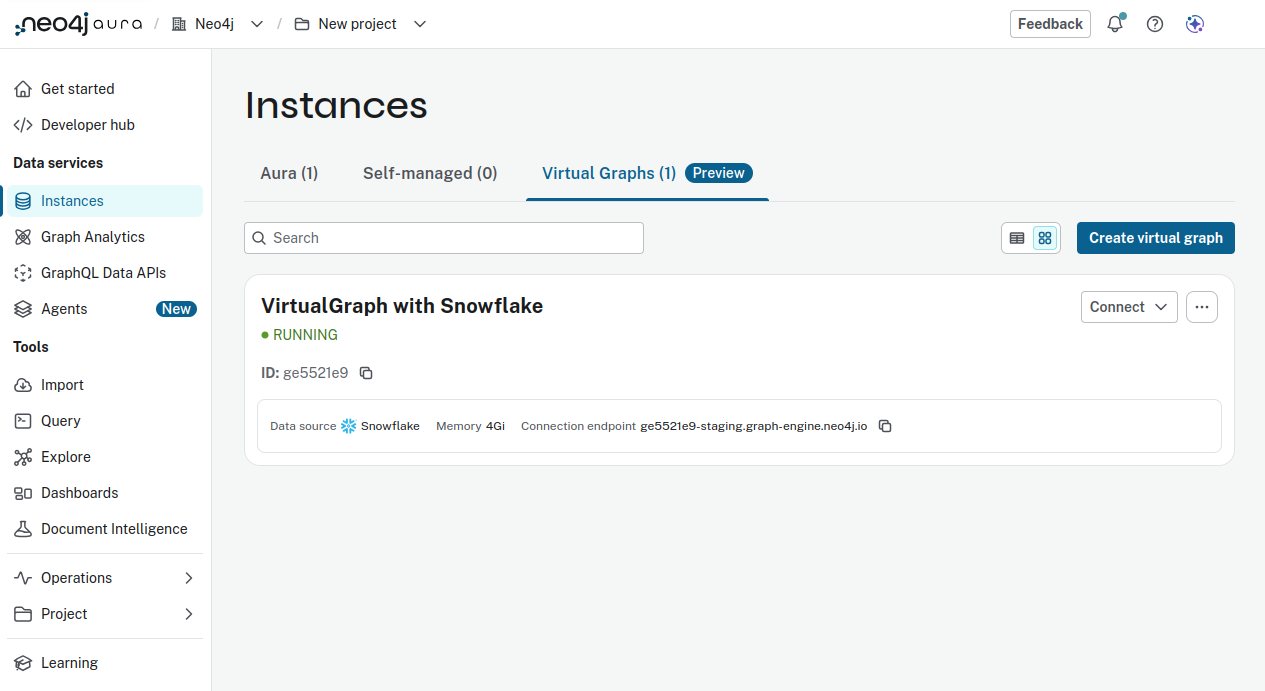
Virtual Graph instances function similarly to Neo4j Aura instances and can be found under VIRTUAL in the Aura Instances page.
Prerequisites
Virtual Graph requires a separate Neo4j Enterprise Edition DBMS installation. You must install and configure Neo4j EE separately before enabling Virtual Graph.
When you enable Virtual Graph on a Neo4j server, that server becomes a Virtual Graph server.
Creating a Virtual Graph instance
To create a Virtual Graph:
-
Assign a name
-
Select a cloud provider (AWS, Azure, Google cloud) and region (dependent on the cloud provider)
-
Select a memory volume
-
Connect a data source (existing or new, see Virtual Graph data sources)
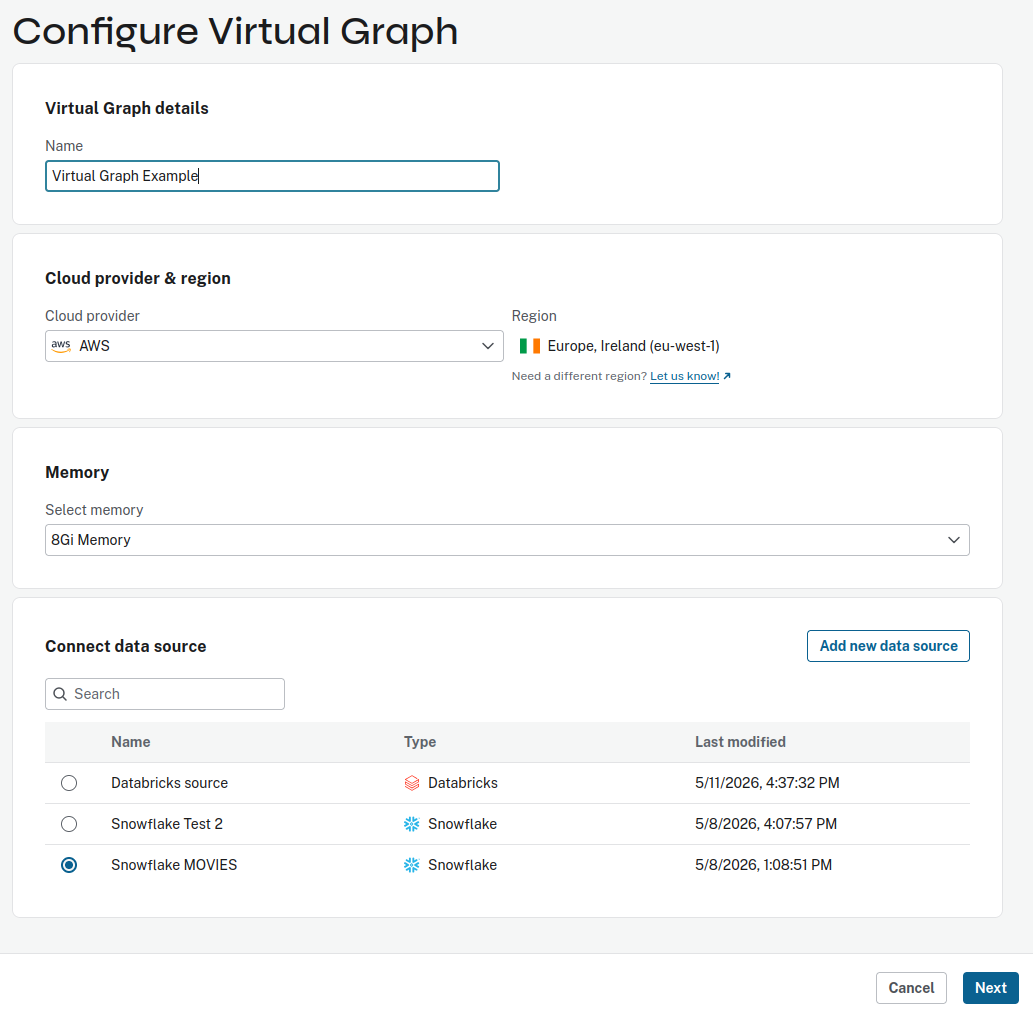 Figure 2. Virtual Graph configuration
 -
Proceed with Next and select a graph model (existing or new, see Virtual graph models)
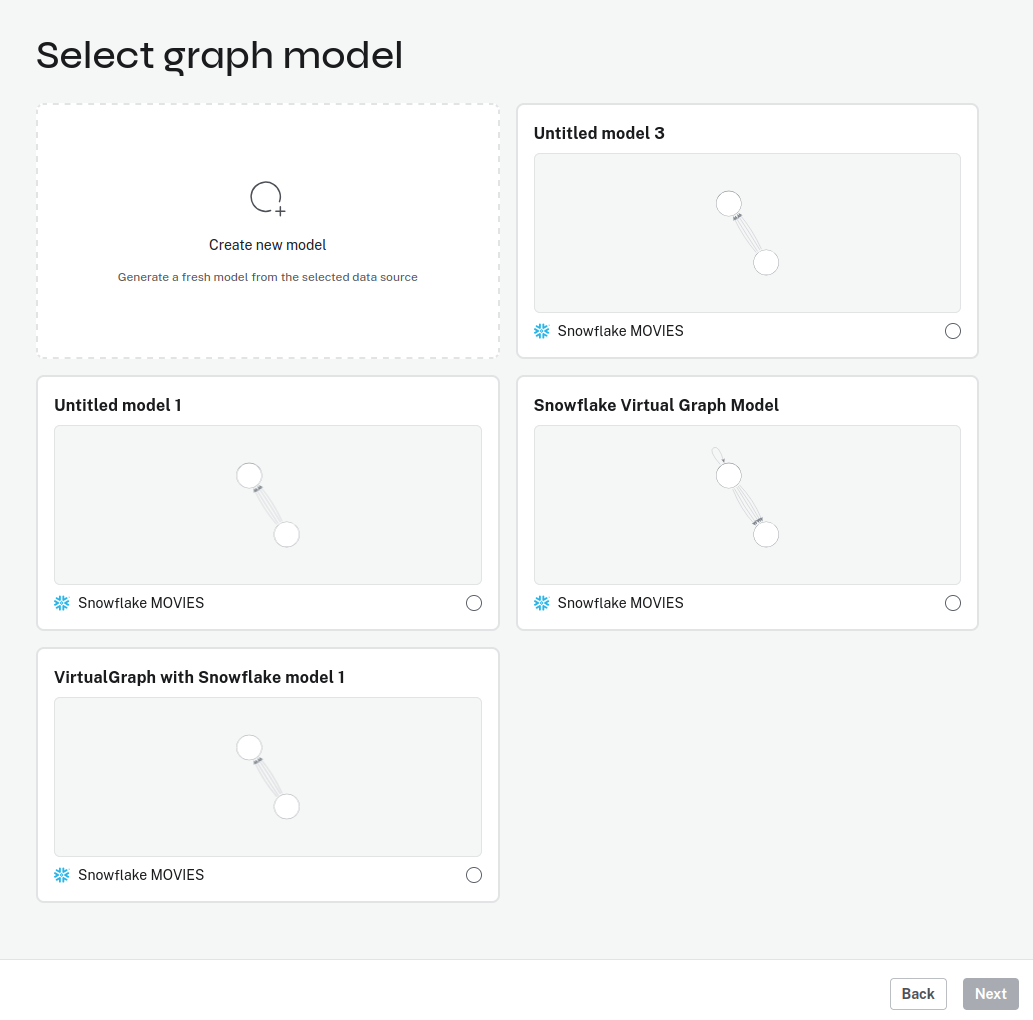 Figure 3. Virtual Graph configuration - graph model
|
As with regular instances, Aura lets you copy and download the credentials for the new Virtual Graph instance. The password cannot be changed later and is not recoverable. Only by deleting and recreating the instance a new password can be assigned and saved. |
Managing a Virtual Graph instance
The Virtual Graph tab of the Aura Instances page displays a table of your Virtual Graph instances. The Connect dropdown contains links to Query, Explore and Dashboards.
The […] more menu allows you to rename the instance.