Multi select filters
Multi select filters let users pick more than one value at a time. The selected values are stored in a list parameter that you can use in card titles and Cypher queries, and connect to a table’s row select action.
To enable multi select, turn on the Allow selecting multiple values toggle when you define a filter. Users then pick values using checkboxes instead of selecting a single value.
Multi select is available for the following filter types:
-
Node property
-
Relationship property
-
Custom query
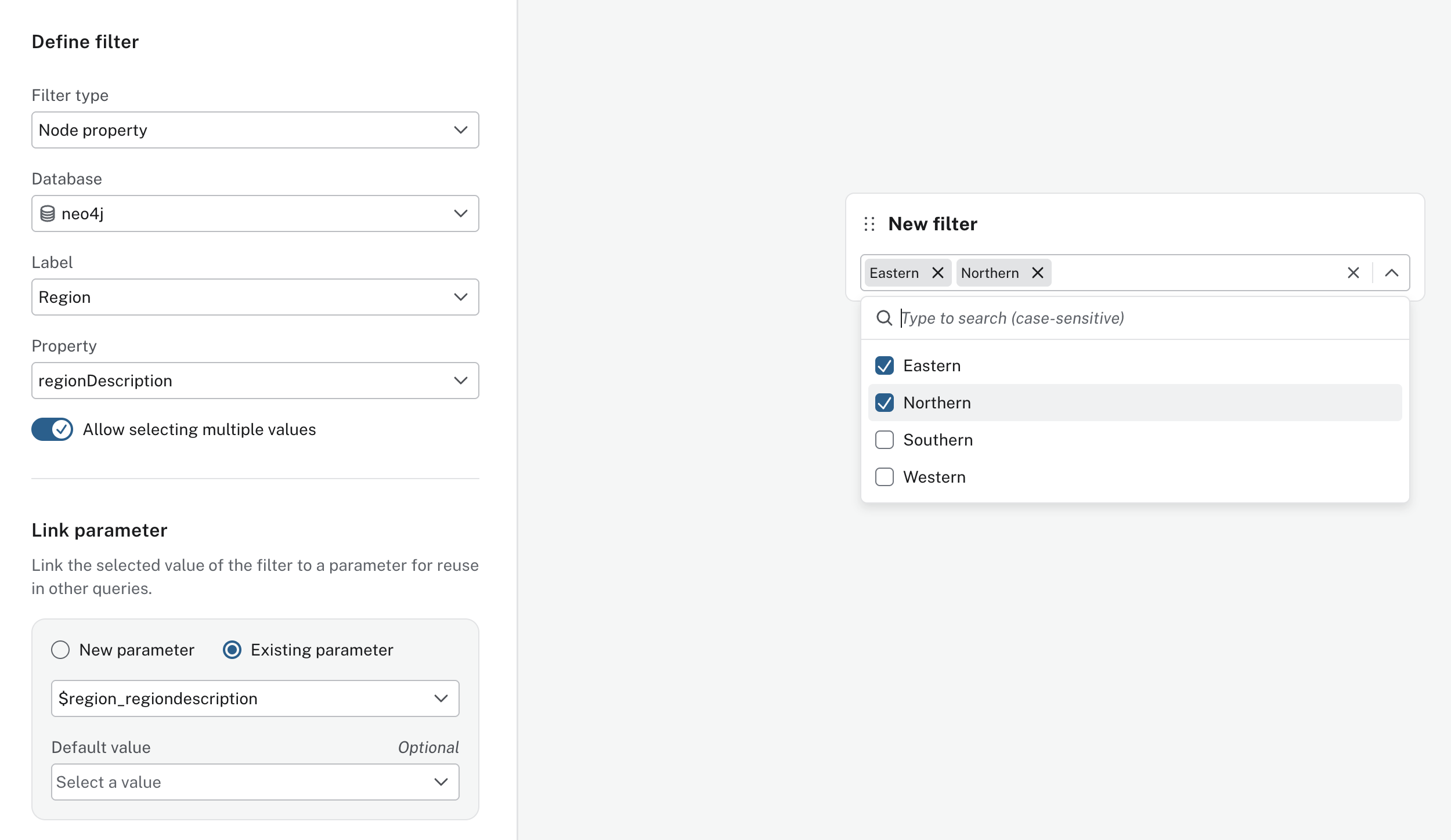
Table actions
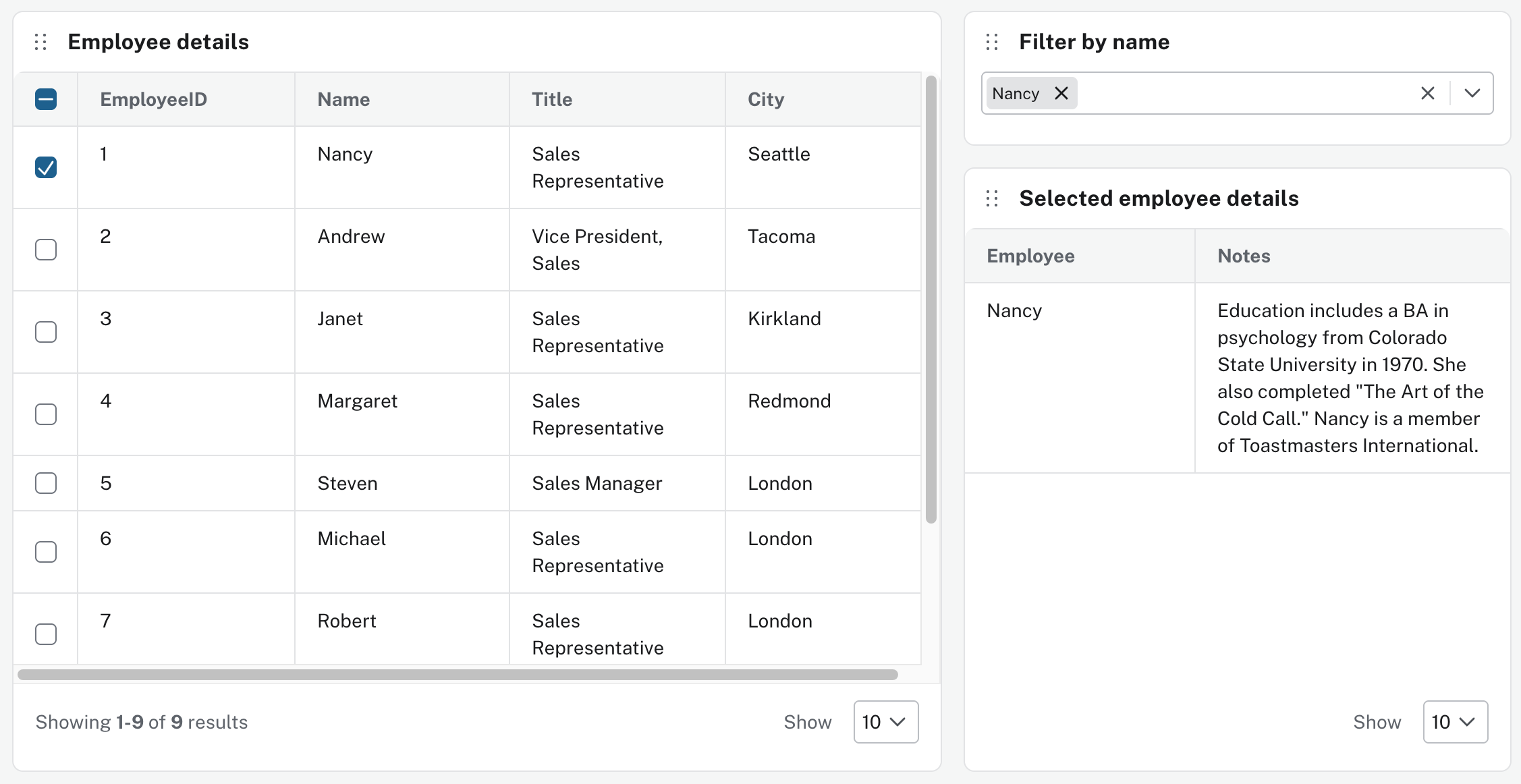
Multi select filters can also be used in combination with table actions. The row select action writes the selected values to a list parameter that can be linked to a filter.
For example, the row select action in an employee table updates $row, and the Filter by name filter is also linked to the $row parameter.
Because both use the same parameter, they stay in sync.
Selecting names in the table updates the filter; Selecting names in the filter selects matching rows in the table.
In addition, other cards can also use that parameter.
For example, a new table could also use the $row parameter to show some related data.
For example, a user can select Nancy in an employee table or in a Filter by name filter.
A Selected employee details card can use the $row parameter to display Nancy’s notes.