Free trial
The Aura free trial applies to either AuraDB Professional or AuraDB Business Critical and gives you access to Graph Analytics in Aura, Aura Agent, Virtual Graph, and other products and features. The free trial grants you $150 in credits, valid for 14 days. Use the trial to explore the platform, prototype your application, and plan your workload for production.
Get started with the free trial
-
Create a Neo4j Aura account
-
Complete the sign-up process, you will be prompted to start a 14-day free trial. Alternatively, you can start a free trial from the Instances page.
Your free trial begins once the instance is created.
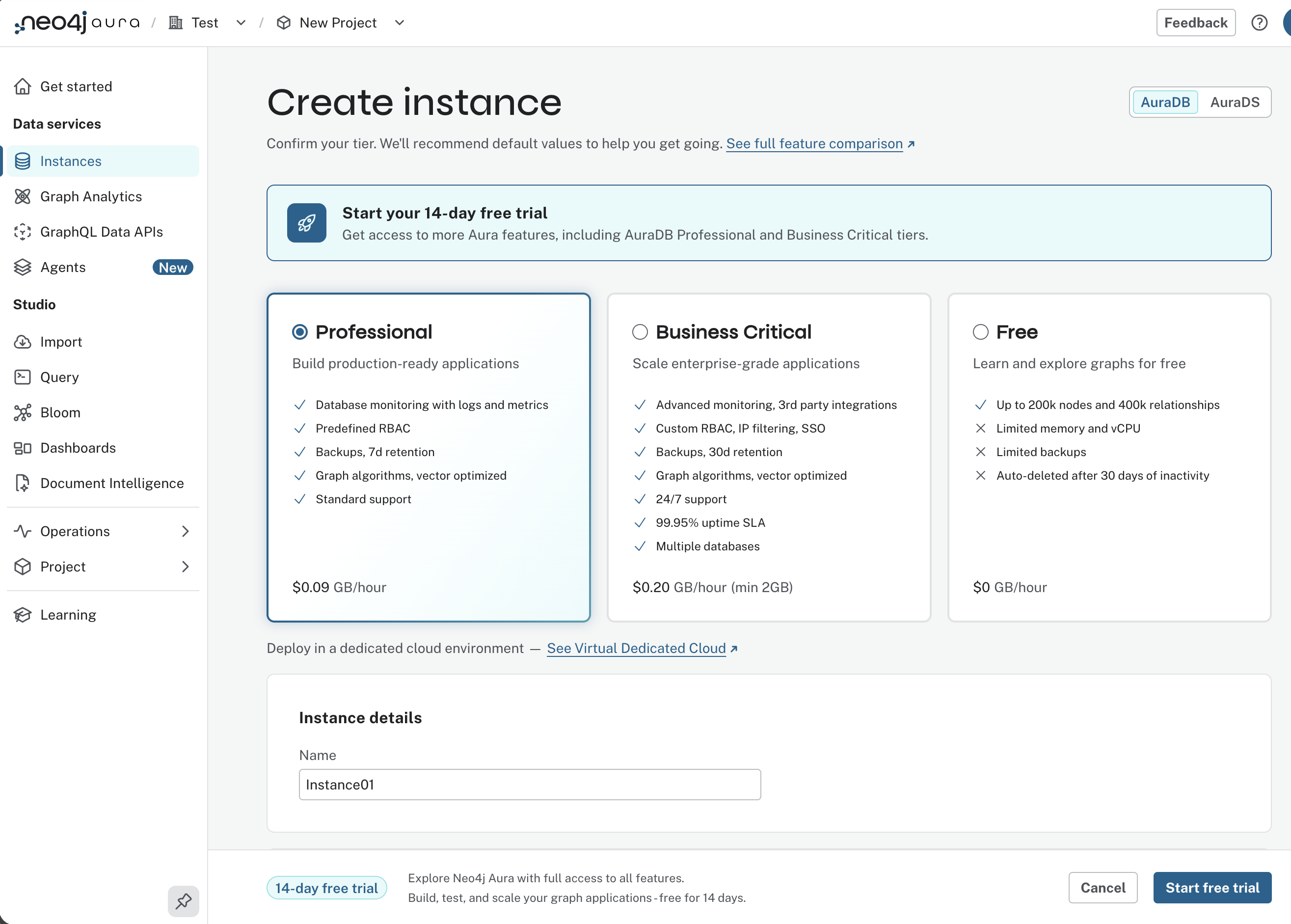
What is included in the free trial
Your free trial includes:
-
14 days and $150 in Aura credits, valid from the start of your trial.
-
AuraDB Professional: a production-grade, fully-managed graph database.
-
AuraDB Business Critical: high availability with multi-AZ architecture and 99.95% uptime SLA.
-
Aura Graph Analytics: run 65+ graph algorithms directly on your data.
-
Full access to all other Aura platform features, within the Trial limits.
Your trial ends either after 14 days or when your $150 credits are fully consumed. You can check your remaining balance at any time in the Aura Billing page.
Trial limits
To prevent accidental overuse, the following limits are in place during the free trial:
-
AuraDB Professional/Business Critical:
-
Maximum number of running instances: 1
-
Maximum instance size: 4GB memory
-
-
Aura Graph Analytics
-
Maximum size: 8GB memory
-
Maximum concurrent sessions: 3
-
-
Aura Agent
-
Maximum number of external agents: 1
-
-
Virtual Graphs
-
Maximum instance size: 4GB memory
-
Maximum number of running instances: 1
-
Extend your trial
If you need more time to evaluate Aura, you can extend your trial directly from the Aura console.
To extend your trial:
-
Log in to the Aura console
-
Select Extend trial from the header and enter your credit card details.
Your trial is extended by seven additional days and you receive an additional $75 in Aura credits. Your credit card will not be charged for any usage until your extended trial period ends or your remaining credits are consumed, whichever comes first. After that, your account automatically converts to Pay-as-you-go option billing.
Continue using Aura after your trial
When you free trial ends, you can continue using Neo4j Aura in the following ways:
Pay-as-you-go option
The easiest way to continue to use Aura is to pay-as-you-go (PAYG). You are charged for active consumption based on the products you have deployed. Pricing details can be found at the Neo4j Pricing page.
There are two ways to set up PAYG:
-
Enter a credit card in the Aura console.
-
Subscribe to Neo4j via cloud marketplaces. All marketplace listings are PAYG and allow you to consolidate Neo4j billing with your existing cloud spend, including any committed spend programs (such as AWS EDPs, Azure MACCs, or GCP CUDs):
Prepaid option
If you prefer predictable costs or have enterprise procurement requirements, contact the Neo4j Sales team to discuss a prepaid commitment plan.
Continue with AuraDB Free
If you are not ready to move to a paid plan, you can continue using AuraDB Free instead. AuraDB Free is a good starting point if you want to learn Cypher, follow tutorials, or explore graph concepts. The Free tier is available indefinitely, but has limitations compared to the paid plans. See the Neo4j Pricing page for details.
Get help
If you have questions during your trial, the following resources are available:
-
Support - submit a support ticket for technical issues
-
Documentation - The full Neo4j Aura documentation
-
GraphAcademy - Free online courses and certifications - start with Neo4j Fundamentals
-
Community forums - Ask questions and get answers from the Neo4j community
-
Developer Discord - Chat with Neo4j developers and community members in real time