Deployment health check
A deployment health check diagnoses your self-managed deployment for symptoms of sub-optimal operation, configuration issues, and capacity issues. It also suggests possible configuration changes to improve the deployment’s performance and reliability. A deployment health check consists of a set of checkers that are used to detect conditions that are indicative of issues.
Additionally, a deployment health check can act as a self-service support tool, allowing you to diagnose and fix issues yourself before contacting support or opening a support case.
A deployment health check can be requested as part of a support case, or as a standalone request.
If requested as part of a support case, the deployment health check is performed on the deployment and the results are attached to the support case.
Prerequisites
To run a deployment health check, complete the following prerequisites:
-
A self-managed deployment monitored by Fleet Manager.
-
Deployment must be in running state.
-
Supported versions
-
Major version
2026- supported from2026.09.0and later for Enterprise edition; supported from2026.11.0and later for Community edition. -
Major version
2025- supported from2025.01.0and later with Fleet management plugin version1.3.0and later. -
Major version
5- supported from5.1.0and later with Fleet management plugin version1.3.0and later.
-
|
Deployment health check is not supported for versions before |
How to run a deployment health check
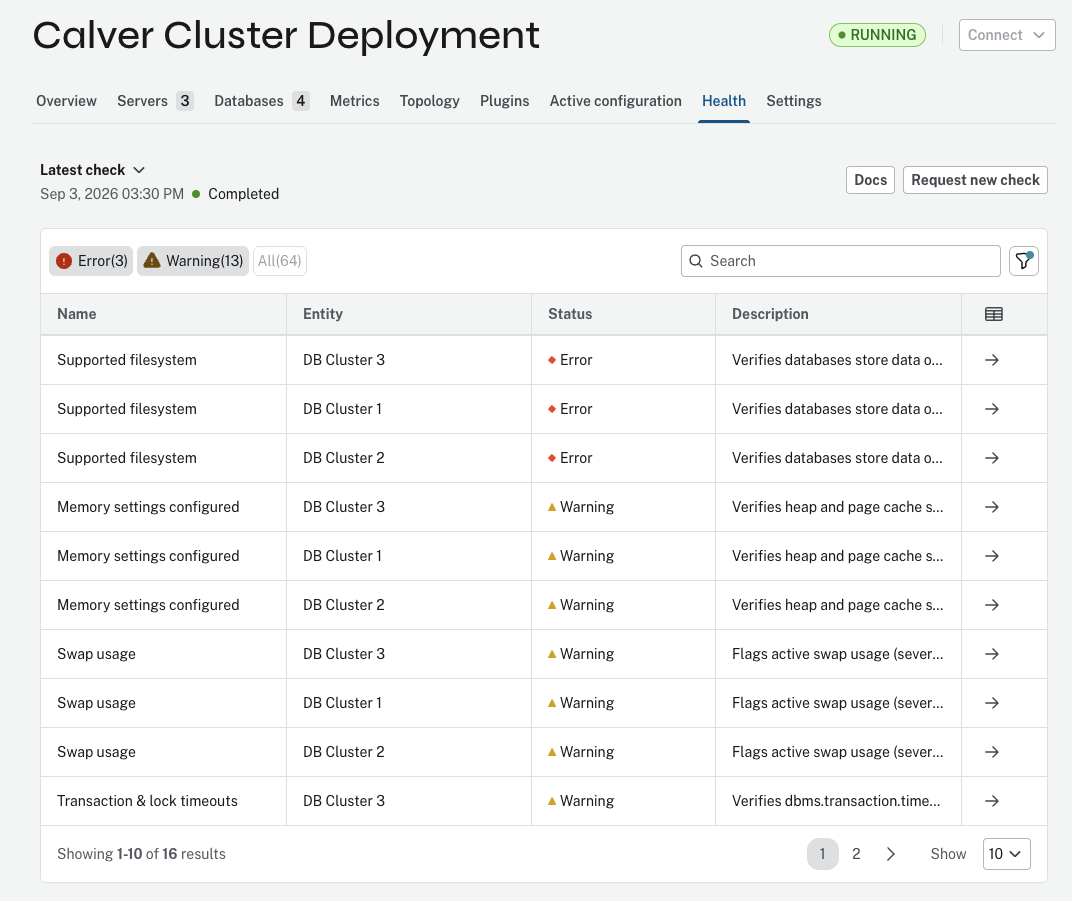
To run a deployment health check, go to the Health tab on the deployment view page and use the Request new check button.
A request modal confirms the request. You can optionally attach a Support case ID to reference the deployment health check in your support case.
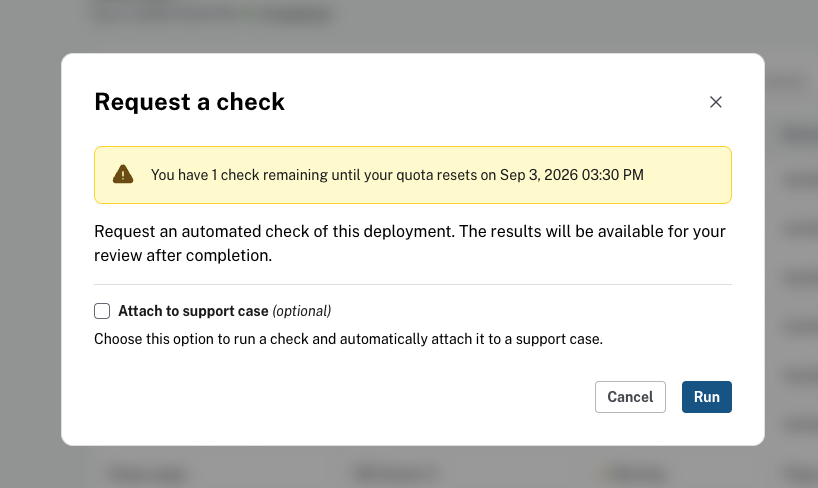
Once the request is submitted, you can track the status of the deployment health check. Once the deployment health check is completed, you can view the results of the deployment health check for each checker in the table.
|
Results are pre-filtered to show |
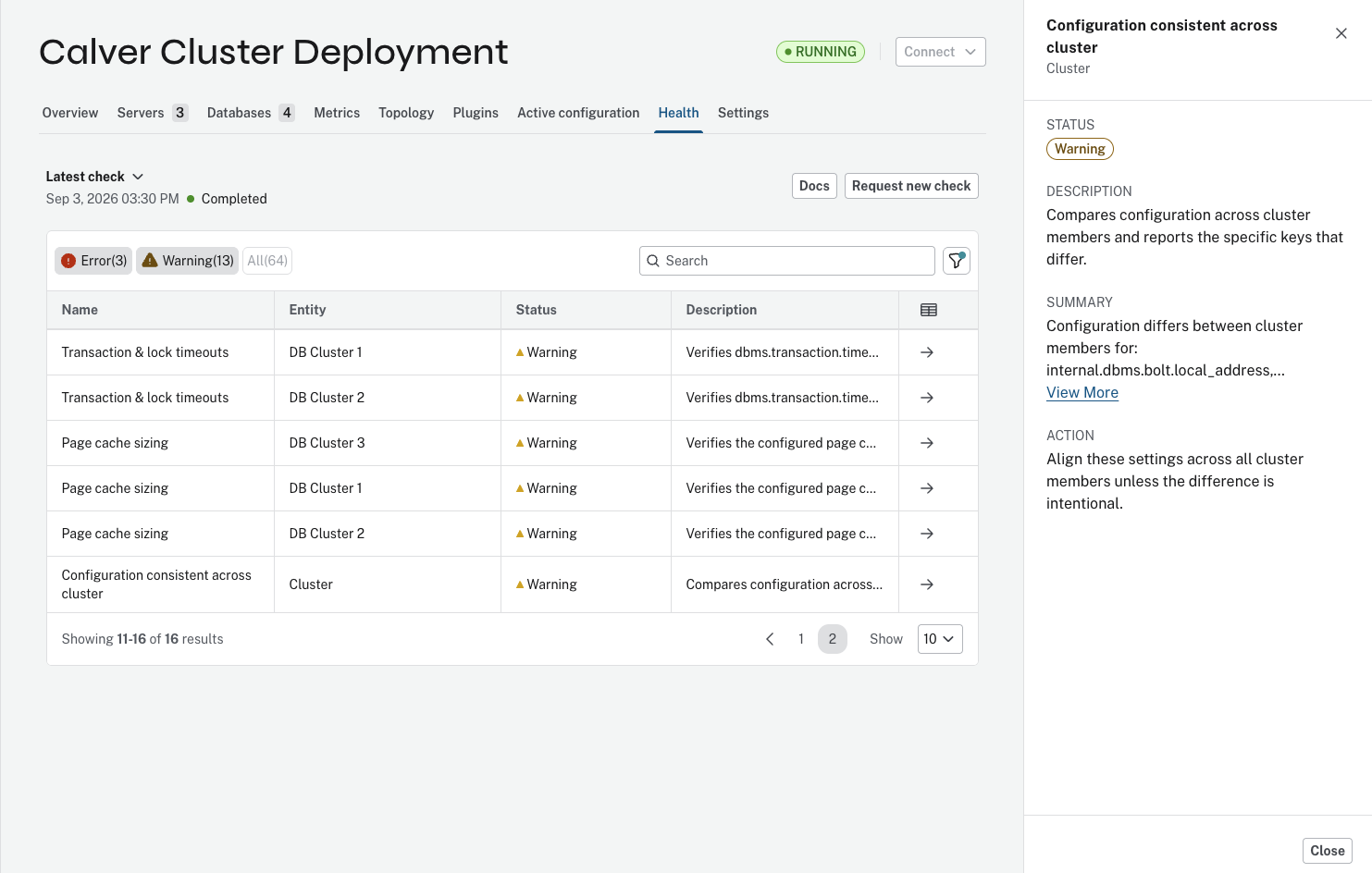
You can view the summary of the results of a checker by selecting the checker from the table.
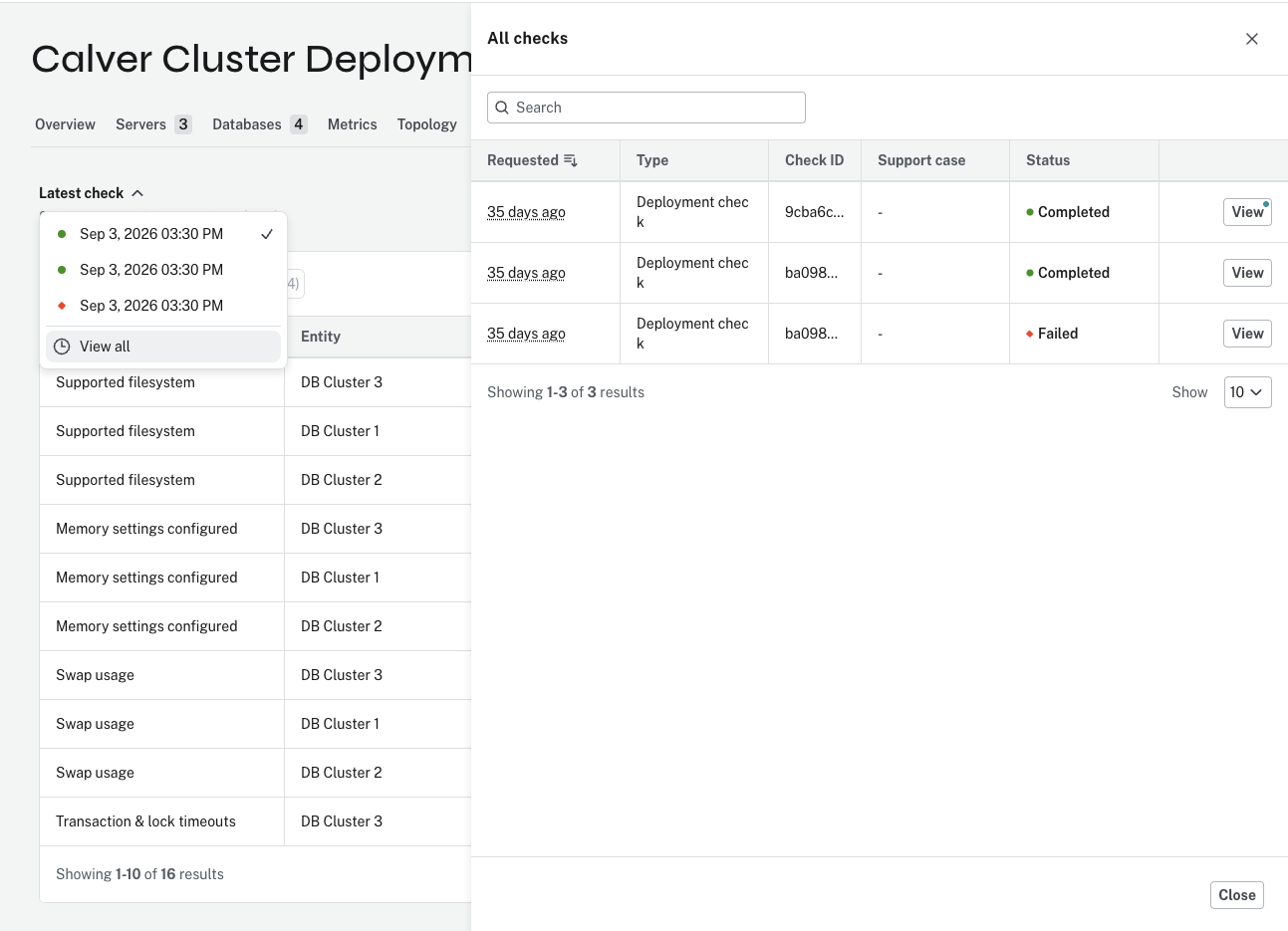
You can also view the historical results of deployment health checks for the deployment.
|
Note that the historical results are only available for the last 30 days.
You can copy the deployment health check ID from the |
Interpreting the results
Each checker verifies a specific aspect of the deployment’s health.
A checker’s result is categorized into the following:
-
Status: The status and severity of the condition checked by the checker.
-
Description: A description of the condition checked by the checker.
-
Summary: A summary of the checker’s findings.
-
Explanation: A link to an external documentation page that explains the condition and how to fix it if needed.
-
Action: A suggested action to take to fix the issue detected by the checker.
List of checkers
| Check | Description |
|---|---|
Databases online |
Verifies every database on the server is online; warns when non-system databases are offline and escalates when the system database itself is offline. |
Disk space failures |
Scans the error log over the selected period for disk-space failures (out-of-disk-space and failed-preallocation events) and reports the count and most recent occurrence. |
Out-of-memory events |
Scans the error log over the selected period for out-of-memory events in the Neo4j process. |
Store consistency |
Scans the error log over the selected period for store-consistency failures (possible data corruption), reported per affected database with first/last occurrence. |
Neo4j version known issues |
Checks the server’s Neo4j version against a blocklist of releases with known critical issues. |
Java runtime known issues |
Checks the server’s Java runtime version against a blocklist of JVM builds with known critical issues. |
Duplicate plugins |
Detects multiple copies of the same plugin (e.g. two APOC jars of different versions) installed in the server’s plugins directory. |
Plugin versions match across cluster |
Compares installed plugin versions across cluster members and reports mismatches attributed per instance. |
Plugins installed on every instance |
Flags plugins that are installed elsewhere in the cluster but missing on this server (evaluated only with two or more cluster instances). |
Supported filesystem |
Verifies databases store data on a supported filesystem (ext4/xfs on Linux, NTFS on Windows). |
Recommended store format |
Flags databases still using a deprecated store format (aligned/standard) instead of the recommended block format; not applicable on Neo4j versions without block. |
CPU sizing |
Verifies the server has at least the recommended 4 CPU cores. |
Same OS across cluster |
Verifies all cluster members run the same operating system and version. |
Memory settings configured |
Verifies heap and page cache sizes are explicitly configured rather than left to JVM/Neo4j defaults. |
Heap min/max equal |
Verifies the initial heap size equals the maximum heap size, avoiding heap resize pauses. |
Heap size vs compressed pointers |
Flags a maximum heap size in the 32–48 GB range where the JVM disables compressed pointers, wasting memory. |
Transaction memory limits |
Verifies a bounded global transaction memory limit (dbms.memory.transaction.global_max_size) applies, so runaway transactions cannot exhaust the heap. |
Transaction state on heap |
Verifies transaction state is configured to allocate on heap (dbms.tx_state.memory_allocation=ON_HEAP). |
Swap usage |
Flags active swap usage (severe performance degradation) and, in a milder variant, swap that is configured but unused. |
JVM --add-opens arguments |
Verifies the recommended JVM --add-opens arguments are configured on Neo4j versions that require them. Transaction & lock timeouts Verifies dbms.transaction.timeout and dbms.lock.acquisition.timeout are configured. |
Page cache sizing |
Verifies the configured page cache covers at least 10% of the total mapped store size across non-system databases. |
Configuration consistent across cluster |
Compares configuration across cluster members and reports the specific keys that differ. |
Discovery version consistent |
Verifies the discovery service version is consistent across all cluster members. |